
If you've ever asked, "When's the best time to post on Instagram?" you're not alone. It can feel like a total guessing game. But the good news is, you don't have to start from scratch.
While every account's sweet spot is a little different, massive industry studies have found some pretty clear patterns. Generally, the best times to post fall between 11 AM and 1 PM and again from 7 PM to 9 PM on weekdays.
Why these times? It all comes down to human behavior. Those windows are when most people are taking their lunch break or unwinding after work—prime time for scrolling, liking, and commenting.
Your Starting Guide to Peak Instagram Posting Times
Think of these widely-accepted times as your baseline—a solid, data-backed place to start before you dive into your own analytics. Posting randomly is like throwing spaghetti at the wall. This is your chance to be strategic right out of the gate.
These "golden hours" aren't random; they're tied directly to the rhythm of the typical day. The midday slot from 11 AM to 2 PM catches people looking for a mental break, while the evening window from 7 PM to 9 PM is perfect for reaching your audience when they're relaxed and ready to engage.
Why Weekdays Often Win
For most businesses, weekdays consistently deliver better results than weekends. The structure of the workweek creates predictable habits, and that includes when people check Instagram.
For example, multiple studies have pointed to Wednesday as a top-performing day. Some research, like the data explored by the team at Buffer, even highlights a sweet spot around 3 PM on Wednesdays, likely catching that mid-afternoon slump when people need a quick distraction.
Don't just post when you have a free moment. Start by aiming for these well-documented, high-traffic windows. It gives your content the best possible launchpad for immediate visibility.
Using This Data Effectively
Treat these universal times as your first hypothesis. They give you an immediate advantage, but the real growth comes from testing and refining based on your specific audience.
Here’s a quick game plan to put this into action:
- Start Scheduling: Plan your most important content—like big announcements or detailed carousels—for those weekday afternoon and evening slots.
- Align Your Content: Save your highest-value posts for these peak times to maximize their reach and impact.
- Automate Your Workflow: Use a scheduler like OneUp to plan your posts in advance for these prime windows. With OneUp, you can set everything up, customize captions for different platforms like TikTok and Facebook, and even use the AI Assistant to brainstorm ideas, all while targeting the times your audience is most active.
This approach means you’re building on a foundation of proven data, not just guessing. It’s the smartest way to gain early traction before you start fine-tuning with your own Instagram Insights.
General Best Times to Post on Instagram Based on Global Data
If you’re just getting started or need a reliable schedule to test, use this table as your initial guide. It summarizes the findings from major social media studies and gives you a solid framework.
| Day of the Week | High-Engagement Time Slots | Common User Behavior |
|---|---|---|
| Monday | 12:00 PM | Catching up during lunch break after the weekend. |
| Tuesday | 9:00 AM – 1:00 PM | Morning scroll before work and during lunch. |
| Wednesday | 11:00 AM – 3:00 PM | Often the highest engagement day; peak activity. |
| Thursday | 11:00 AM – 2:00 PM | Midday engagement remains strong. |
| Friday | 10:00 AM – 1:00 PM | People are active before winding down for the weekend. |
| Saturday | 10:00 AM – 12:00 PM | Morning check-ins before weekend activities. |
| Sunday | 7:00 PM – 9:00 PM | Relaxing and prepping for the week ahead; evening scroll. |
Remember, this is your starting line, not the finish line. The next step is to use your own data to see when your audience is actually online and engaging.
Finding Your Audience's Unique Posting Times
While those global stats give you a decent starting line, real growth kicks in when you stop guessing and start digging into your own audience's behavior. The generic "best time to post" is fine, but your followers are unique. The secret to hitting that engagement sweet spot is already in your hands, right inside Instagram's own analytics.
This is where you graduate from broad advice to a sharp, data-backed strategy. Thankfully, Instagram doesn't hide this info. It’s all available in their native tool, Instagram Insights, which comes standard with any professional (Business or Creator) account.
Navigating to Your Audience Insights
Getting to this data is simple. Think of it as the first step to creating a schedule that actually syncs up with your followers' real lives.
- Head to your Instagram profile and tap the 'Professional dashboard' button right under your bio.
- From there, tap on 'Total followers' to get into your audience analytics.
- Scroll all the way down until you hit the 'Most Active Times' section.
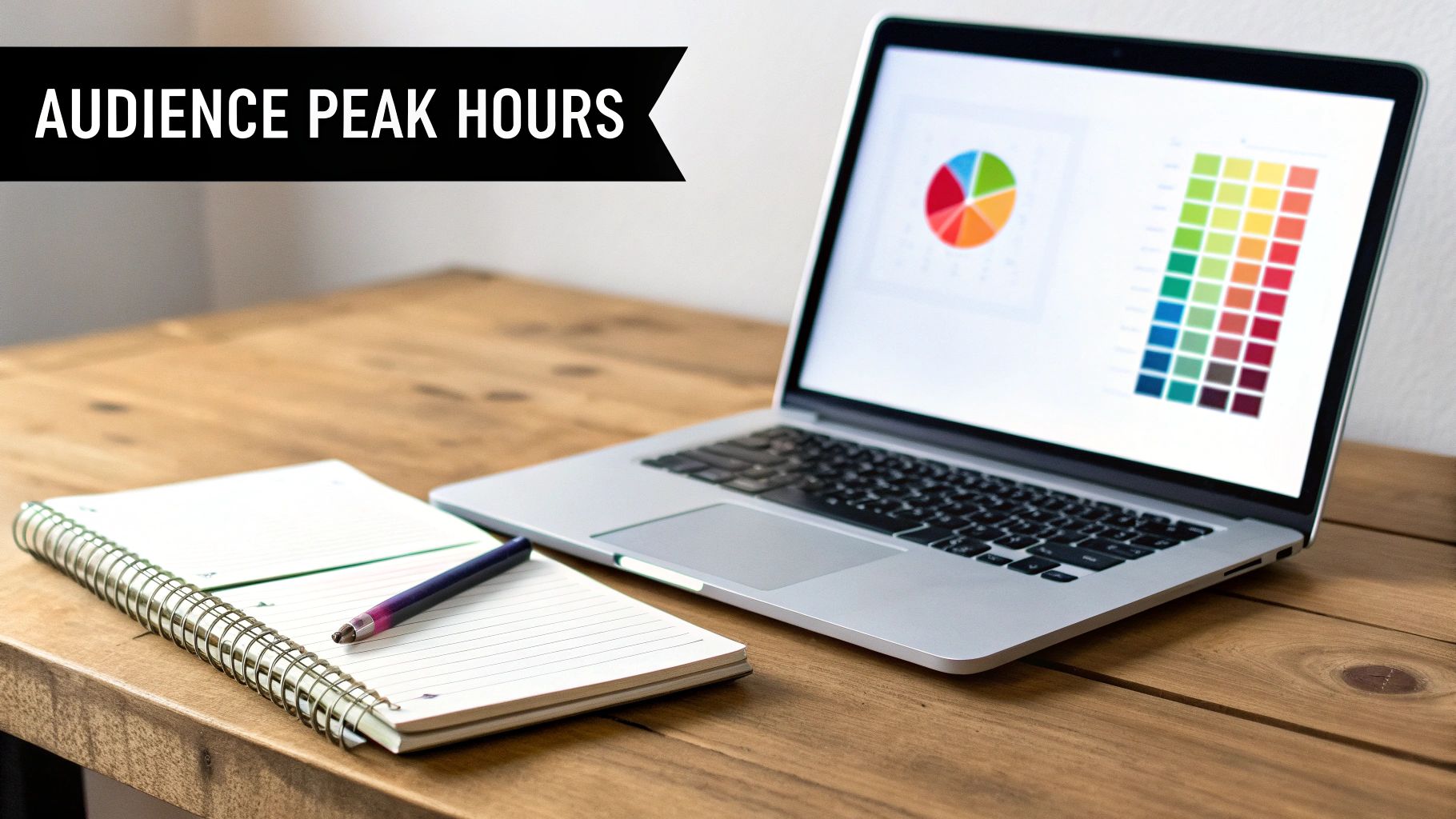
What you'll find is a heatmap showing exactly when your followers were online over the last seven days. You can toggle between hours and days to get a super clear picture of when activity spikes. This little chart is your best friend for figuring out when to post.
Don't just hunt for the single highest peak. Look for sustained periods of high activity. You should also keep an eye on "shoulder hours"—those times right before or after the absolute peak when there's still a ton of engagement but maybe a little less noise from other accounts.
Turning Data into a Real-World Strategy
Okay, so you have the chart. Now what? Looking at the data is one thing, but translating it into a smart posting schedule is where the magic happens. The patterns you spot will be totally unique to your niche and who your followers are.
For example, a B2B software company might look at their heatmap and see a huge surge in activity from Tuesday to Thursday between 12 PM and 2 PM. This makes perfect sense—their audience is full of professionals scrolling through Instagram on their lunch break.
On the other hand, a D2C fashion brand might see their engagement go through the roof on Sunday evenings around 8 PM. Their audience is winding down, looking for weekend outfit inspo, and getting ready for the week. It’s the ideal moment to drop a new collection.
Once you’ve pinpointed these personalized peak times for your brand, you can use a scheduler like OneUp to stop posting on a whim. Just plug your content into OneUp's visual calendar and target those high-activity windows with precision. With features like unlimited scheduling and the ability to organize accounts in separate workspaces, you can make sure every single post—from Reels to Carousels to Stories with link stickers—gets in front of your audience right when they're most likely to engage. You'll go from reacting to the algorithm to proactively owning your schedule.
Nail Down a Sustainable Posting Cadence
Knowing the best time to post is only half the battle. The real secret to Instagram growth is showing up consistently. A sustainable posting cadence isn't about spamming your followers' feeds; it's about building a reliable rhythm that your audience can count on.
Think consistency over sheer volume. It’s the best way to keep your followers hooked without burning yourself out.
To keep things fresh and avoid boring your audience, you need a balanced content mix. Don't just post random photos. Plan out a variety of formats that play to Instagram's strengths. This keeps your feed dynamic and gives people a reason to keep coming back.
Here's a solid weekly mix that works for a ton of accounts:
- 3-4 Reels: Video is king for reach. Use Reels for fun, educational, or behind-the-scenes content.
- 2-3 Carousels or Static Posts: These are perfect for telling a deeper story, walking through a tutorial, or showing off your products in detail.
- Daily Stories: Keep a constant, casual conversation going with your audience through polls, Q&As, and daily updates.
This structure delivers real value without feeling overwhelming for you or your followers.
A Realistic Workflow for Solo Entrepreneurs
Trying to keep up this kind of cadence can sound like a lot, especially if you're a one-person show or have a tiny team. But trust me, it's totally manageable with the right system. The magic is in batching and scheduling your content ahead of time.
Picture this: you block out one afternoon and knock out an entire week's worth of top-tier posts. That’s where a tool like OneUp really shines.
Let's say a freelance graphic designer carves out Monday morning for their Instagram strategy. They could create two educational carousels, film three quick-tip Reels, and design five engaging Stories for the week.
Then, they just hop into OneUp and schedule it all in one session. They can even see how the posts will look on their profile using an Instagram grid planner to make sure the feed looks sharp and professional.
A powerful, consistent presence doesn't require a large team—it requires a smart system. Batching and scheduling transform content creation from a daily chore into a strategic, once-a-week task.
By using features like content categories in OneUp, the designer can keep everything organized by content pillars like "Portfolio," "Tutorials," and "Client Testimonials." Even better, they can upload multiple images at once to quickly create carousels or schedule single-image posts.
And for those evergreen tips that are always useful? They can set them up with OneUp’s repeating post feature to automatically share that high-performing content every few months. This simple workflow guarantees a steady stream of valuable posts, all hitting the feed at the perfect times, without the daily scramble.
How to Automate and Scale Your Schedule with OneUp
Okay, you've done the hard work. You've dug into your analytics, identified your best posting times, and figured out a cadence that actually works for you. Now what?
The next step is all about flawless execution, and frankly, that's where automation becomes your best friend. This is how you turn that data-driven strategy into a consistent, scalable workflow. Instead of being chained to your phone waiting for the perfect moment to post, you can build out an entire content calendar that practically runs itself.
Think of a tool like OneUp as the bridge between your audience insights and your live, multi-platform schedule. You stop reacting and start proactively managing your content pipeline.
Unify Your Content Calendar
One of the biggest wins with automation is getting everything into one place. Imagine mapping out your content for Instagram, TikTok, LinkedIn, and even your Google Business Profiles, all from a single visual calendar. Suddenly, you can spot content gaps from a mile away, make sure you have a balanced mix of posts, and keep your brand message tight across every channel.
Here’s a peek at what that looks like inside the OneUp scheduling dashboard—it gives you a clear bird's-eye view of everything you have planned.
This visual layout makes it so much easier to just drag and drop posts into different time slots, guaranteeing you hit every optimal window without having to constantly double-check your notes.
Features That Drive Efficiency
Real automation is more than just hitting "schedule." The right platform is packed with features designed to give you your time back and make your content work harder. For example, with OneUp, you can create a post once and customize it for multiple networks. That means you can write your Instagram caption, then quickly tweak it for a more professional tone on LinkedIn without starting over from a blank slate.
Other little time-savers that make a huge difference include:
- AI Assistant: If you're drawing a blank on a caption, the AI can spit out a few different variations. It’s a great way to break through writer's block and keep your messaging from getting stale.
- Scheduled First Comment: This is a classic. Keep your captions looking clean and uncluttered by automatically dropping your block of hashtags into the first comment.
- Repeating Posts: Got some killer evergreen content? Set it to automatically repost at intervals you choose. This keeps your best-performing content in rotation and continuously driving results.
- UTM Tagging: Automatically add UTM parameters to your links, so you can precisely track where your website traffic and conversions are coming from.
Scaling for Agencies and Multiple Brands
For social media managers juggling multiple clients, or businesses with several brand accounts, automation isn't just nice to have—it's non-negotiable. Trying to manually post for different accounts, each with its own audience and time zone, is a recipe for disaster. This is where dedicated workspaces become a lifesaver.
OneUp allows you to create separate workspaces for each client, preventing mix-ups and keeping all assets, schedules, and analytics neatly organized. You can even give clients approval access to review posts before they go live. This means you can manage a brand in London and another in Los Angeles from the same dashboard, with each post perfectly timed for its unique audience.
Data from an analysis of over 2 million posts shows just how critical this kind of precision is, with Thursdays at 9 PM popping up as an absolute peak time for engagement. For an agency using OneUp to schedule Reels or carousels for a dozen clients, this means you can leverage unlimited scheduling to hit that 9 PM sweet spot in every single time zone—without you having to be online at all hours of the night. You can discover more insights about peak posting times to dial in your strategy even more.
With features built for teams and agencies, scaling your operation becomes much simpler. You can check out the OneUp pricing plans to see how a single subscription can support unlimited accounts and team members, making it a surprisingly cost-effective way to grow.
How to Test and Refine Your Instagram Strategy
A killer Instagram schedule is never a "set it and forget it" kind of deal. If you really want to lock in the best times to post for your brand, you need a solid framework for constantly testing and tweaking your approach. This means getting past those initial recommendations and starting to actively experiment with your schedule.
The idea is to create a simple, repeatable cycle: test, analyze, and refine. Do this every quarter. It's the only way to make sure your strategy keeps up with your audience's habits instead of getting stuck on old data.
Running Simple A/B Tests
Let's start with a basic A/B test on your posting times. It's easier than it sounds.
For two weeks, post similar types of content at 11 AM. Then, for the next two weeks, switch it up and post that same content style at 7 PM. The trick is to keep the content theme the same so that the timing is the only real thing you're testing.
Once that four-week test is over, it's time to dig into your numbers. You can check this right inside OneUp, which gives you detailed analytics to track things like reach, engagement rate, and comments for every single post. This is where you’ll see the real impact of your timing experiments.
This simple loop of identifying what works, automating it, and then scaling it up is the secret sauce to sustainable growth.
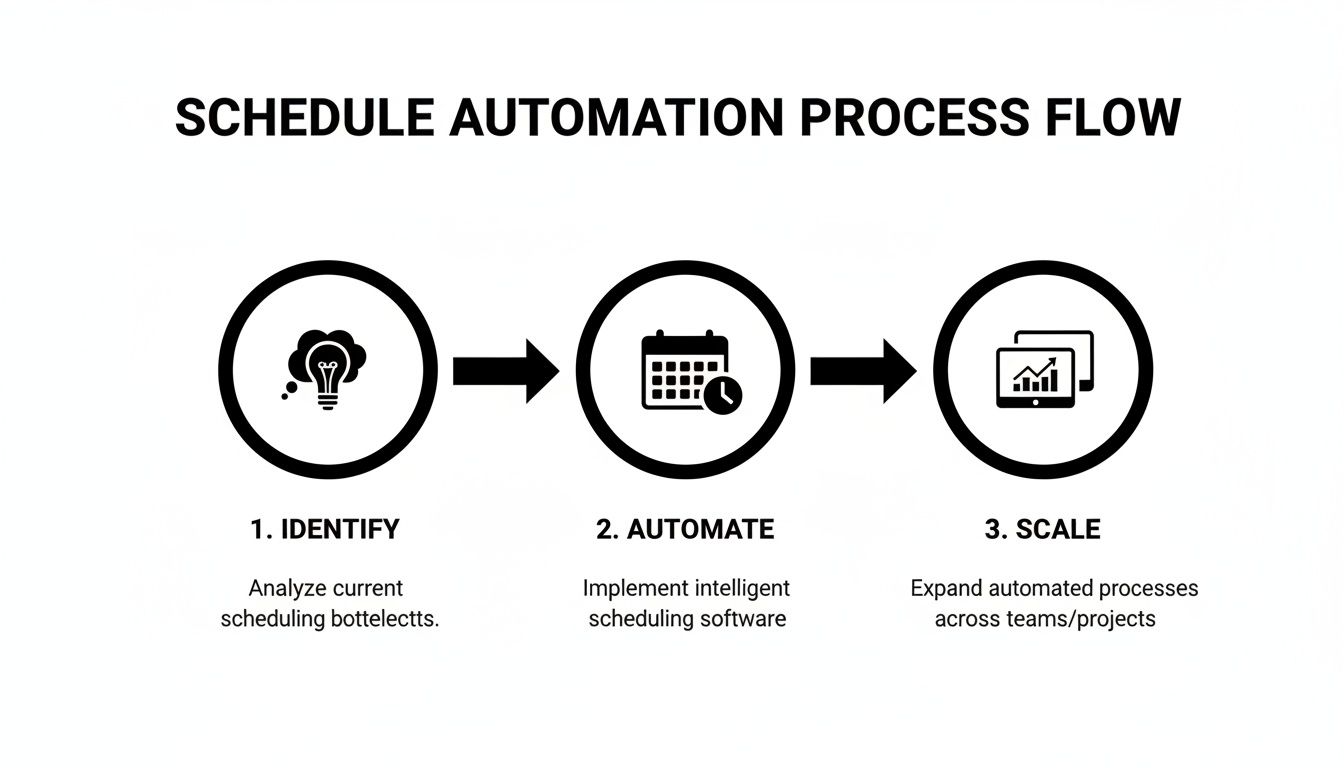
This process helps you move from just finding peak times in your data to actually automating your schedule and making your efforts way more efficient.
Using Data for Deeper Insights
As you test, don't forget that different days of the week have their own unique vibes. Sundays are a great example. They often see reliable engagement from the afternoon into the evening, with studies pointing to 1-3 PM and 8-10 PM as prime time for that relaxed weekend scroll.
For accounts like influencers or franchises, this is a golden opportunity to use OneUp's repeating post feature to get more mileage out of your evergreen content. If you're an agency, you can use OneUp's team calendars to batch-schedule Sunday content across both Instagram and Pinterest to hit those sweet spots.
A common mistake I see is people stopping after just one round of tests. Audience behavior is always changing—think seasons, holidays, and even algorithm updates. A quarterly review is what keeps your strategy sharp and effective.
To keep leveling up your Instagram game, check out Copycat247's blog for Instagram strategy for fresh insights. And remember, timing is only half the battle. Your hashtags matter just as much, so use tools like OneUp’s handy Instagram hashtag generator to find relevant tags that get you seen.
Still Have Questions? Let's Clear Things Up
Diving into Instagram's quirks can leave you with a few head-scratchers. Here are some quick, no-fluff answers to the questions I hear most often about post timing.
Does the Best Time to Post Change for Reels vs. Posts?
Yep, it absolutely can. Think about why people are scrolling at different times of the day.
Reels are pure entertainment—quick hits of dopamine. They kill it during prime relaxation hours, like evenings from 7 PM to 9 PM or lazy weekend afternoons. That’s when people are kicking back, not necessarily looking to learn something.
Feed posts and carousels, on the other hand, are often where you share more in-depth info or inspiration. These do great during commutes or the classic 12 PM to 2 PM lunch break, when people are actively catching up on their feeds.
A simple way to handle this is to use a scheduler like OneUp. You can map it all out on its visual calendar—line up your high-value carousels for that midday slot, then schedule your fun Reels to drop later when your audience is ready to be entertained. This way, each piece of content lands at the perfect moment.
How Should I Handle an Audience in Different Time Zones?
If your followers are all over the world, posting at one "perfect" time is a losing game. You'll always be leaving someone out.
First, find the time that hits the biggest chunk of your audience. For example, posting at 1 PM EST catches the East Coast on their lunch break, the West Coast as they start their day, and even parts of Europe winding down in the evening. It’s a solid starting point.
But for a smarter approach, you don't have to pick just one time. With a tool like OneUp, you can schedule the same post to go out multiple times, each one tailored to a different region's peak hours. Their repeating post feature is a game-changer for this. You could schedule a post for your European followers at 8 PM CET, then have it automatically publish again for your North American crew at 8 PM PST. No more late nights or super early mornings just to catch everyone online.
How Often Should I Re-Evaluate My Posting Times?
Things change. People's habits shift with the seasons, holidays, or even just a new Instagram algorithm update. A quarterly review is the perfect rhythm to stay on top of it.
Every three months, block off some time to dig into your Instagram Insights and your scheduling tool's analytics. You're not looking to reinvent the wheel every time. You're just looking for trends.
Is a specific time slot that used to be a winner suddenly falling flat? That's your cue. If you see a dip for a few weeks in a row, it’s a clear signal to start testing a new window. This keeps your strategy fresh and based on what your audience is doing now, not what they were doing six months ago.
Ready to stop guessing and start scheduling with confidence? OneUp has everything you need—from AI captions and a visual grid planner to unlimited scheduling on every major platform. Start your free trial of OneUp today and finally take control of your content calendar.