

In 2025, effective social media management extends far beyond simply scheduling posts. It’s the operational core for building a brand, nurturing community engagement, and demonstrating tangible return on investment. With a complex web of platforms and constantly shifting algorithms, the right tool isn't just a helpful utility; it's your strategic command center. However, navigating the crowded market to select the best social media management tools can be a daunting task, leading to decision paralysis and wasted resources.
This guide is designed to cut through that noise. We've conducted a rigorous, hands-on evaluation of the top platforms available, moving past marketing jargon to focus on practical application. We'll dive into the specific features that solve real-world problems for agencies, small businesses, and creators. To make an informed decision when choosing your social media command center, it's vital to be aware of the latest social media marketing best practices for 2025.
Inside, you'll find a detailed breakdown of each tool, complete with screenshots and direct links. We’ll compare platforms on criteria like advanced client approval workflows, AI-powered content generation, and robust analytics suites. We’ll also highlight unique functionalities, such as OneUp's ability to post directly to Google Business Profiles with photos and videos, schedule posts from a Chrome extension, and manage recurring posts that automatically republish at set intervals. Forget generic feature lists; this resource offers a clear, comprehensive comparison to help you confidently select the perfect partner to achieve your social media objectives.
1. OneUp
OneUp stands out as a formidable contender in the social media management space, built specifically for users who need to scale without incurring prohibitive costs. Its core strength lies in an exceptional "unlimited" model, offering a single fixed price for unlimited social accounts, posts, team members, and analytics. This makes it an ideal choice for growing agencies, franchises, and businesses that manage a large volume of social profiles and don't want their software budget to balloon with their success.
The platform's direct publishing capabilities are extensive, covering not just major players like Instagram, Facebook, and X, but also emerging and specialized networks like TikTok, YouTube Shorts, Threads, Bluesky, Snapchat, and Reddit. This broad support is what makes it one of the best social media management tools available today.
Core Features & Real-World Application
OneUp excels in both efficiency and collaboration, with a feature set that addresses common pain points for social media professionals.
- Advanced Content Publishing: Beyond simple posts, you can directly schedule complex formats like Instagram Reels, Stories, and Carousels; multi-image posts on Google Business Profiles; and threaded posts for X and Threads. It also supports custom video thumbnails, first comments to house hashtags on Facebook and LinkedIn, alt text for accessibility, post URL shortening with Bitly, and text formatting.
- Agency and Team Workflows: Collaboration is streamlined with client approval requests that trigger email notifications and the ability to share a simple preview link, preventing bottlenecks. You can provide clients with shareable, read-only calendar links for transparency and group accounts into categories for organized management. Granular per-user access restrictions, including post approval requirements and internal post notes, ensure team members only see and manage the accounts they are assigned to.
- Productivity & Automation Engine: The platform is packed with time-saving tools. Integrate directly with Canva to design visuals, use the AI assistant to generate captions, or bulk schedule hundreds of posts using a CSV or Google Sheets upload. Its Evergreen Content feature allows you to automatically recycle your best-performing posts at custom intervals, and you can auto-post from RSS feeds or a Chrome extension, keeping your content calendar full with minimal effort. You can also import posts from other tools like Buffer.
Practical Use Case: An agency managing 50 client accounts can add all profiles and onboard their entire team without paying extra per seat or connection. They can create separate account categories for each client, assign specific managers, and set up an approval workflow where clients must sign off on posts before they go live, all from a single dashboard.
Pricing and Access
OneUp’s pricing model emphasizes its unlimited promise, offering a 7-day free trial to test its full capabilities. While specific plan tiers are detailed on their pricing page, the main draw is the fixed-cost structure that supports unlimited growth. The platform also provides an API for custom integrations and has dedicated iOS and Android apps for on-the-go management.
- Pros: Unbeatable scalability with its unlimited accounts and users model, direct publishing to a very wide range of networks including emerging platforms, robust agency-focused collaboration features, and powerful automation tools like post recycling and bulk scheduling.
- Cons: Some advanced publishing features are dependent on network API limitations (e.g., personal profiles may require mobile notifications), and a comprehensive social listening suite is currently listed as "coming soon."
Website: https://oneupapp.io
2. Hootsuite
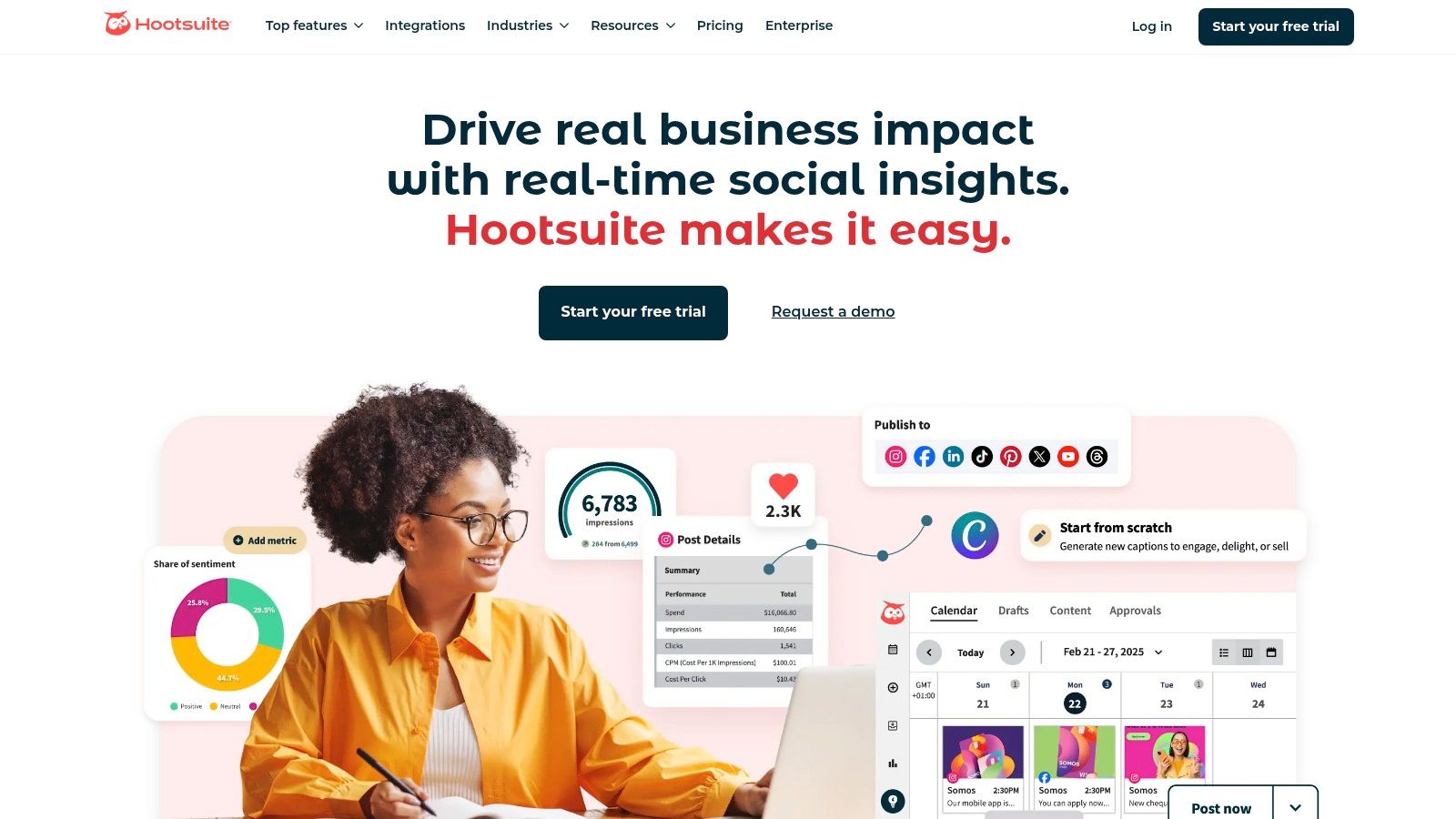
Hootsuite is one of the original and most recognizable names in social media management, evolving into a full-stack platform that scales from solo entrepreneurs to large enterprise teams. It's a powerhouse for organizations that need robust, all-in-one functionality covering content creation, scheduling, engagement, analytics, and team collaboration. Hootsuite's longevity in the market means it offers some of the most mature and refined workflows available.
The platform distinguishes itself with its extensive network coverage, supporting major platforms alongside a vast ecosystem of app integrations. This makes it one of the best social media management tools for teams needing to centralize a complex digital presence. Recent additions like its AI-powered "OwlyWriter AI" for caption generation and integrated Canva templates streamline the content creation process significantly, allowing users to move from idea to scheduled post without leaving the dashboard.
Core Features & Use Cases
- Best For: Enterprise teams, agencies, and SMBs requiring comprehensive analytics and broad platform support.
- Key Strength: Its unified inbox, known as "Streams," allows users to monitor multiple feeds, keywords, and hashtags in a single, customizable view. This is invaluable for real-time engagement and social listening.
- Unique Feature: The platform's deep reporting and competitive benchmarking capabilities provide granular insights that are crucial for data-driven strategies.
While Hootsuite's AI helps with content, some users find that dedicated tools can offer more advanced options. For instance, you can explore how a specialized Facebook post generator can further enhance your creative workflow.
Pricing and Limitations
Hootsuite's pricing is on the premium side, starting with its Professional plan at $99 per month for one user and 10 social accounts. While this investment provides access to powerful features, it can be a significant jump for those accustomed to entry-level tools. The platform also has a steeper learning curve for its advanced analytics and team assignment features, requiring some initial setup and training to maximize its potential.
3. Sprout Social
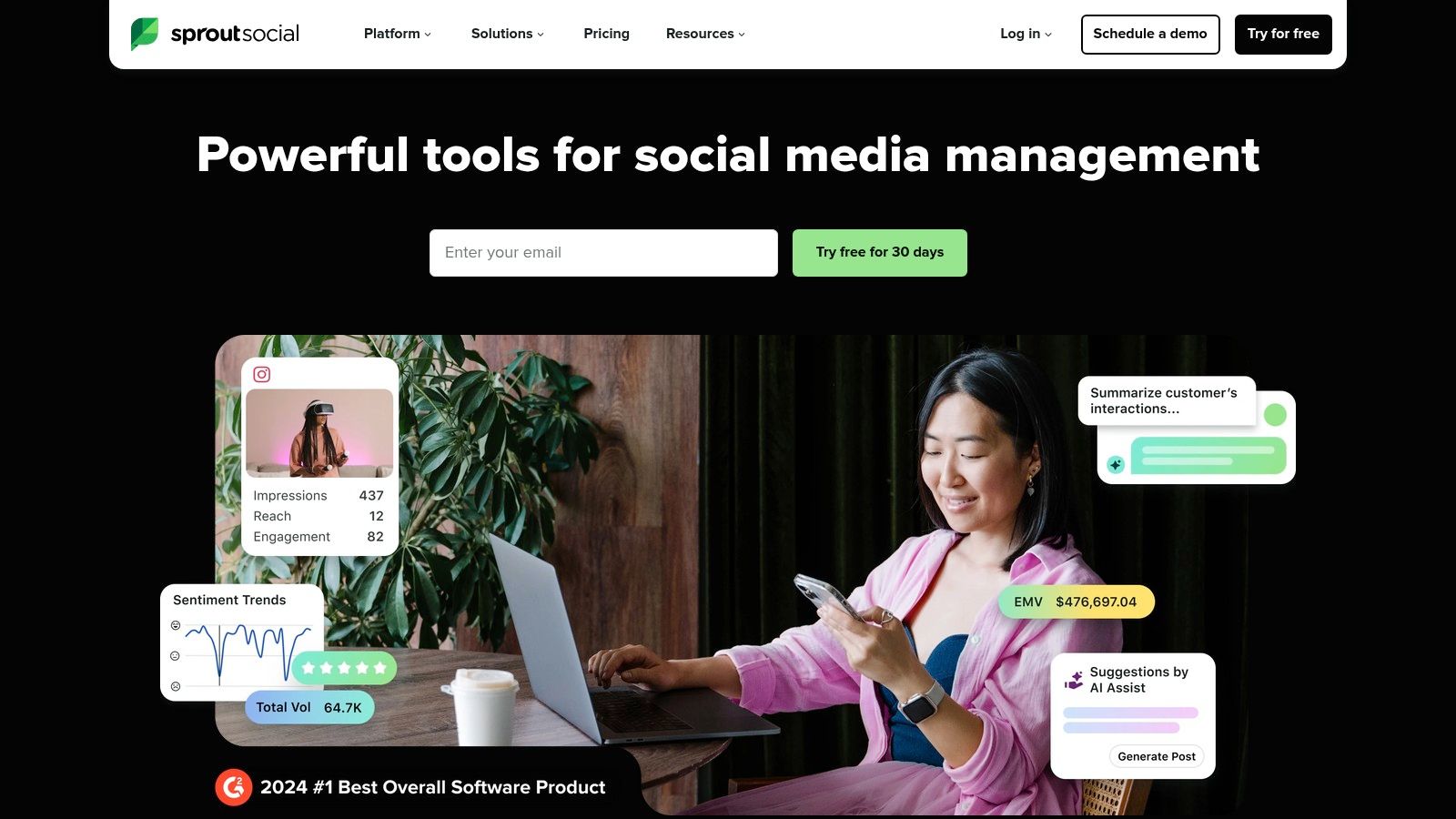
Sprout Social is an enterprise-grade platform known for its polished user experience and powerful, data-driven features. It’s designed for teams that require best-in-class reporting, reliable support, and a unified system for managing publishing, engagement, and analytics. Sprout Social positions itself as a premium solution for businesses that prioritize deep insights and scalable team workflows, making it a top choice for established agencies and mid-to-large companies.
The platform excels at turning raw social data into actionable business intelligence. Its suite of tools, including the Smart Inbox and advanced listening features, allows teams to not only manage conversations but also to uncover trends and analyze competitor performance. Integrated AI Assist features help refine content and replies, ensuring brand messaging remains consistent and effective across all channels, solidifying its reputation as one of the best social media management tools for data-focused teams.
Core Features & Use Cases
- Best For: Mid-to-enterprise level businesses and agencies that need sophisticated reporting and team collaboration features.
- Key Strength: Its Smart Inbox centralizes all incoming messages into a single stream with advanced filtering, tagging, and task-assignment capabilities, streamlining engagement at scale.
- Unique Feature: Sprout's analytics produce clean, stakeholder-ready reports that clearly demonstrate social media ROI, a crucial feature for proving value to leadership.
For teams looking for robust scheduling without the enterprise price tag, a tool like OneUp can be a great alternative, offering features like a drag-and-drop calendar and direct Instagram scheduling.
Pricing and Limitations
Sprout Social's premium positioning is reflected in its pricing, which starts at $249 per month for a single user. This per-seat model can become costly for larger teams, and key functionalities like advanced social listening and employee advocacy are offered as separate, premium add-ons. While the platform is incredibly powerful, the investment required means it's best suited for organizations with a significant budget allocated to social media management.
4. Buffer
Buffer has built its reputation on simplicity and accessibility, making it a go-to choice for individuals and small businesses taking their first steps into structured social media management. It offers a clean, intuitive interface that strips away complexity, focusing on core scheduling and publishing functionalities. This streamlined approach allows users to get started quickly without a steep learning curve, making it one of the best social media management tools for those who prioritize ease of use.
The platform excels at straightforward content planning and scheduling, offering a simple queue system that automates posting times for optimal engagement. Buffer's commitment to transparent, channel-based pricing means users only pay for what they need, a refreshing model compared to bundled-tier platforms. While it may not have the deep enterprise features of its larger competitors, its focus on fundamental tools, coupled with a generous free plan, provides immense value for creators and small teams.
Core Features & Use Cases
- Best For: Individuals, creators, and small businesses seeking a simple, affordable, and user-friendly scheduling tool.
- Key Strength: Its incredibly clean user interface and straightforward content calendar make planning and scheduling social posts fast and hassle-free.
- Unique Feature: Buffer's pay-per-channel pricing model offers unmatched flexibility, allowing users to scale their plan precisely as their needs grow without paying for unused slots.
While Buffer includes a basic hashtag tool, users often need more advanced suggestions for platforms like Instagram. Exploring a dedicated Instagram hashtag generator can help you find more targeted and effective tags to boost your reach.
Pricing and Limitations
Buffer offers a highly accessible entry point with a free plan that supports up to three channels, making it ideal for testing the waters. Paid plans are very affordable, starting at just $6 per month per channel. This model is cost-effective but can become less competitive for agencies managing a large volume of accounts. Its limitations surface in its analytics and team collaboration features, which are less robust than enterprise-level solutions. For example, OneUp offers more advanced team features like internal post notes and client approval workflows, which are crucial for agency settings.
5. Later
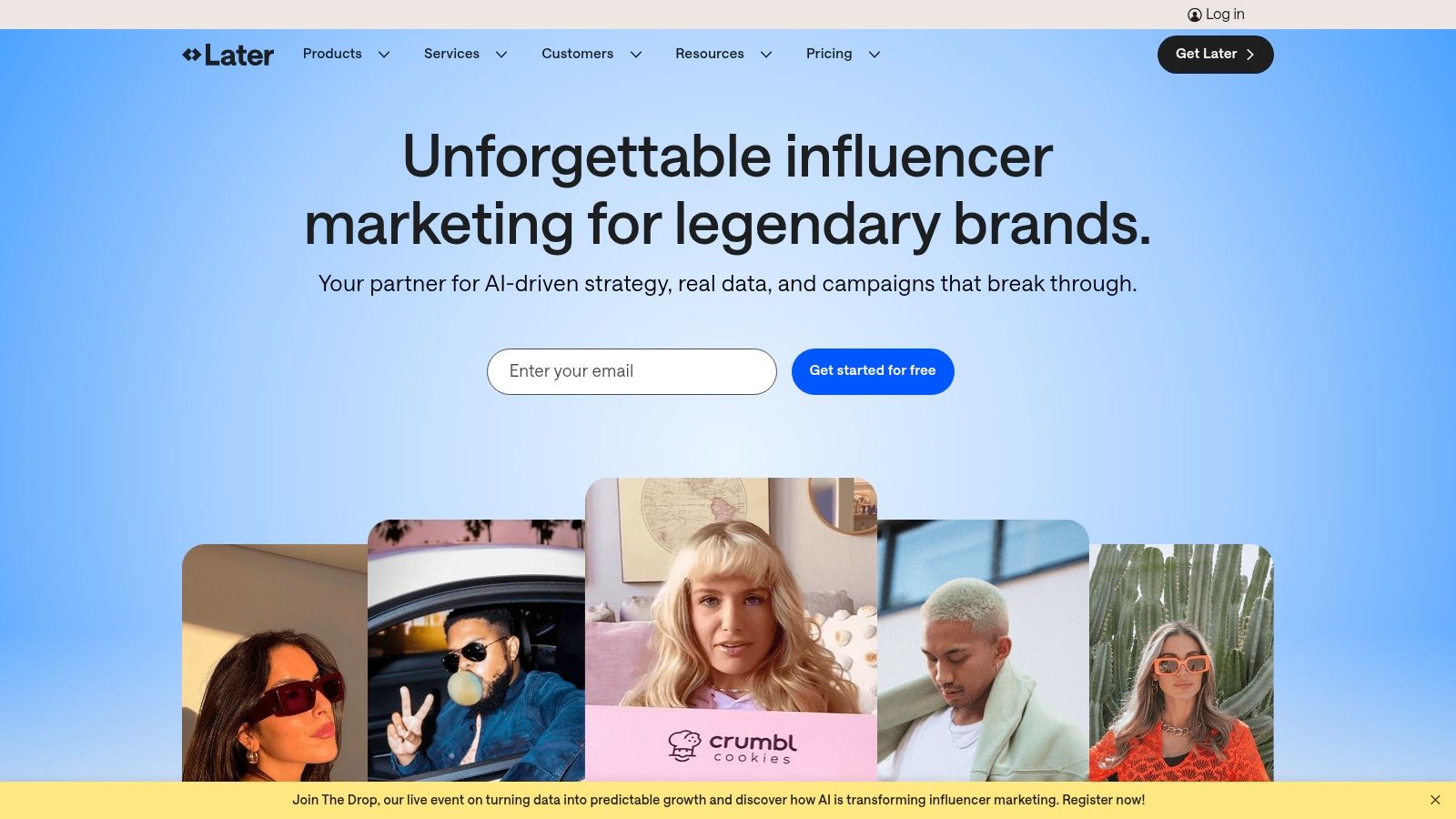
Later began as an Instagram-first scheduling tool and has since blossomed into a comprehensive platform celebrated for its visual-centric approach. It's designed for brands, creators, and marketers who lead with aesthetics, making it a top choice for platforms like Instagram, Pinterest, and TikTok. The platform excels at helping users plan and visualize their content feed, ensuring a cohesive and polished look before anything goes live.
Its strength lies in its user-friendly visual calendar, which provides a drag-and-drop interface to organize posts and preview how a grid will appear. This focus on visual planning makes it one of the best social media management tools for e-commerce brands and influencers. Later also integrates powerful features like a link-in-bio tool (Linkin.bio), product tagging, and user-generated content management, streamlining the path from content to commerce.
Core Features & Use Cases
- Best For: E-commerce brands, creators, and businesses that prioritize visual content on Instagram, TikTok, and Pinterest.
- Key Strength: Its highly intuitive Visual Planner allows you to see exactly how your Instagram grid will look, facilitating a perfectly curated aesthetic.
- Unique Feature: The "Linkin.bio" tool transforms your social bio link into a clickable, shoppable landing page, directly connecting your audience with your products or content.
While Later's visual planner is excellent, some teams might need more advanced grid planning. In that case, you can explore a dedicated Instagram grid planner to supplement your workflow.
Pricing and Limitations
Later offers a welcoming free plan for individuals, but its paid plans start at a reasonable $25 per month for the Starter plan, which includes one user and one "Social Set" (one profile per platform). The primary limitations appear in the entry-level tiers, which cap the number of posts per profile and reserve advanced analytics and collaboration tools for higher-priced plans. This structure can require an upgrade as your team or content volume grows.
6. Agorapulse
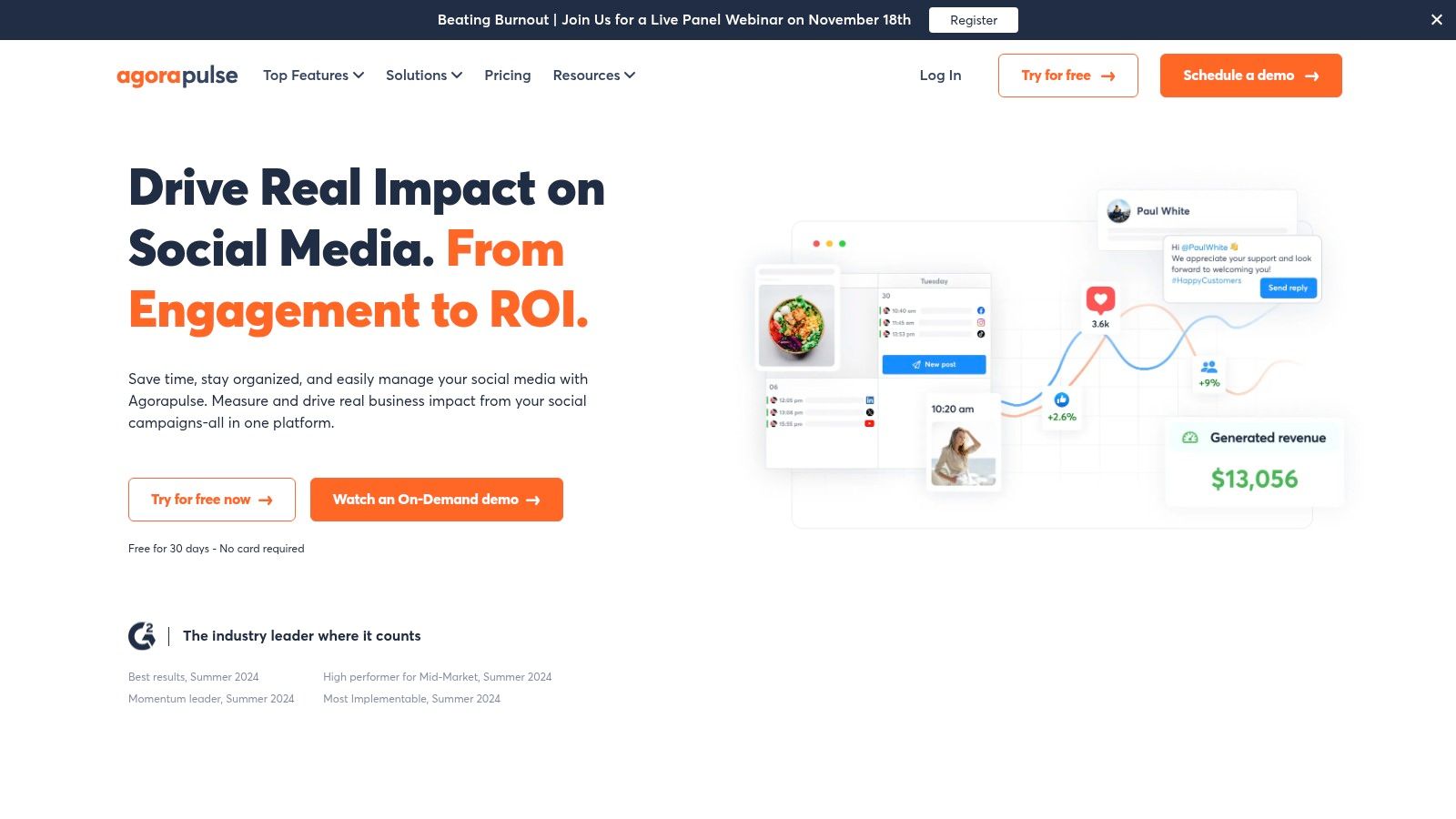
Agorapulse has carved out a strong reputation as a comprehensive, end-to-end solution particularly favored by agencies and mid-market teams. It excels at combining scheduling, engagement, listening, and reporting into a single, intuitive platform. The emphasis is on streamlining team workflows and proving social media ROI, making it one of the best social media management tools for organizations that need to demonstrate clear value from their efforts.
The platform is designed to manage high-volume social interactions efficiently. Its unified inbox acts as a central command center for all incoming comments, messages, and mentions, preventing any customer interaction from slipping through the cracks. For agencies, features like white-label reporting and straightforward per-user pricing make it exceptionally easy to manage multiple clients and scale services without unpredictable cost escalations.
Core Features & Use Cases
- Best For: Marketing agencies, mid-sized businesses, and teams that require robust reporting and streamlined inbox management.
- Key Strength: Its unified "Social Inbox" is powered by automated moderation rules that can assign, flag, or hide content based on keywords, saving teams immense amounts of time. It also includes ad comment monitoring.
- Unique Feature: The platform’s built-in ROI reporting connects social media activities directly to website traffic and conversions, helping teams attribute tangible business outcomes to their social strategy.
For those focusing on visual-heavy platforms, integrating a tool like OneUp can be beneficial. OneUp allows you to directly schedule Instagram Carousels and Stories, offering a more specialized workflow for creating engaging, multi-part visual content that complements Agorapulse’s broader management capabilities.
Pricing and Limitations
Agorapulse offers a free plan for very small-scale users, with paid plans starting at $49 per user per month (billed annually). While its per-user model is transparent, the cost can add up as teams grow, and certain features are reserved for higher-tier plans. Its social listening capabilities are effective for brand mentions and core keywords but may not be as deep as dedicated, enterprise-level listening suites for complex market research.
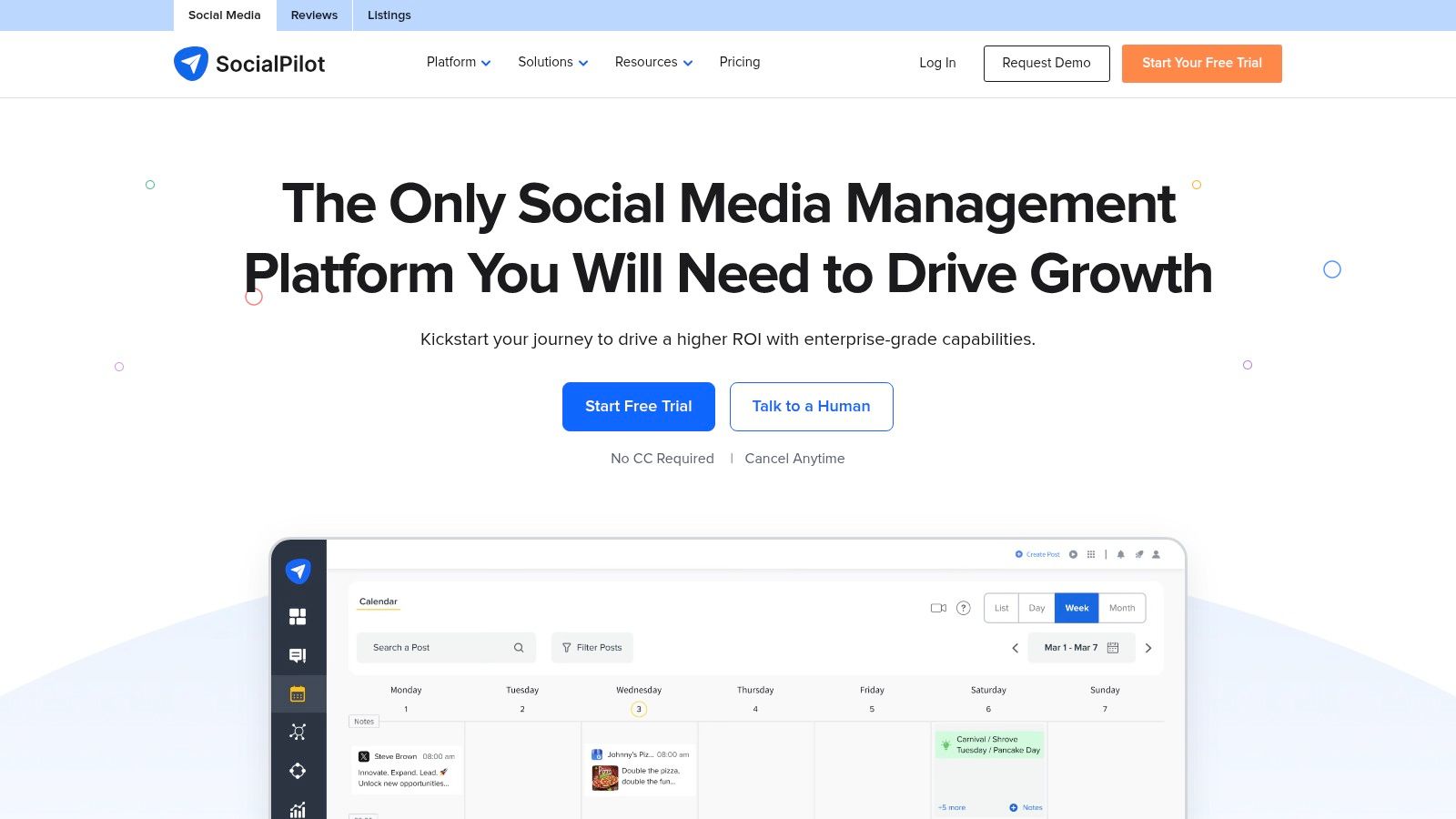
7. SocialPilot
SocialPilot is engineered for scale, making it a standout choice for agencies, growing teams, and businesses managing a high volume of social media accounts. It strikes an exceptional balance between comprehensive features and affordability, delivering robust scheduling, client management, and reporting functionalities without the enterprise-level price tag. The platform is designed to streamline agency workflows, from content creation to client approval, all within a centralized hub.
Its primary strength lies in its cost-effective scalability. Unlike many competitors that charge steeply per user or account, SocialPilot’s plans offer generous limits, allowing agencies to expand their client base without a proportional increase in overhead. Features like bulk scheduling via CSV upload, white-label PDF reports, and dedicated client approval portals make it one of the best social media management tools for teams focused on efficient, high-volume output and professional client servicing.
Core Features & Use Cases
- Best For: Marketing agencies, SMBs, and multi-location businesses needing to manage many social accounts cost-effectively.
- Key Strength: Its agency-centric workflow, which includes client management dashboards, secure content approval loops, and customizable white-label reporting.
- Unique Feature: The platform's bulk scheduling functionality is a massive time-saver, allowing users to schedule up to 500 posts at once by uploading a single CSV file.
For teams looking to add even more automation, a tool like OneUp can be a great supplement. OneUp offers unique features like automatically importing posts from an RSS feed and setting posts to repeat at custom intervals, which can complement SocialPilot’s bulk scheduling capabilities.
Pricing and Limitations
SocialPilot's pricing is highly competitive, with its Professional plan starting at $30 per month for one user and 10 social accounts. The popular Agency plan supports five users and 50 accounts for $100 per month, offering significant value. However, while the interface is functional, it can feel less modern than some premium competitors. Its social listening and engagement features are also more basic, lacking the advanced keyword monitoring and sentiment analysis found in more enterprise-focused platforms.
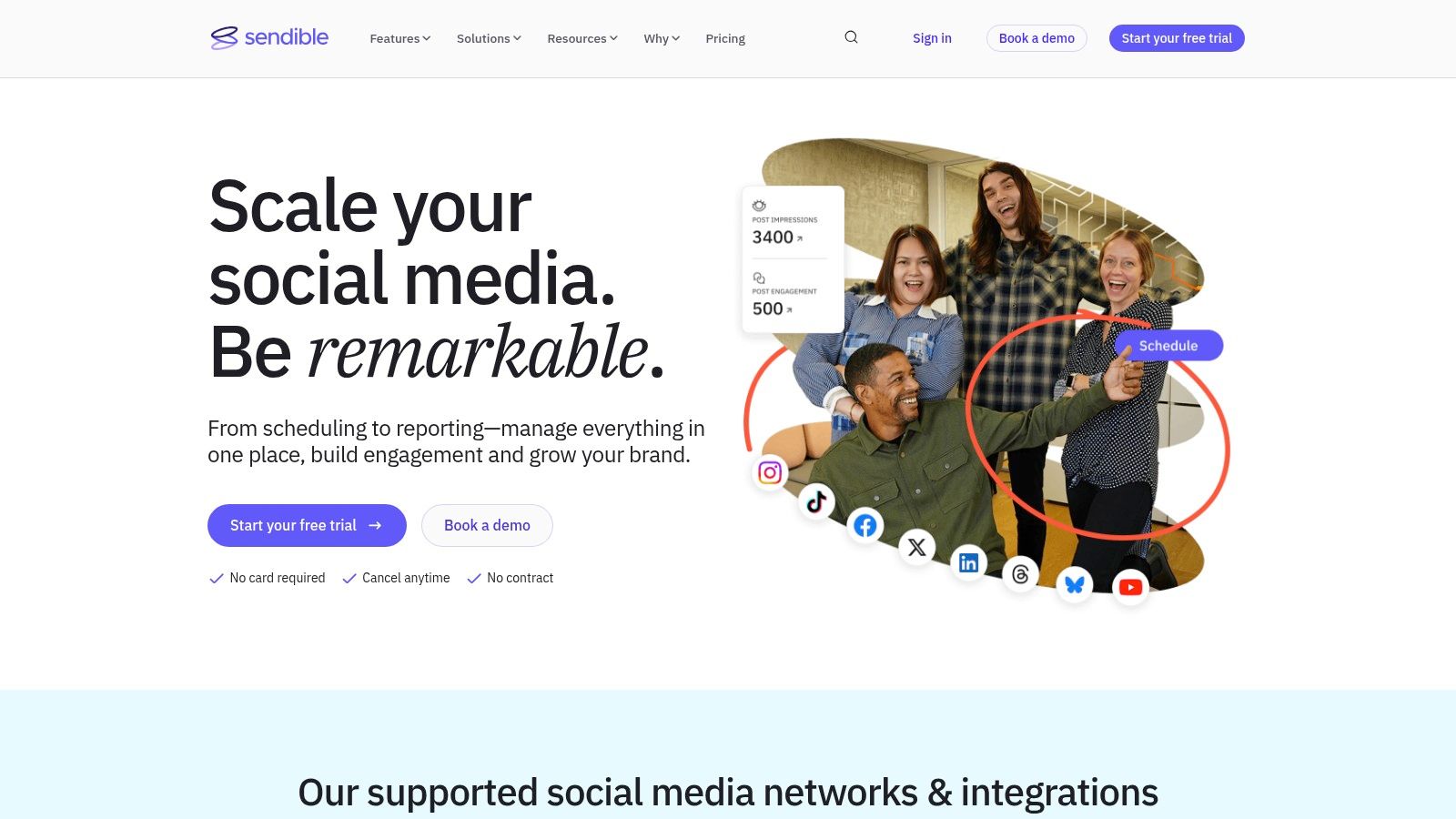
8. Sendible
Sendible is a social media management platform designed from the ground up with marketing agencies and teams managing multiple clients in mind. It excels at streamlining client workflows, offering features like individual client dashboards, team collaboration tools, and robust, white-label reporting capabilities. The platform provides a centralized hub to manage content, engage with audiences, and demonstrate ROI to stakeholders efficiently.
The platform distinguishes itself by focusing on agency-specific needs. Its content engine integrates with Canva, Google Drive, and Dropbox, making asset management simple. Furthermore, Sendible's ability to create separate, permission-based dashboards for each client ensures that workflows remain organized and secure. This makes it one of the best social media management tools for agencies looking to scale their services without overwhelming their teams.
Core Features & Use Cases
- Best For: Marketing agencies, freelancers, and businesses managing social media for multiple brands or clients.
- Key Strength: Its client management features, including dedicated workspaces and an approval system, allow for seamless collaboration between an agency and its clients.
- Unique Feature: The platform offers advanced, pre-built reporting templates that integrate with Google Analytics, providing a deep, comprehensive look at performance that can be easily white-labeled and shared.
While Sendible’s all-in-one approach is great, some workflows can be further optimized. For example, for those who manage Google Business Profiles, a dedicated tool like OneUp can offer more specialized features, such as scheduling Google Business Profile Questions & Answers and multi-photo posts to expand your local marketing.
Pricing and Limitations
Sendible offers a clear pricing structure, with its Creator plan starting at $29 per month for one user and 6 social profiles. The agency-focused plans start at $89 per month. While this is competitive, the white-labeling feature, a key selling point for many agencies, is a paid add-on or included only in higher-tier plans. Some users also note that the interface can feel busy compared to more minimalist tools, presenting a slight learning curve for new team members.
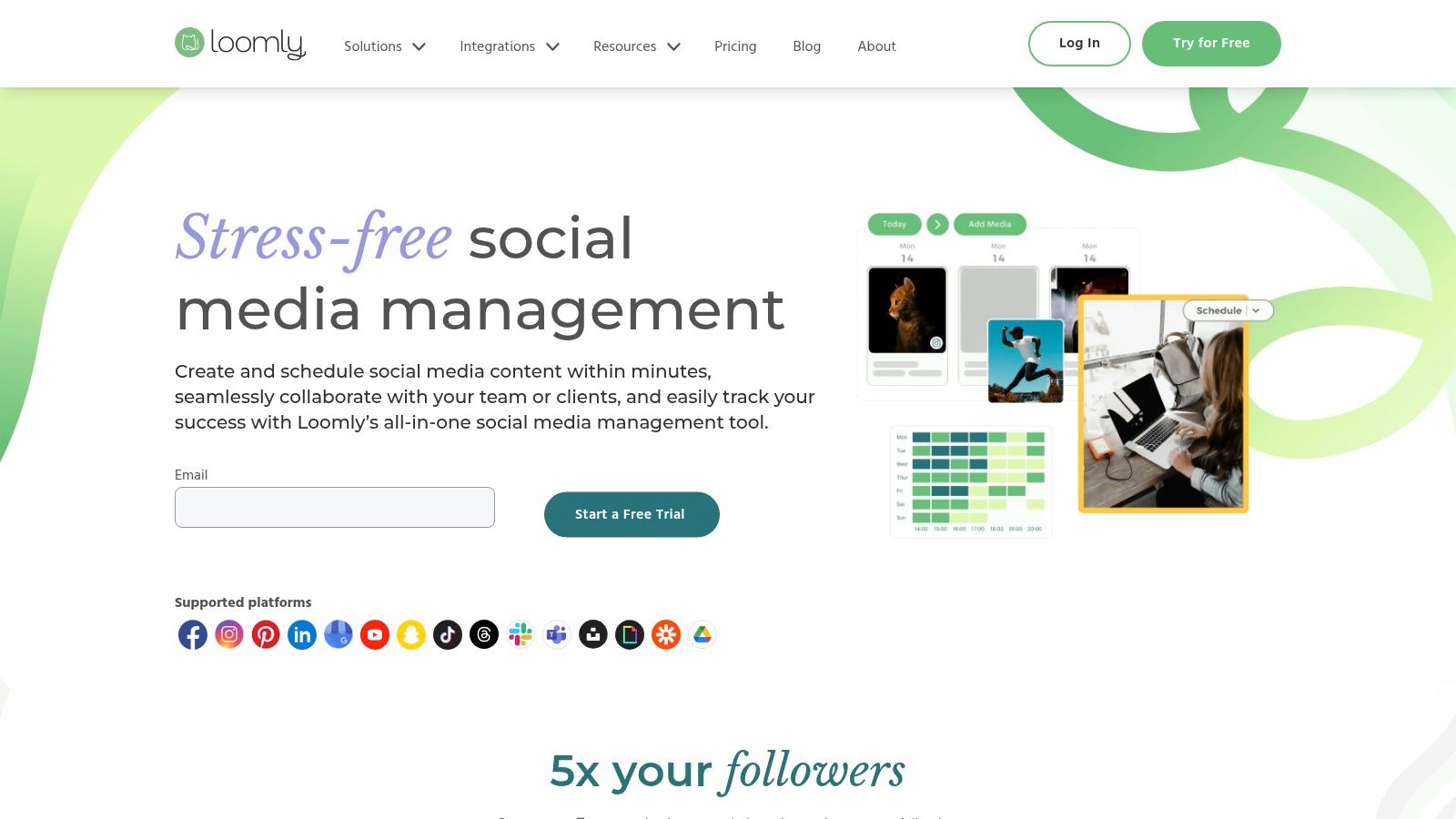
9. Loomly
Loomly is a social media management platform built around a central, intuitive content calendar. It’s designed for teams that prioritize structured planning, collaboration, and multi-step approval workflows. This calendar-centric approach provides a clear, visual overview of all planned content, making it an excellent choice for agencies and marketing teams that need to maintain brand consistency and get stakeholder buy-in before anything goes live.
The platform excels at simplifying the content creation journey from an initial idea to a published post. Loomly offers post ideas, a library for assets, and a guided post-builder that ensures every piece of content is optimized for its target platform. Its clean user interface and logical structure make it one of the best social media management tools for teams that value organization and a seamless approval process above all else.
Core Features & Use Cases
- Best For: Marketing teams and agencies needing robust, multi-stage approval workflows and a highly visual content planning system.
- Key Strength: Its end-to-end content management system, which includes post ideas, an asset library, optimization tips, and mockups for every post before it's scheduled.
- Unique Feature: The platform’s highly granular approval system allows for custom roles and multi-level sign-offs, ensuring total control over what gets published.
While Loomly provides excellent planning tools, some teams might need more specialized scheduling functions. For example, OneUp offers features like the ability to automatically add a first comment to posts on Facebook and LinkedIn, set posts to repeat, and directly upload video files up to 1GB for scheduling.
Pricing and Limitations
Loomly’s pricing starts with a Base plan at $32 per month for two users and 10 social accounts. This makes it an accessible option for smaller teams. However, some advanced features, such as interactions and in-depth analytics, are reserved for higher-tier plans. Its social listening and engagement functionalities are also less comprehensive than those found in enterprise-level suites, making it better suited for content planning and execution rather than deep social monitoring.
10. Zoho Social
Zoho Social leverages the power of its vast business software ecosystem to offer a social media management tool that is deeply integrated and highly efficient, especially for existing Zoho users. It provides a comprehensive suite of features for scheduling, monitoring, and analytics, positioning itself as a powerful, value-driven solution for small to medium-sized businesses and agencies that need their social media efforts to connect directly with their sales and customer service workflows.
The platform’s standout quality is its seamless integration with Zoho CRM. This connection allows teams to enrich leads from social media interactions, track the social sales funnel, and manage customer relationships without switching applications. For businesses embedded in the Zoho ecosystem, this native tie-in transforms social media from a marketing channel into an integral part of the entire customer lifecycle, making it one of the best social media management tools for unified business operations. The clean interface and straightforward workflows ensure users can get started quickly.
Core Features & Use Cases
- Best For: SMBs, agencies, and any business already using the Zoho suite of applications.
- Key Strength: Native integration with Zoho CRM and Zoho Desk, which allows for unparalleled lead and customer management directly from social media interactions.
- Unique Feature: The SmartQ predictions engine suggests the optimal time to post content based on your audience's past engagement, maximizing reach and impact automatically.
For teams that need more advanced scheduling capabilities, such as auto-posting from RSS feeds or scheduling recurring posts to promote ongoing campaigns, a tool like OneUp can be a valuable addition. OneUp’s ability to schedule posts to appear multiple times can significantly enhance content visibility beyond Zoho’s standard scheduling.
Pricing and Limitations
Zoho Social offers exceptional value, including a limited forever-free plan perfect for individuals just starting out. Paid plans are competitively priced, with the Standard plan starting at just $15 per month for one brand. While it covers the essentials effectively, its advanced social listening and monitoring features are not as robust as dedicated enterprise-level tools. Some features and integrations may also vary based on the user's region and specific plan, requiring careful review before committing.
11. Metricool
Metricool is a powerful all-in-one platform that excels at combining social media management with robust analytics, making it a favorite among data-driven marketers, freelancers, and agencies. It goes beyond standard scheduling to offer a comprehensive suite of tools for competitor tracking, ad campaign management, and creating professional client reports, all from a single dashboard. This analytical focus sets it apart in a crowded market.
The platform distinguishes itself with its highly affordable and scalable pricing model, which is structured around managing multiple brands. This makes it one of the best social media management tools for agencies or consultants who need to onboard numerous clients without incurring exponential costs. Its integrated AI assistant, smart link-in-bio tool, and direct integrations with Google Looker Studio further cement its position as a central hub for digital marketing analytics and execution.
Core Features & Use Cases
- Best For: Freelancers, agencies, and data-focused SMBs needing deep analytics and multi-brand management on a budget.
- Key Strength: Its exceptional analytics and reporting capabilities, which allow users to track performance, analyze competitors, and export white-labeled reports effortlessly.
- Unique Feature: The deep integration with ad platforms (like Facebook Ads and Google Ads) allows users to monitor and analyze campaign performance directly alongside their organic social metrics.
While Metricool offers a great AI assistant, users seeking more specialized content creation features might look at dedicated tools. For instance, OneUp provides unique options like the ability to post a link as a text post or a photo post on Facebook, offering more creative flexibility.
Pricing and Limitations
Metricool offers a generous free plan that includes one brand and a limited number of monthly posts, making it highly accessible. Paid plans are very competitive, starting at just $22 per month for 5 brands. However, the interface, which is heavily geared toward analytics, can feel complex for users who prioritize a simple, straightforward scheduling experience. Additionally, X/Twitter functionality is often treated as a paid add-on, and API limits can vary depending on the chosen plan, which may be a consideration for heavy users of the platform.
12. Capterra (Social Media Management category)
While not a management tool itself, Capterra’s Social Media Management category is an essential starting point for anyone researching the market. It’s a comprehensive software comparison marketplace that aggregates hundreds of tools, presenting them side-by-side with verified user reviews, feature lists, and pricing information. Think of it as a strategic first step before committing to demos or trials, helping you create a shortlist based on unbiased data.
Capterra empowers you to filter the vast landscape of social media tools by specific criteria, such as pricing models, required features, and business size. This allows you to quickly sift through the noise and discover niche or budget-friendly options that might not appear in other roundups. Its user-generated reviews provide invaluable, real-world insights into a platform's usability, customer support, and true value, making it one of the best resources for an informed decision.
Core Features & Use Cases
- Best For: Any business, from freelancers to enterprises, at the beginning of their tool selection process.
- Key Strength: Its powerful filtering system and verified user reviews offer a neutral, comprehensive overview of the market, which is perfect for discovering and comparing solutions.
- Unique Feature: The "Compare" functionality lets you select up to four tools and view their features, pricing, and ratings in a detailed head-to-head table.
Review sites are great for broad comparisons, but it's important to also look at a tool's specific capabilities. For example, a platform like OneUp offers unique features such as a Chrome extension for easy scheduling, automatic post recycling, and direct Instagram post scheduling that might not be highlighted in a general directory.
Pricing and Limitations
Access to Capterra is completely free for buyers, as its revenue comes from software vendors who pay for placement and leads. This model can be a limitation; be aware that sponsored listings are often featured prominently at the top of category pages, which can influence visibility. Additionally, while most reviews are helpful, the quality and depth can vary significantly from one product to another.
Top 12 Social Media Management Tools — Feature & Pricing Comparison
| Product | Core features (✨) | UX / Quality (★) | Value & Pricing (💰) | Target Audience (👥) |
|---|---|---|---|---|
| 🏆 OneUp | ✨ Unlimited accounts/posts/analytics, recycling, multi‑network publishing (Reels/TikTok/Threads/Shorts), bulk CSV, Canva, AI captions, unified inbox, API & mobile | ★4.8/5 (320+ reviews) | 💰 Fixed unlimited plan + free trial; public plan details limited | 👥 Agencies, SMBs, creators, franchises, freelancers managing many profiles |
| Hootsuite | ✨ Scheduling, AI suggestions, unified inbox, robust analytics & listening | ★★★★☆ (enterprise‑grade) | 💰 Premium pricing; scales for enterprise | 👥 Solo marketers → enterprise teams |
| Sprout Social | ✨ Smart Inbox, deep analytics, listening, employee advocacy, AI Assist | ★★★★☆ (best‑in‑class reporting) | 💰 Per‑seat pricing; add‑ons for advanced features | 👥 Mid→enterprise teams needing strong analytics/support |
| Buffer | ✨ Simple scheduling, channel‑based pricing, engagement inbox, basic AI | ★★★★☆ (clean & easy) | 💰 Transparent, low entry; free plan (3 channels) | 👥 Individuals & small teams |
| Later | ✨ Visual calendar, IG/TikTok workflows, link‑in‑bio, product tagging | ★★★★☆ (visual UX for creators) | 💰 Good value for creators; entry tier limits posting | 👥 Creators, visual brands, commerce |
| Agorapulse | ✨ Unified inbox with rules/translations, team workflows, white‑label reporting | ★★★★☆ (agency‑friendly) | 💰 Clear per‑user pricing; add‑ons may increase cost | 👥 Agencies & mid‑market teams |
| SocialPilot | ✨ Bulk scheduling, white‑label reporting, high account limits, client approvals | ★★★☆☆ (functional, less polished) | 💰 Competitive agency pricing; cost‑effective scaling | 👥 Agencies managing many accounts |
| Sendible | ✨ Client dashboards, GA reporting, Canva/Drive integrations, white‑label | ★★★☆☆ (feature‑rich but busy UI) | 💰 Agency plans; white‑label is paid add‑on | 👥 Agencies needing client‑facing dashboards |
| Loomly | ✨ Calendar‑centric planning, approvals, scheduling & analytics | ★★★★☆ (clear planning UX) | 💰 Mid‑tier pricing; scales by users/calendars | 👥 Teams needing structured planning & approvals |
| Zoho Social | ✨ Scheduling, real‑time monitoring, analytics, native Zoho CRM tie‑ins; agency plans | ★★★☆☆ (best with Zoho ecosystem) | 💰 Excellent SMB value; forever‑free option after trial | 👥 Small businesses, Zoho users, agencies |
| Metricool | ✨ Scheduling, robust analytics & competitor tracking, ads integrations, AI assistant | ★★★★☆ (analytics‑forward) | 💰 Affordable per‑brand scaling; free plan & AI credits | 👥 Freelancers & agencies seeking strong analytics |
| Capterra (directory) | ✨ Category hub, verified reviews, pricing filters, shortlists & buyer guides | ★★★★☆ (neutral comparison hub) | 💰 Free to use; helps surface vendor options | 👥 Buyers researching & shortlisting tools |
Making Your Final Decision
Navigating the crowded landscape of the best social media management tools can feel overwhelming. We've explored a dozen powerful platforms, from enterprise-grade giants like Sprout Social to visually focused schedulers like Later and comprehensive all-in-one solutions. The key takeaway is that the "best" tool is not a one-size-fits-all answer; it's the one that aligns perfectly with your specific operational needs, team structure, and strategic goals.
Your final choice hinges on a clear understanding of your own workflow. Don't let an impressive feature list distract you from what truly matters. Instead, work backward from your daily, weekly, and monthly tasks. Is your primary bottleneck content creation, client approvals, or performance reporting? Answering this will instantly narrow your options and highlight the platforms that solve your most pressing problems.
Key Takeaways and Actionable Next Steps
Reflecting on our analysis, several core themes emerge. Budget-conscious teams and freelancers should prioritize tools like OneUp, which offers a transparent, fixed-price model with unlimited social accounts and users, preventing costs from spiraling as you grow. In contrast, large corporations with complex compliance and customer care needs will find the investment in Sprout Social or Agorapulse justified by their advanced CRM and governance features.
Here are the critical steps to take before committing to a platform:
- Define Your Must-Have Features: Create a checklist. Do you absolutely need direct Instagram Reels scheduling, automated first comments, Google Business Profile post scheduling, or robust team collaboration with approval workflows? Tools like OneUp excel here, offering unique features like automatic recycling of evergreen posts and RSS feed automation to keep your content queues full.
- Audit Your Content Workflow: How do you create and approve content? If your process involves multiple stakeholders, look for platforms with strong internal commenting, user permissions, and clear approval stages. If you are a visual-first brand, a tool with a built-in media library, Canva integration, and a visual calendar like Later or Loomly is essential.
- Stress-Test with Free Trials: This is non-negotiable. A user interface that looks great in a demo might feel clunky in practice. Connect your core accounts, schedule a week's worth of diverse content (including videos, carousels, and stories), and run a performance report. This hands-on experience is the ultimate tie-breaker.
- Evaluate Scalability and Pricing: Consider where your business will be in one or two years. A tool that's affordable today might become prohibitively expensive as you add team members or social profiles. This is a significant advantage of platforms with fixed-cost tiers, which provide predictable expenses and support your growth without financial penalty.
Factors to Consider During Implementation
Once you’ve made a selection, the work isn't over. A smooth implementation process is crucial for team adoption and maximizing your ROI. Focus on a phased rollout, starting with one or two core social media channels to work out any kinks.
Pay close attention to team training. The best social media management tools have extensive knowledge bases and responsive customer support. Encourage your team to explore these resources. Most importantly, establish clear internal guidelines for using the tool, covering everything from content tagging conventions and URL shortening practices to the client approval process. For agencies, features like OneUp's ability to share post previews via a simple link for client approval can dramatically streamline this often-tedious part of the workflow, making implementation faster and more efficient from day one.
Ultimately, the right social media management tool should feel like a strategic partner. It will not only save you countless hours on manual tasks but also provide the data and insights needed to refine your strategy, prove your value, and build a more engaged community around your brand.
Ready to simplify your social media management without unpredictable costs? OneUp provides a powerful, all-in-one platform with unlimited accounts, users, and scheduling on a fixed-price plan. Start your free 7-day trial of OneUp today and see how effortless managing your entire social presence can be.
Article created using Outrank