

When a negative comment pops up on your social media, the gut reaction might be to cringe, delete, or just plain ignore it. But that's the worst thing you can do. The key is a simple, human approach: Acknowledge their point, empathize with their frustration, and offer a real solution.
Ignoring a complaint doesn't make it go away. In fact, it does the opposite—it broadcasts to everyone watching that you might not care about your customers' experiences.
Why Ignoring Negative Comments Is a Terrible Idea
Think of it this way: in the public square of social media, silence is loud. When a customer is frustrated enough to type out a complaint, they're looking for a sign that someone is listening. Ghosting them just confirms their worst fears: that their feedback, and their business, doesn't matter to you.
And it’s not just that one person you’re losing. Everyone else—your loyal followers and potential new customers—is watching. An unanswered complaint is like a digital tumbleweed rolling through your comments section, telling people this might be a brand that doesn't stand by its products. It quietly erodes trust.
The Real Cost of Silence
Going quiet on negative feedback isn’t just bad for your image; it hits your wallet. The gap between what customers want and what businesses do is massive. Consider this: 53% of customers expect a reply to a negative review within a week, but a wild 87% of businesses don't bother. That’s a huge opportunity to do better than almost everyone else.
But this isn't just about damage control. Handling a negative comment with grace is a chance to show off your amazing customer service and the real people behind your brand. When you turn a bad experience around, you can:
- Build Loyalty: A customer who feels heard and helped can become your biggest fan. Seriously.
- Improve Your Business: That complaint might just be the wake-up call you needed to fix a hidden product flaw or a clunky process.
- Showcase Your Values: Responding with genuine empathy shows everyone that you're a brand that cares.
The goal is to transform a public complaint into a public display of your commitment to customer satisfaction. Every negative comment is a chance to prove your brand's integrity.
This whole process is about closing the feedback loop. It’s not just about putting out fires; it’s a proactive way to build stronger relationships with your customers and show that you’re always listening. Engagement, even when it’s tough, is always the right call.
Your Triage Framework for Online Feedback
Let's be real: not all negative comments are created equal. Trying to tackle every single one with the same energy is a surefire way to burn out.
A genuinely frustrated customer who can't get your product to work needs a completely different response than an anonymous internet troll just trying to get a rise out of you. This is exactly why you need a triage framework. Think of it as your game plan for sorting through the noise so you can act strategically instead of just reacting to every notification that pops up.
This system helps you quickly sort, prioritize, and route incoming feedback. It’s all about focusing your limited time and energy where it truly counts—on the real customers who need your help. A solid plan ensures nothing important ever slips through the cracks.
This decision tree gives you a bird's-eye view of how to think through that initial sorting process.
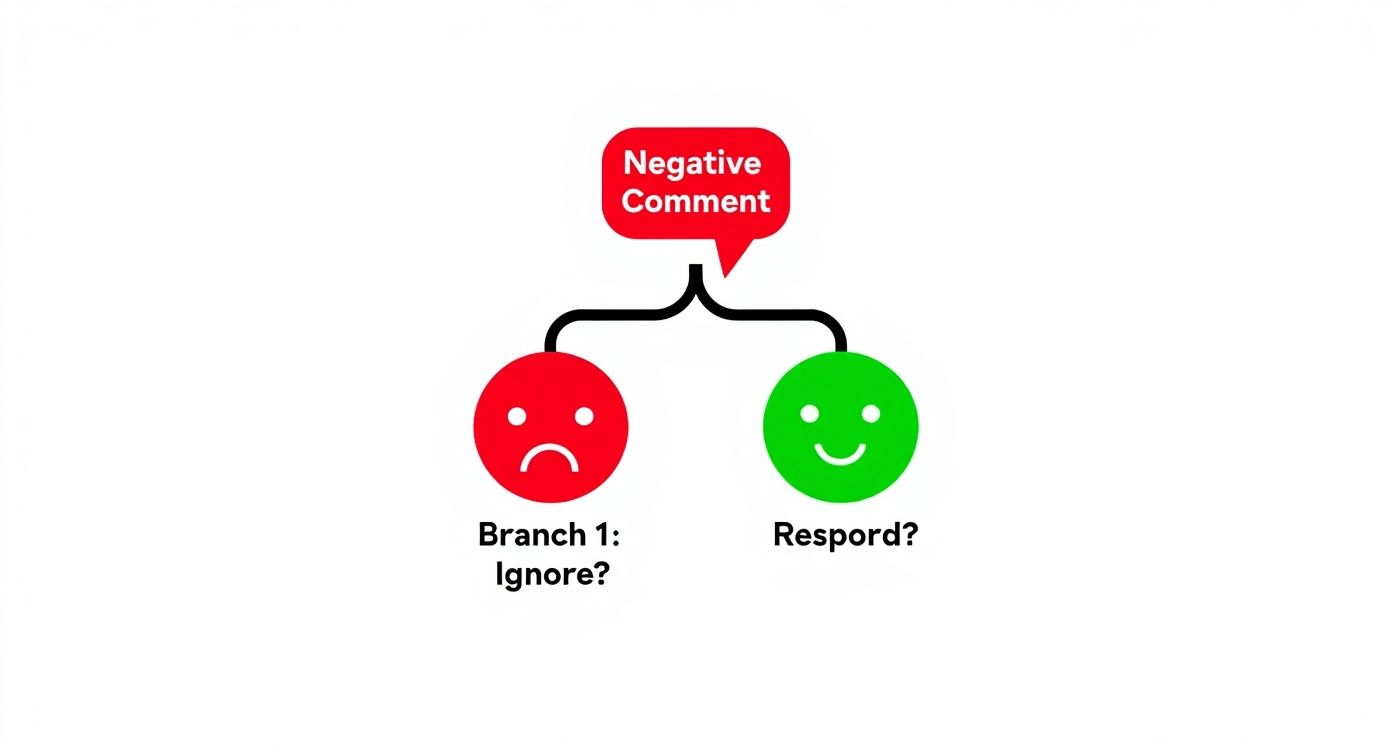
That very first decision—whether to engage or just ignore it—is the most critical. It sets the tone for everything that follows.
Centralize and Categorize
First things first, you have to get all your feedback into one place. Constantly jumping between Facebook, Instagram, X, LinkedIn, and your Google Business Profiles is a recipe for disaster. It's inefficient, and you're almost guaranteed to miss something important.
This is where a unified social inbox becomes an absolute game-changer.
A tool like OneUp pulls every comment, DM, and review from all your connected accounts into a single, manageable stream. You can connect an unlimited number of accounts from Facebook, Instagram, X, LinkedIn, Pinterest, TikTok, and Google Business Profiles, even on the starter plan. Instead of logging into five different apps, your team sees everything in one dashboard. This alone is a massive win for making sure a critical complaint doesn't get overlooked. Once everything is centralized, you can start sorting.
You don't need a super complicated system. Just create a few simple labels to categorize comments as they come in:
- Customer Support Issue: A direct complaint about a product, service, or bad experience. These are always your top priority.
- Constructive Criticism: Not an angry rant, but genuinely useful feedback on how you could improve things. This stuff is gold.
- Misinformation: A comment that's spreading factually incorrect info about your brand. Needs to be addressed, but calmly.
- Trolling/Spam: Abusive, irrelevant, or comments clearly meant to provoke a reaction. Don't feed the trolls.
To help you get started, here's a simple framework you can adapt for your own team. I call it the Comment Triage Matrix. It helps you quickly decide what to do based on what kind of comment you're dealing with.
Comment Triage Matrix
| Comment Type | Description | Priority Level | Recommended First Action |
|---|---|---|---|
| Urgent Support | Product is broken, billing error, service outage. | High | Acknowledge publicly ASAP, then move to a private channel (DM/email). |
| General Complaint | Shipping delay, poor experience, unmet expectations. | Medium | Empathize, apologize, and offer a specific solution or next step. |
| Constructive Criticism | Feature suggestion, feedback on an update. | Medium | Thank them for the feedback and let them know you'll pass it on. |
| Misinformation | Factually incorrect claims about your brand or product. | Low | Politely and publicly correct the information with a source, if possible. |
| Trolling/Spam | Abusive language, off-topic rants, spam links. | Very Low | Ignore, hide, or delete based on your community guidelines. Do not engage. |
This matrix isn't set in stone, of course. Use it as a starting point and tweak the priority levels and actions to fit how your team operates.
Create Clear Escalation Paths
Once you've categorized a comment, what's next? Your junior social media manager shouldn't be left alone to handle a comment about a major product failure. You need a clear escalation plan that tells everyone who handles what.
Your plan should spell out exactly who owns each type of comment. For example:
- Social Media Team Handles: They're on the front lines for general questions, constructive criticism, and the initial response to all support issues. They can also hide or delete trolls according to your policy.
- Escalate to Product/Sales: If feedback is about a specific product bug, a feature request, or incorrect pricing, it needs to get to the right department. Inside a tool like OneUp, you can use internal notes to tag a teammate directly on a comment without replying publicly. It's as easy as typing, "Hey @product-team, can you weigh in on this?"
- Immediate Leadership Alert: Any comment that hints at a legal threat, could blow up into a PR crisis, or mentions sensitive user data needs to be flagged for leadership immediately. No exceptions.
By setting up this kind of triage system, you transform that chaotic flood of notifications into an orderly, actionable workflow. It ensures the right person addresses the right comment at the right time, every single time. This structure is the foundation for handling negative feedback effectively, especially as you grow.
How to Craft an Effective Response
Okay, you've triaged the comments. Now comes the real work: crafting a reply that actually lands.
The goal isn't just to shut down a complaint. It's to show everyone—the unhappy customer, potential new customers, and even the silent majority just scrolling by—that your brand is on top of things. That you're empathetic, responsive, and genuinely committed to making things right. A great public response can be one of your most powerful marketing moments, believe it or not.
The best replies I've seen follow a simple but incredibly effective formula. I call it the A.C.E. method: Acknowledge, Connect, and Empathize. This isn't some rigid script; think of it as a mental checklist to make sure your reply hits all the right notes and, most importantly, sounds human.

The A.C.E. Method Explained
Having a framework like this is a lifesaver. It keeps your replies consistent and prevents those panicked, off-the-cuff answers that almost always pour gasoline on the fire. It forces you to address the customer's feelings before you jump into a solution.
-
Acknowledge: First things first, validate their experience. A simple, "I'm so sorry to hear you had this issue," or "Thanks for bringing this to our attention," shows you're listening and taking them seriously. You're not admitting fault; you're just acknowledging their frustration.
-
Connect: Briefly touch on the specific problem they mentioned. Instead of a generic "Sorry for the trouble," try something like, "I understand how frustrating a shipping delay can be, especially when you're waiting on an important order." This small detail proves you actually read and understood their comment.
-
Empathize: This is where you build a bridge. Show them you get the emotional impact. Phrases like, "That must have been really disappointing," or "I can see why you'd be upset," shift the dynamic from a brand-vs-customer fight to a person-helping-person conversation.
Remember, an apology isn't always an admission of guilt. You're apologizing for the fact that their experience fell short of what they—and you—expected. It's a powerful way to de-escalate without getting bogged down in a "who was right" debate.
Public vs. Private Responses
One of the biggest questions is where to have the conversation. Do you reply out in the open for everyone to see, or do you immediately try to slide into their DMs?
The best strategy is usually a bit of both.
Your first response should almost always be public. This shows transparency and signals to your entire audience that you address feedback head-on, not just behind the scenes. But the second you need personal details—order numbers, email addresses, shipping info—it's time to move things to a private channel.
A perfect public-to-private handoff sounds like this:
"Hi [Name], thank you for flagging this. I'm so sorry about the mix-up with your delivery; that's definitely not the experience we want for our customers. I want to get this sorted for you right away. Could you please send us a DM with your order number?"
This approach gives you the best of both worlds. You get the public win of showing great customer service, and you get to solve the actual problem efficiently and securely in private. If you want to dig deeper into the nuances of writing these replies, there's some great advice on how to respond to comments effectively.
Adaptable Response Templates
While every situation has its own flavor, you don't need to reinvent the wheel every single time. Having a few solid, adaptable templates can be a huge time-saver and reduce the stress of staring at a blank text box. Just remember to personalize them.
Scenario 1: Product Dissatisfaction
"Hi [Name], we're really sorry to hear that the product didn't meet your expectations. We stand by our quality, so it's disappointing to know we fell short here. We'd love to learn more and make this right. Please send us a DM so we can assist you."
Scenario 2: Shipping Delay
"Hi [Name], thanks for reaching out. I'm so sorry for the delay in receiving your order—I know how frustrating that is. I've looked into this and will send you a DM with a tracking update right now. We really appreciate your patience!"
Personalizing these is the key to making them feel genuine. And if you're ever stuck on the right words, especially on a platform like Instagram where tone is everything, a little creative help can go a long way. You can play around with OneUp's Instagram caption generator to find fresh ways to phrase your empathetic responses.
Handling Feedback Across Different Platforms
A masterful response on LinkedIn will completely bomb on TikTok. It's just a fact of life in social media management. Every network has its own vibe, its own unwritten rules, and its own audience expectations. If you don't get that, you risk turning a small negative comment into a full-blown brand crisis.
What works in one corner of the internet is guaranteed to fail in another. Think about it: the formal, detailed explanation you might leave on your Google Business Profile would look completely robotic and out of touch in a chaotic TikTok comment thread. Customizing your approach isn't just a "nice-to-have"—it's everything.
Navigating X and Meta
On platforms like X (the artist formerly known as Twitter), Facebook, and Instagram, speed is the name of the game. Users on these networks expect lightning-fast replies. If you wait too long, they'll assume you're just ignoring the problem, which only adds fuel to the fire. The best move here is to acknowledge the issue quickly and then, if you need to, pull the conversation into DMs.
LinkedIn, on the other hand, is a different world. It demands a more measured, professional tone. Your replies need to be thoughtful and well-articulated, staying true to your professional brand. Rushing out a half-baked response here can do way more harm than good. This is where a tool like OneUp’s Social Inbox becomes a lifesaver. It pulls all your comments from X, Facebook, Instagram, and LinkedIn into one place, so your team can see the platform context and respond appropriately without juggling a dozen tabs.
We also have to talk about the sheer volume of junk you'll face. Spam and toxic comments are a huge problem, with recent data showing that 44% of comments on TikTok ads and 30% on Meta ads get hidden for being spammy or toxic. Your first job is to moderate effectively before you even think about replying.
The Unique Challenges of TikTok and LinkedIn
TikTok is its own unique universe. It’s informal, it’s video-first, and it runs on trends. A stuffy, corporate-jargon-filled response will stick out like a sore thumb. Your best bet is usually a short, human, and maybe even funny reply. Sometimes, a quick video response is the perfect way to tackle criticism head-on and show you’ve got nothing to hide.
Conversely, LinkedIn is your digital boardroom. Negative comments there could come from industry peers, potential hires, or major clients. Every single response has to be professional, respectful, and focused on a solution. Emojis and casual slang have no place here. Your goal is to project competence and protect your company’s reputation with every keystroke.
Here's the bottom line: a one-size-fits-all strategy for handling negative comments is doomed to fail. Your response has to feel as native to the platform as the original comment itself.
Trying to manage all these different conversational styles can be exhausting, especially when you're trying to stay on-brand across the board. If your team is struggling to come up with the right words for a fast-paced platform like X, a specialized tweet generator can be a huge help. It can spark ideas for those short, snappy replies that fit the platform’s tone perfectly, ensuring you can respond fast without sacrificing quality.
Streamlining Your Response Workflow with OneUp
Trying to manually manage your brand's reputation across a dozen different social media channels is a surefire way to burn out and let important comments fall through the cracks. The stakes are incredibly high, too. Think about it: about 73% of social media users say they're likely to buy from a competitor if a brand ignores their complaint.
This is why building an efficient, tool-supported system isn’t just a nice-to-have—it’s a must-have. A dedicated platform like OneUp can be your command center, turning a chaotic, multi-tab nightmare into a controlled, effective operation. A solid workflow makes sure every piece of feedback gets the attention it deserves, quickly and consistently.
Unify Your Social Inbox
First things first: stop the frantic channel-hopping. You need a single place where all incoming feedback lives.
With a tool like OneUp, you can create a unified Social Inbox that pulls in comments and messages from all your connected accounts. This isn't just for a couple of networks; it covers Facebook Pages and Groups, Instagram, LinkedIn, X, TikTok, and even your Google Business Profile reviews. Instead of juggling six different apps and browser tabs, everything flows into one clean, manageable dashboard.
Here’s a look at how OneUp brings conversations from different platforms into a single, organized view.

Just by centralizing your inbox, you immediately slash the risk of a critical comment getting lost in the shuffle. It gives your team a real-time, bird's-eye view of customer sentiment.
Collaborate with Internal Notes
Let's be real—the person running your social media accounts won't have the answer to every technical product question or complex billing issue. Getting the right response often means roping in other people from the team.
Instead of messy email chains or digging through Slack channels, you can use internal notes right inside the OneUp inbox. This feature is a lifesaver. You can tag a colleague from another department, ask for clarification, or hash out a response strategy, all privately.
- Tag a teammate:
@ProductTeam can you confirm the specs on this? - Discuss strategy:
Let's offer a discount here, but we need to move this to DMs first. - Leave context:
FYI, this user has complained about shipping before.
This keeps the entire conversation—both public-facing and internal—tied directly to the original comment. It’s a much cleaner, more efficient way to make sure your replies are accurate and have been run by the right people before they ever go live.
Implement a Post-Approval Workflow
For those really sensitive replies, especially when you're dealing with a serious complaint, having a second pair of eyes is non-negotiable. An approval workflow acts as a critical safety net, preventing off-the-cuff answers that could do some serious damage to your brand's reputation.
An approval process helps maintain brand consistency and gives managers the final say on delicate conversations. This is absolutely critical when you're figuring out how to respond to negative comments.
With OneUp's post-approval workflow, you can set it up so that certain replies must be reviewed by a manager before being published. This is especially handy for training new team members or when you’re navigating a high-stakes issue. OneUp also supports drafting posts, so junior team members can craft a reply and save it for a senior manager to review and approve before it goes live. It’s the best way to guarantee every single response aligns with your brand’s voice and overall strategy.
For businesses that need to nail this process, exploring the full suite of features on the OneUp platform can be a total game-changer.
Got Questions About Negative Comments? We've Got Answers.
When you're in the trenches of social media management, negative comments can feel like a minefield. You're not alone in wondering how to handle tricky situations. Having a clear game plan is everything—it's what separates a professional response from a panic-induced mistake.
Let's walk through some of the most common curveballs you'll face.
Should I Just Delete Negative Comments?
My gut reaction, and what I tell everyone who asks, is a hard no. Hitting that delete button on legitimate criticism almost always pours gasoline on the fire.
Think about it: the user will notice their comment is gone. Now, instead of just being unhappy with your product, they're angry that you're silencing them. That small complaint can quickly blow up into a public call-out about censorship, and that's a much bigger headache. Answering the comment head-on shows you're transparent and not afraid of feedback.
Of course, there are exceptions. You absolutely should have a zero-tolerance policy for certain things. Don't hesitate to delete comments and block users for:
- Hate speech or any kind of discriminatory language.
- Direct threats or personal harassment.
- Spam, scams, or posting sketchy promotional links.
- Sharing anyone's private or confidential info (doxing).
What's the Best Way to Handle a Comment That's Just Plain Wrong?
We’ve all seen it. A user posts something about your business that is factually incorrect. The key here is to correct the record gently, without making them feel stupid or starting an argument.
Your goal is to be helpful, not confrontational. A public, polite correction clarifies the information for everyone else reading the thread.
Try something like this: "Hey, thanks for bringing this up! It sounds like there might be a little mix-up on our return policy. We actually offer a 30-day return window on all purchases. You can find all the details right here…" It's respectful, fixes the bad info, and moves the conversation forward.
How Do I Deal with Trolls?
Ah, the troll. The bane of every social media manager's existence. The old internet rule is still the best one: don't feed the trolls.
They're not looking for a resolution; they're looking for a reaction. Starve them of the attention they're desperate for.
Often, a single, firm but polite shutdown is all you need. "We appreciate all constructive feedback, but we won't be engaging further on this." If they keep coming at you, use the mute or block button without a second thought. You will never, ever win a public argument with someone who's just there to fight.
Juggling all these interactions across different platforms can be a nightmare. That's where a tool like OneUp comes in. You can use the unified Social Inbox to keep an eye on all your comments in one place, leave internal notes for your team to collaborate on responses, and even set up approval workflows to make sure every reply is on-brand. OneUp even lets you bulk upload hundreds of posts at once and automatically post from an RSS feed, saving your team countless hours on content creation so they can focus on engagement. Stop switching between tabs and start managing everything from one clean dashboard. Start your free trial of OneUp today.