

Slapping a few hashtags on your post moments before you hit "publish" is a surefire way to leave reach and engagement on the table. To really move the needle, you need to treat hashtags as a core part of your content plan—something you research, categorize, and tailor for every platform.
It’s about moving beyond last-minute additions and building a smart, strategic library of tags that actually work for you.
Building a Modern Hashtag Strategy

If you're still relying on guesswork, it's time for an upgrade. A modern hashtag strategy isn't about hoping for the best; it's a deliberate system for getting your content in front of the right eyeballs. Think of hashtags as digital signposts that guide users—and, just as importantly, the algorithms—directly to your posts.
They are, at their core, a powerful classification tool. Hashtags tell platforms what your content is about, which helps them show it to people who’ve already shown interest in that topic. This is exactly why they remain a crucial engine for discoverability. When you get it right, hashtags introduce your brand to a massive audience far beyond your existing followers.
The Four Pillars of an Effective Strategy
To build a strategy that actually performs, you need to understand that not all hashtags are created equal. Different types serve different purposes, and a balanced approach ensures you're tapping into multiple discovery pathways at once.
Your strategy should always include a healthy mix of these four core types:
- Branded Hashtags: These are unique to your business. Think
#OneUpAppor a specific slogan for a new launch. They're fantastic for tracking user-generated content (UGC) and carving out your brand’s space online. - Community Hashtags: These plug you into specific niches and conversations. For instance, a small coffee shop could use
#LatteArtLoversor#LocalCoffeeSceneto connect with a passionate, built-in audience. - Campaign Hashtags: These are short-term tags tied to a specific marketing push, like a product launch, a contest, or an event. They create buzz and make it incredibly easy to track the results of that one initiative.
- Trending Hashtags: These pop up around current events or viral moments. They can give you a quick visibility boost, but tread carefully. Only jump in if the trend is genuinely relevant to your brand and message.
Why a Strategic Approach Matters
Just knowing the types isn't the whole picture. The real magic happens when you organize them effectively. This is where having a dedicated tool can be a game-changer. For instance, with OneUp’s Hashtag Collections feature, you can create, save, and organize different sets of hashtags for all your content pillars.
You can have a pre-vetted group for product announcements, another for behind-the-scenes posts, and a third for customer testimonials. This keeps your messaging consistent and saves you hours of manual work. OneUp even lets you drag-and-drop posts with their hashtag collections to a new time slot on the social media calendar, making rescheduling effortless.
A well-planned hashtag strategy transforms your posts from isolated broadcasts into interconnected parts of a larger conversation. It’s the difference between shouting into the void and stepping into a room full of interested listeners.
Hashtags are still a critical tool, but their impact varies wildly between platforms. On X (formerly Twitter), brands can see an engagement boost of around 50% just by using hashtags well. On Facebook, though, less is more; posts with a single, relevant hashtag tend to get the highest engagement, and using more than ten can actually hurt your reach. You can learn more about these platform-specific hashtag insights.
This data makes one thing clear: treating hashtags as an afterthought is a costly mistake.
Finding Hashtags That Actually Work
Throwing a generic hashtag like #marketing or #business onto your post is the digital equivalent of whispering in a crowded stadium. Your message just gets lost in the noise. The real trick is finding the hashtags that plug you into a targeted, engaged audience that actually cares about what you're saying. This means building a strategic "hashtag library" instead of just grabbing the most obvious tags for every post.
The goal here is to hit that sweet spot: hashtags popular enough to get you some eyeballs, but not so saturated that your content disappears in a flash. It all starts with a little digital detective work—peeking at what your competitors, industry leaders, and target audience are already doing.
Building Your Hashtag Library
First things first, stop thinking about hashtags on a post-by-post basis. It's time to build a reusable, organized collection you can pull from. Think of it as a portfolio of assets, each one tailored to a different content theme or campaign.
I always start by digging into three key groups:
- Your Competitors: Who’s crushing it in your space? Take a look at their posts and see which hashtags they use consistently. Don't just copy-paste; analyze which tags seem to be sparking actual conversations and engagement.
- Industry Influencers: Find the creators and thought leaders your audience already follows. Their hashtag strategy is often a goldmine of niche, community-specific tags you would've never thought of on your own.
- Your Target Audience: This one is huge. What hashtags are your ideal customers using on their own profiles? This gives you a direct line into the authentic, user-generated conversations you should be a part of.
This isn't just about finding popular terms. Research consistently shows that relevance and specificity are what matter. In fact, platforms can penalize posts that look spammy from excessive hashtagging. For smaller accounts, for instance, an Instagram post with at least one relevant hashtag can generate 29% more interactions. It's all about strategic use, because misusing them can actually get your content hidden.
Finding Niche and Community Tags
The most powerful hashtags are rarely the biggest ones. Sure, #digitalmarketing has millions of posts, but a tag like #smallbizmarketingstips is speaking to a much more specific—and likely more motivated—audience.
The real power of a hashtag isn't its size, but its relevance. A hashtag with 10,000 highly relevant posts is far more valuable than one with 10 million generic ones. Your content has a better chance to stand out and attract the right people.
To find these gems, you have to think like your audience. What specific problems are they trying to solve? What online communities do they hang out in? A personal trainer, for example, will find way more success with #postpartumfitnessjourney or #kettlebellworkoutideas than just #fitness.
This is especially true on video platforms, where hashtag discovery feels a lot like good old-fashioned keyword research. For YouTube creators, finding the right terms is everything, and many of the same strategies apply. There are some great guides on YouTube Keyword Research Tools that can give you some solid ideas for your own process.
To help you decide which approach to take, here's a quick breakdown of the common methods for hashtag research.
Hashtag Research Methods Comparison
| Method | Description | Pros | Cons |
|---|---|---|---|
| Manual Search | Directly searching for tags and exploring related ones on each platform. | Simple, free, and gives you a real-time feel for the conversation. | Extremely time-consuming and hard to scale. |
| Competitor Analysis | Reviewing the hashtags used by direct competitors and industry leaders. | Provides proven, relevant tags that are already working in your niche. | Risk of being a copycat; you might miss emerging trends. |
| Audience Research | Observing the hashtags your target customers use in their own posts. | Uncovers authentic, community-driven tags and user language. | Can be difficult to find a large enough sample size of public profiles. |
| Tool-Based Research | Using specialized tools to generate hashtag suggestions and analyze performance. | Fast, data-driven, and provides valuable metrics like post volume and engagement. | Often requires a paid subscription; may lack the nuance of manual research. |
Ultimately, the best strategy is a mix of all these. Start with some manual research to get a feel for the landscape, then use tools to speed up the process and validate your choices.
Tools and Automation for Smarter Research
Let's be honest, manually hunting for hashtags is a good starting point, but it's a massive time sink. This is where the right tools can completely change the game.
Here at OneUp, we built features to take the guesswork out of it. Our platform has an integrated Instagram Hashtag Generator that gives you suggestions based on your content. It helps you find relevant, high-performing tags right inside your scheduling workflow, so you're not jumping between a dozen different tabs.
Even better, you can create Hashtag Collections. Once you’ve found winning groups of hashtags for different content pillars—like product launches, blog promotions, or behind-the-scenes posts—you can save them. The next time you create a post, you just add your curated hashtag group with a single click.
This approach lets you:
- Organize tags by content pillar: Keep separate, optimized lists for different themes.
- Ensure brand consistency: Use your approved branded and campaign hashtags every single time.
- Save hours of manual work: No more typing out the same 20 hashtags over and over.
By blending smart manual research with the right tools, you build a system that’s both strategic and efficient. You'll be able to deploy hashtags that actually pull in the right audience and drive much better results from your social media efforts.
Tailoring Hashtags for Each Social Platform
Trying to use the same hashtag strategy across every social network is a rookie mistake. It's like trying to use the same key for different locks—it just won't work. Each platform has its own algorithm, its own user base, and its own set of unwritten rules.
A hashtag that crushes it on Instagram might be completely invisible on LinkedIn or just look weird on X. The secret is to get familiar with the unique vibe of each platform and tweak your approach accordingly. This means changing up everything from how many hashtags you use to where you put them and what kind you choose.
Instagram: A Visual Discovery Engine
Instagram is, without a doubt, the king of hashtags. Here, they're the main way users discover new content and accounts that match their interests. Because it's so visual, the platform rewards a smart mix of popular and super-niche tags.
Think of it like casting a wide, but very specific, net. You can technically cram in up to 30 hashtags, but the real sweet spot is somewhere between 5 and 15. This gives you enough room to hit different audiences without looking desperate or spammy.
- Placement: You've got two main choices: in the caption or in the first comment. Both work just as well for getting discovered. A lot of brands stash them in the first comment to keep their captions clean and focused on the story.
- Best Practices: Build a "hashtag stack." Start with a few huge, high-volume tags (like
#digitalart), add several mid-sized community tags (e.g.,#procreateartists), and finish with a handful of hyper-specific ones (like#characterdesignchallenge). This layered approach is your best bet for maximizing reach. - Pro Tip: If you're using a scheduler like OneUp, you can set it to automatically post your hashtags to the first comment on Instagram. It’s a simple trick that saves you a manual step and keeps your workflow smooth.
This infographic breaks down the essential steps for solid hashtag research: investigating your options, zeroing in on your niche, and making sure the tags you choose are safe to use.
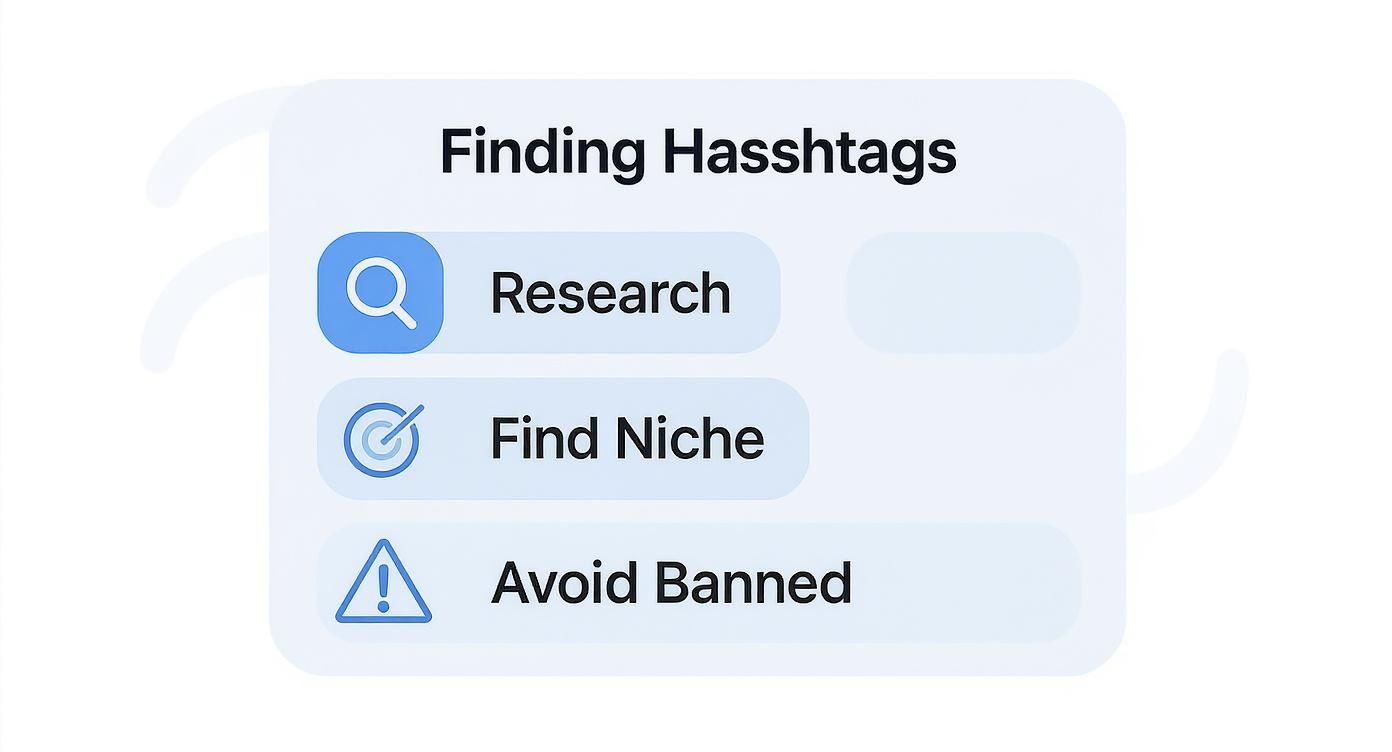
It’s a great reminder that a winning strategy is built on real research, not just guesswork.
X (Twitter): The Real-Time Conversation Hub
On X (formerly Twitter), things move fast. Really fast. Hashtags here are all about categorizing tweets into live discussions, making your content searchable, and plugging it into what's trending right now. Unlike Instagram, less is always more on X.
Stuffing a tweet with a wall of hashtags just looks amateur and distracts from your actual message. People are scrolling quickly, and they want clear, concise info.
On X, a hashtag isn't just a label; it's your ticket into an ongoing conversation. Use it to add your voice where it matters, not to shout into the void.
Stick to 1-2 highly relevant hashtags per tweet. You can weave them into the sentence naturally or just tack them on at the end. The goal is simple: provide context and join a specific chat, whether it's about an industry event, a news story, or your own brand campaign.
LinkedIn: The Professional Networking Powerhouse
LinkedIn is the world of professional development, industry insights, and career-focused talk. Hashtags on this platform are basically topic filters that help professionals find content that’s relevant to their field. Used right, they can get your posts seen by people way outside your immediate network.
The tone here is more buttoned-up, and your hashtags need to match. Ditch the cutesy or generic tags. Instead, lock in on specific industry keywords, skills, and professional topics.
The magic number for a LinkedIn post is between 1 and 3 hashtags. It’s all about quality, not quantity. For instance, a marketing agency would be better off using #B2Bmarketing, #contentstrategy, and #leadgeneration to pull in the right kind of professional eyes.
TikTok: The Trend and Entertainment Epicenter
TikTok's algorithm is a beast, and hashtags are what feed it. They tell the algorithm what your video is about so it can serve it up to users who are already watching similar stuff. On TikTok, hashtags are non-negotiable if you want to tap into trends and land on the coveted "For You" page.
For the best results, aim for 3-5 hashtags per video. You'll want a blend of broad, trending tags (like the classic #fyp) and more specific tags that nail down what your content is actually about. So, a cooking video might use #easyrecipes, #mealprep, and whatever hashtag is tied to the trending sound you used.
Trends on TikTok can be born and die in a matter of hours, so you have to stay on top of what's hot. For creators who want to take the guesswork out of it, a dedicated TikTok hashtag generator can give you data-backed suggestions to help your content find its audience.
Facebook: Connecting Communities
Hashtags on Facebook have had a bit of a rocky past, but they’ve become much more useful in recent years, especially inside Groups and for general content discovery. While they aren't as mission-critical as on Instagram, they can still give your organic reach a nice little bump when you use them right.
Just like on X and LinkedIn, the key is to be subtle and strategic. Go with 1-2 super relevant hashtags to give your post some context. They tend to feel most natural on Facebook when you work them right into the post's text. For example: "We're so excited to launch our new line of eco-friendly products! #sustainability #gogreen".
At the end of the day, a one-size-fits-all approach to hashtags is just a recipe for wasted effort. By tailoring your strategy to the platform you're on, you turn them from an afterthought into a seriously powerful tool for growth.
Getting Your Hashtag Workflow Dialed In with OneUp
Trying to manage your hashtags from a messy spreadsheet or a bunch of random notes is a surefire way to burn time and get inconsistent results. A solid hashtag strategy really needs a central hub to keep everything organized. This is exactly where a social media scheduling tool becomes your best friend, turning hashtag chaos into a smooth, streamlined process.

When you move past manually copying and pasting everything, you can actually focus on what matters: creating great content. Let the tool handle the grunt work. With the right setup, you bring some serious order to your strategy, making sure every post goes out with the best possible hashtags for the job.
Organize Your Tags into Hashtag Collections
Good organization is everything. Instead of digging around for the right hashtags every single time you draft a post, you can build out a library of go-to sets for different topics, campaigns, or even clients. This is what OneUp's Hashtag Collections feature was built for.
Let's say you're running the social accounts for a local gym. You could create different collections for your main content pillars:
- #WorkoutTipsCollection: A solid mix of tags like
#fitnessmotivation,#workoutideas, and#strengthtraining. - #NewClientPromo: For your next campaign, you'd have tags like
#specialoffer,#jointhegym, and your own branded tag ready to go. - #MemberSpotlight: Community-building tags such as
#gymcommunity,#fitnessjourney, and#clienttransformation.
When you schedule a new post, just grab the collection you need with a single click. This simple move saves a ton of time each month and keeps your branding perfectly consistent. No more guesswork.
Keep Captions Clean by Automating the First Comment
A classic debate on Instagram and Facebook is where to stick your hashtags. They work just fine in the caption or the first comment, but a lot of brands prefer putting them in the comments to keep the main caption looking clean and focused.
The problem? Trying to manually post that comment the second your content goes live is a pain, especially if you’re juggling multiple accounts.
OneUp completely automates this. You just add your hashtag collection, tick the box to "post hashtags as a first comment," and you're done. The tool takes care of it, so your caption stays clutter-free while your hashtags do their job in the background. It's a small tweak that makes a big difference.
Automate and Scale Up Your Content Schedule
A smart hashtag plan is only as good as the posting schedule it's attached to. OneUp’s visual calendar gives you a bird's-eye view of your content plan, so you can easily see where the gaps are and make sure you have a good mix of posts going out.
But you can take it a step further by layering in automation that works perfectly with your hashtag collections.
- Repeating Posts: Got evergreen content? Set your weekly tips or monthly reminders to post on autopilot. Attach the right hashtag collection once, and it’ll be included every time it publishes.
- Bulk Uploading: If you have a ton of content ready, you can schedule it all at once with a CSV or Google Sheets file. You can even assign different hashtag collections to each post directly in the spreadsheet.
- Custom Follow-Up Comments: Get the conversation going immediately by scheduling a follow-up comment to appear minutes after your post goes live. Ask a question or add a little extra info to spark engagement.
You can see how all these pieces fit together by checking out the tools over at OneUp, which helps you manage the entire process from content creation to scheduling and analytics.
The real goal here is to build a workflow where hashtags aren't an afterthought. They should be a natural, integrated part of your publishing process. Automation frees you up from the boring stuff so you can get back to creating content that people actually want to see.
At the end of the day, tools like OneUp are here to handle the repetitive, manual tasks that bog down social media managers. When you can organize your hashtags, automate first comments, and schedule repeating content, you’re not just saving time—you're executing a more sophisticated strategy without all the daily grind. That efficiency is how you scale your efforts and get real, predictable growth.
Measuring Performance to Refine Your Strategy
Throwing hashtags at your posts without measuring the results is just wishful thinking. You might feel like you're doing everything right, but until you dig into the data, you’re flying completely blind. To really nail your hashtag game, you have to stop guessing what works and start tracking what actually moves the needle.
This means looking past vanity metrics like simple "likes" and focusing on the numbers that signal real growth. Are your hashtags actually expanding your reach? Are they putting your content in front of new, relevant eyeballs? Data holds the answers, turning your strategy from a creative art into a data-backed science.
Identifying KPIs That Actually Matter
Let's be honest, not all metrics are created equal. To get a true picture of your hashtag performance, you need to zero in on the numbers that tie directly back to your social media goals.
Here are the ones I always keep a close eye on:
- Impressions from Hashtags: This is gold. On platforms like Instagram, you can see the exact number of people who found your post through the hashtags you used. It's one of the most direct measures of a hashtag's power.
- Post Reach: This tells you the total number of unique accounts that saw your post. If you notice a steady climb in reach when you use specific hashtag sets, you know those tags are doing their job and pushing your content out further.
- Engagement Rate: Go deeper than likes. Look at the ratio of comments, shares, and saves. High engagement is a massive clue that your hashtags are attracting an audience that genuinely cares about what you have to say.
- Follows from Hashtags: Some analytics tools will even show you how many new followers a specific post generated. This is a powerful way to see which tags are bringing people in who want to stick around for more.
A Simple Framework for A/B Testing
Once you know what to track, it's time to start experimenting. A/B testing is just a fancy way of saying you’re comparing two different things to see which one performs better, and it's perfect for hashtags. The process couldn't be simpler: create two very similar posts, but use a different group of hashtags for each one.
For example, on Post A, you could use a set of broad, high-volume hashtags. Then, for Post B, try a collection of super-specific, niche community tags. Publish them at similar times but on different days (to avoid tripping over your own data), and then compare the key metrics.
The whole point of A/B testing is to collect hard evidence. It replaces assumptions like "bigger hashtags are always better" with solid proof of what truly connects with your audience.
This simple testing loop removes all the guesswork. Over time, you’ll build an invaluable library of what works for your brand, your content, and your goals.
Tracking the Right Hashtag Metrics
To truly understand the impact of your hashtags, you need to monitor a few key performance indicators regularly. This table breaks down the essentials—what they are, what they tell you, and why you should care.
| Metric | What It Measures | Why It's Important |
|---|---|---|
| Impressions from Hashtags | The number of times your content was seen by users who found it via hashtags. | A direct indicator of a hashtag's discovery power. High numbers mean the tag is working hard for you. |
| Reach | The total number of unique accounts that saw your post. | Shows how effectively your hashtags are extending your content's visibility beyond your existing followers. |
| Engagement Rate | The percentage of users who interacted (liked, commented, shared, saved) with your post. | Reveals if you're attracting the right audience—one that finds your content valuable, not just one that scrolls by. |
| Click-Throughs | The number of clicks on links in your post or bio, attributed to a post using specific hashtags. | Crucial for measuring traffic generation. It shows which hashtags drive users to take action. |
| New Followers | The number of new followers gained from a specific post. | A strong signal that your content and hashtags are compelling enough to convert viewers into community members. |
By keeping an eye on these numbers, you can move from hoping your strategy works to knowing it does, making informed adjustments along the way.
Conducting a Periodic Hashtag Audit
The social media world moves fast. A hashtag that was a top performer last month might be a dud today. Trends fade, conversations pivot, and popular tags can become so oversaturated they're useless.
This is why a periodic hashtag audit is non-negotiable for a healthy, effective strategy.
Every quarter, set aside some time to review your go-to hashtag lists. Look for tags that are no longer pulling their weight in reach or engagement. This is your chance to trim the fat and swap out the underperformers with fresh, relevant alternatives you've found through your ongoing research.
For a deeper dive into measuring your overall impact, this guide on how to measure social media engagement is a great resource. By consistently measuring, testing, and refining, you ensure your hashtag strategy stays sharp, relevant, and powerful.
Your Top Hashtag Questions, Answered
Alright, you've got the strategy and the platform-specific game plan down. But what about those nagging little questions that always seem to pop up right when you're about to hit "publish"?
Let's clear those up right now. This is your quick-fire FAQ for handling the real-world details of using hashtags effectively.
How Many Hashtags Should I Actually Use?
This is the million-dollar question, and the answer is: it completely depends on the platform. There's no single magic number.
For Instagram, you've got more room to play. Aiming for 5-15 highly relevant hashtags is the sweet spot. On TikTok, however, less is more. Stick to a tight 3-5 tags that perfectly describe your video.
X (formerly Twitter) is all about brevity, so keep it to just 1-2 hashtags. For more professional or community-oriented platforms like LinkedIn and Facebook, a focused 1-3 specific tags work best to target the right conversation.
The golden rule is simple: Always prioritize relevance over hitting an arbitrary number. A few perfect hashtags will always outperform a dozen mediocre ones.
Should Hashtags Go in the Caption or the First Comment?
On Instagram and Facebook, it makes zero difference to the algorithm. Hashtags work the same for discoverability whether they're in the caption or tucked away in the first comment.
Putting them in the first comment is purely an aesthetic choice. It keeps your caption looking clean and focused on your message. It's a popular trick for a reason.
Luckily, you don't have to scramble to do this manually. Tools like OneUp can automatically post your hashtags to the first comment for you. For every other platform, like X and LinkedIn, just pop them right into the caption.
Can I Get Penalized for Using the Wrong Hashtags?
Absolutely, and it's a mistake you don't want to make. Using the wrong hashtags can seriously hurt your post's visibility.
If you use a banned or "broken" hashtag, your content could get hidden from anyone who doesn't already follow you. This is what people often call a "shadowban," and it's incredibly frustrating.
Another thing to watch out for is repetition. Pasting the same huge block of hashtags on every single post looks spammy to the algorithm and can get your content flagged. The best move is to treat each post as unique and pick a fresh, relevant set of tags every time.
How Do I Find Hashtags That Are Trending Right Now?
Finding what's hot depends on what kind of trend you're looking for.
For big, pop-culture moments, your best bet is to check the native "Explore" or "Trending" sections right inside apps like TikTok and X. They'll tell you what the world is talking about.
But for trends specific to your industry, you need to be a bit more of a detective. Keep a close eye on what influencers, competitors, and top publications in your niche are posting about. Social listening tools are also a huge help here for spotting conversations as they start to bubble up.
The goal isn't just to jump on a trend for the sake of it. It's about finding a relevant, timely conversation where your brand can genuinely add something of value.
Ready to stop the guesswork and streamline your entire hashtag workflow? With OneUp, you can create saved Hashtag Collections, automatically post to the first comment, and schedule all your content from a single, intuitive platform. Try it today and turn your hashtag strategy into a powerful growth engine. Learn more and get started at oneupapp.io.