

Managing a successful social media presence requires more than just great content; it demands consistency and strategic timing. The core challenge for agencies, creators, and businesses alike is efficiently scheduling and publishing content across multiple platforms without spending countless hours tethered to a screen. The right social media scheduling tool automates this entire process, transforming a logistical headache into a streamlined, effective workflow. This allows you to focus on strategy and engagement rather than manual posting.
This guide is designed to help you find the best social media scheduling tools for your specific needs. We’ve moved beyond surface-level descriptions to provide a comprehensive analysis of the top platforms available today. Whether you're a freelance marketer managing a handful of clients, an agency lead overseeing hundreds of accounts, or a multi-location business coordinating local content, this resource will clarify which tool offers the right features at the right price point. We'll examine everything from basic scheduling to advanced features like content recycling, approval workflows, and integrated social inboxes.
Each entry includes a detailed breakdown with screenshots and direct links, covering:
- Key Features: A quick, scannable summary of what the tool does best.
- Pricing Tiers: A clear look at the costs and what you get at each level.
- Pros & Cons: An honest assessment of strengths and weaknesses based on real-world use.
- Ideal Use Case: We pinpoint who each tool is built for, from SMBs to large enterprises.
We will also highlight unique platforms like OneUp, which offers compelling differentiators such as unlimited accounts, team members, and post scheduling on all plans, alongside powerful content recycling and cross-network scheduling capabilities. To ensure a steady stream of engaging visual content for your social media channels, exploring the best AI video generators can significantly streamline your production process. Our goal is to provide the clarity you need to make a confident, informed decision and select the perfect tool to scale your social media efforts effectively.
1. OneUp
OneUp establishes itself as a powerhouse in the social media scheduling landscape by directly addressing a critical pain point for growing businesses and agencies: scalability. Its core value proposition is refreshingly straightforward. For a single fixed price, users gain access to unlimited social accounts, unlimited scheduled posts, and unlimited team members. This model removes the punitive pricing tiers common elsewhere, making it an exceptional choice for those managing extensive client rosters, multiple brand profiles, or franchise locations without fear of escalating costs.
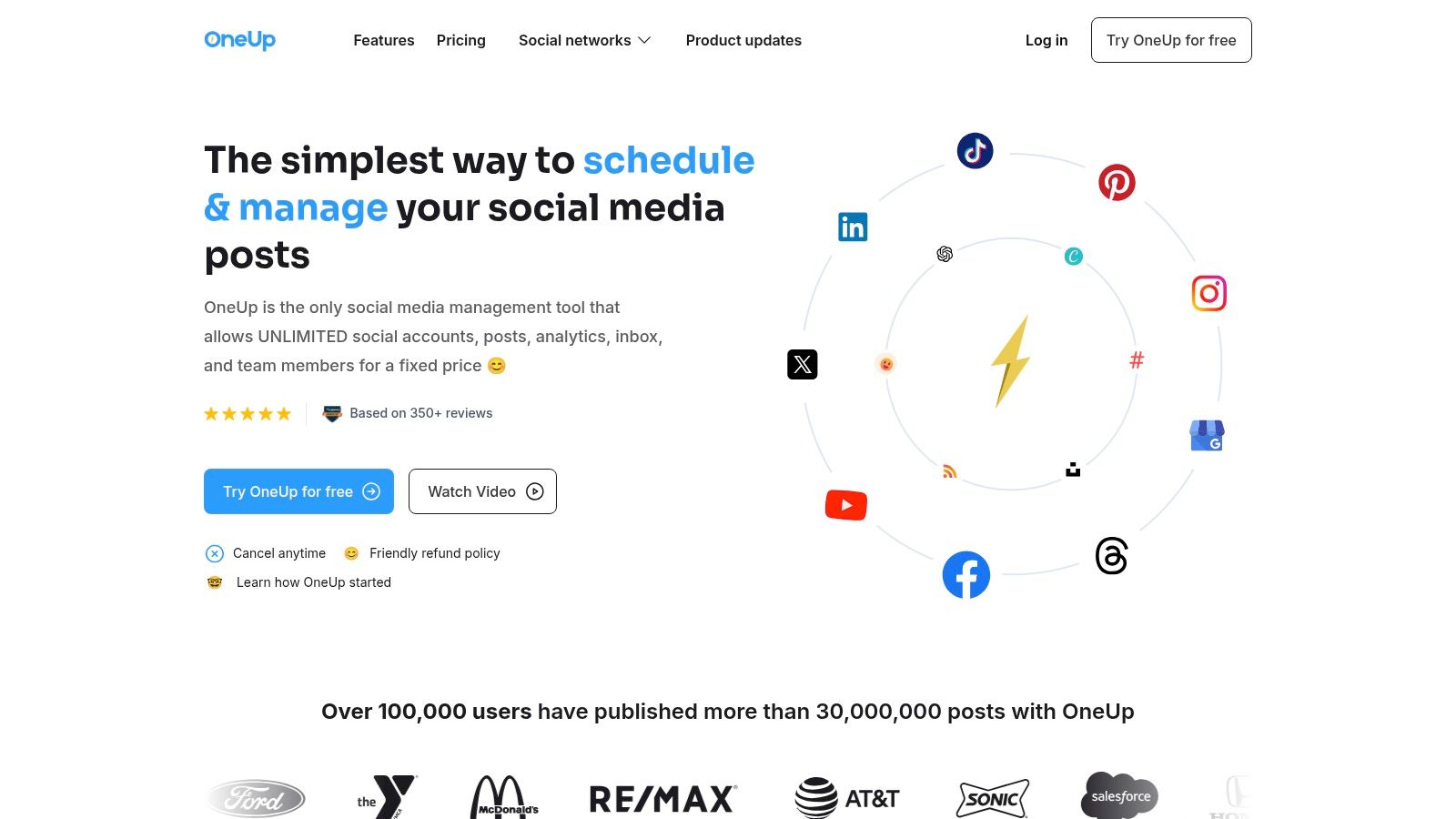
This platform excels with its expansive, direct-publishing capabilities. It supports a modern and comprehensive range of networks, including Instagram (Reels, Stories, Carousels), TikTok, Facebook, LinkedIn, X, YouTube, Pinterest, Threads, and even emerging platforms like Bluesky and Reddit. OneUp ensures that advanced post formats are fully supported, allowing users to schedule threaded posts, add first comments, include alt text, add a location to posts, create multi-image/video content, and even generate a shareable preview link for each post before it goes live.
Key Strengths & Use Cases
OneUp is more than just a scheduler; it's a complete operational hub designed for efficiency and collaboration.
- Agency & Multi-Location Management: The workflow features are purpose-built for teams. You can set up client approval emails to get sign-off before content goes live, share read-only calendar links for transparency, and use internal notes with @mentions to collaborate on drafts. Fine-grained, per-teammate access controls ensure brand security across large organizations. You can even bulk upload posts and assign them to different social accounts, saving hours of manual work.
- Content Creation Efficiency: Streamline your content pipeline with a suite of integrated tools. OneUp includes a Canva editor, bulk uploading via CSV, and an RSS feed auto-posting feature to automatically share blog updates. The built-in AI assistant can generate captions and images, overcoming creative blocks and accelerating production. Its unique post recycling feature allows you to automatically re-publish evergreen content at set intervals, keeping your feeds active with minimal effort.
- Centralized Engagement & Reporting: The unified Social Inbox centralizes comments, DMs, and even Google Business Profile reviews into one manageable feed. This simplifies community management and reputation monitoring. For performance tracking, OneUp provides customizable, cross-network reports that can be scheduled for automated delivery to stakeholders.
Pricing
OneUp offers a 7-day free trial to test its full feature set. Following the trial, it operates on a simple, tiered pricing structure starting at $24/month, with all plans including unlimited social accounts, team members, and scheduled posts. This straightforward approach reinforces its commitment to predictable, scalable costs.
Pros:
- Truly Unlimited Scaling: No per-account, per-user, or per-post fees, providing predictable costs as you grow.
- Broad Network & Format Support: Direct publishing to modern networks like TikTok, Reels, and Threads with advanced formatting like first comments and alt text.
- Robust Agency Workflows: Client approvals, team permissions, and internal notes streamline collaboration.
- Efficient Content Operations: Features like post recycling, bulk upload, RSS automation, and AI generation save significant time.
Cons:
- Advanced Social Listening: Comprehensive social listening and monitoring features are on the roadmap but not yet fully implemented.
- No Free Forever Plan: Unlike some competitors, OneUp does not offer a free plan, focusing instead on its value-packed paid tiers.
OneUp is unequivocally one of the best social media scheduling tools for any team whose primary goal is to manage a high volume of social profiles without incurring unpredictable costs.
2. Buffer
Buffer is a long-standing and respected player in the social media scheduling space, known for its clean user interface, creator-friendly features, and transparent, scalable pricing. It excels as one of the best social media scheduling tools for individuals and small teams who need a straightforward, reliable platform without a steep learning curve.
The platform operates on a queue-based system, allowing you to set a posting schedule and simply add content to your queue for automatic publishing. Buffer's per-channel pricing model is a key differentiator. You start with a generous free plan for up to three channels, and paid plans let you add channels one by one, so you only pay for what you use. This predictability is ideal for freelancers and small businesses managing growth.
Standout Features
- Per-Channel Pricing: Pay a flat rate for each social media account you add, making costs easy to predict as you scale.
- AI Assistant: A built-in AI tool helps you brainstorm ideas, rephrase text, and generate content directly within the composer. If you’re looking for more advanced AI-powered tools, you might want to explore an Instagram caption generator for more specialized content creation.
- Robust Mobile App: Buffer’s mobile apps for iOS and Android are highly functional, offering a seamless scheduling and management experience on the go.
- Engagement Tools: Reply to comments and interact with your audience from a simple, unified inbox.
| Best For | Limitations |
|---|---|
| Individual Creators & Influencers | Per-channel pricing can become expensive for agencies managing dozens of accounts. |
| Small Businesses with a few social profiles | Lacks advanced features like recurring post recycling or bulk uploading from a CSV file. |
| Teams needing a simple, intuitive interface | Unlimited accounts and team members are not standard, unlike platforms such as OneUp. |
Website: https://buffer.com/pricing
3. Hootsuite
Hootsuite is one of the most established and comprehensive platforms in the social media management landscape, positioning itself as an all-in-one suite for teams and enterprises. It goes beyond simple scheduling, offering powerful tools for listening, engagement, and in-depth reporting, making it one of the best social media scheduling tools for organizations needing a centralized command center for all social activities.
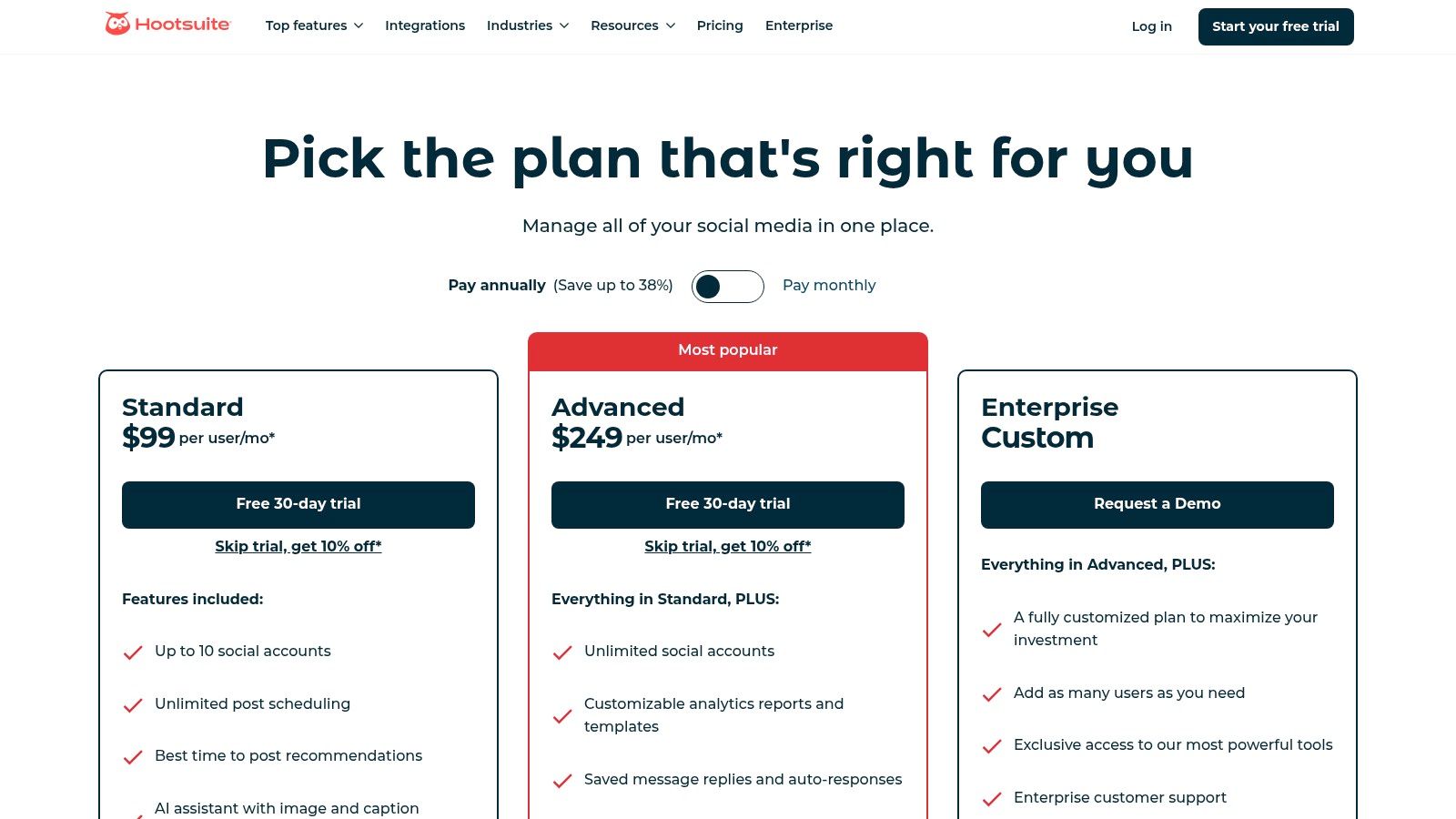
The platform is built around a customizable "streams" dashboard, where you can monitor keywords, hashtags, mentions, and feeds in real time across multiple networks. Hootsuite’s strength lies in its ability to scale, offering advanced team workflows, permissions, and compliance features that are critical for larger businesses. Its higher entry price point reflects a focus on robust, enterprise-grade functionality rather than individual or small business use cases.
Standout Features
- Unified Inbox: Manage comments, mentions, and direct messages from multiple social accounts in a single, collaborative inbox to streamline engagement.
- Best-Time-to-Post Recommendations: The platform analyzes your audience's activity and suggests optimal times to publish content for maximum reach and engagement.
- AI Caption & Idea Generator: An integrated AI assistant helps overcome creative blocks by generating post ideas and drafting captions, which can be further optimized using a specialized Instagram hashtag generator to improve discoverability.
- Advanced Analytics & Reporting: Create detailed, customizable reports that track performance, measure ROI, and benchmark against competitors.
| Best For | Limitations |
|---|---|
| Large Teams & Enterprise Clients | High entry price point can be prohibitive for small businesses, freelancers, and individuals. |
| Agencies needing deep analytics & reporting | The user interface can feel complex and overwhelming for beginners or those with simple needs. |
| Businesses focused on social listening | Essential features like post recycling are not standard, unlike OneUp's evergreen functionality. |
Website: https://www.hootsuite.com/plans
4. Sprout Social
Sprout Social is a premium, all-in-one social media management platform designed for teams and enterprises that need sophisticated analytics, engagement, and collaboration tools. It positions itself as one of the best social media scheduling tools for organizations that require deep data insights and streamlined internal workflows, moving beyond simple content publishing to provide a comprehensive suite of management features.
The platform excels at providing granular reporting and team-based approval processes, making it a strong choice for larger businesses with multiple stakeholders. Its per-seat pricing model is built for professional teams, offering unlimited profiles on higher-tier plans. While powerful, this structure is geared toward well-funded marketing departments rather than individuals or small businesses seeking a more budget-friendly solution.
Standout Features
- Advanced Reporting and Analytics: Generate detailed, presentation-ready reports on post performance, audience demographics, and competitive analysis.
- Team Workflows and Collaboration: Assign tasks, manage approval queues, and leave internal notes to streamline content creation and review processes.
- Robust Publishing Suite: Features include a content calendar, asset library, and optimal send times to maximize engagement.
- Social Listening and Monitoring: Track brand mentions, keywords, and industry trends to stay ahead of conversations relevant to your business.
| Best For | Limitations |
|---|---|
| Mid-to-Large Sized Businesses & Enterprises | Per-user pricing model is one of the most expensive on the market. |
| Agencies needing advanced client reporting | Lacks features like evergreen post recycling, a key benefit found in platforms like OneUp. |
| Teams that require complex approval workflows | Key features like advanced social listening are often costly add-ons, increasing total spend. |
Website: https://sproutsocial.com/pricing/
5. Later
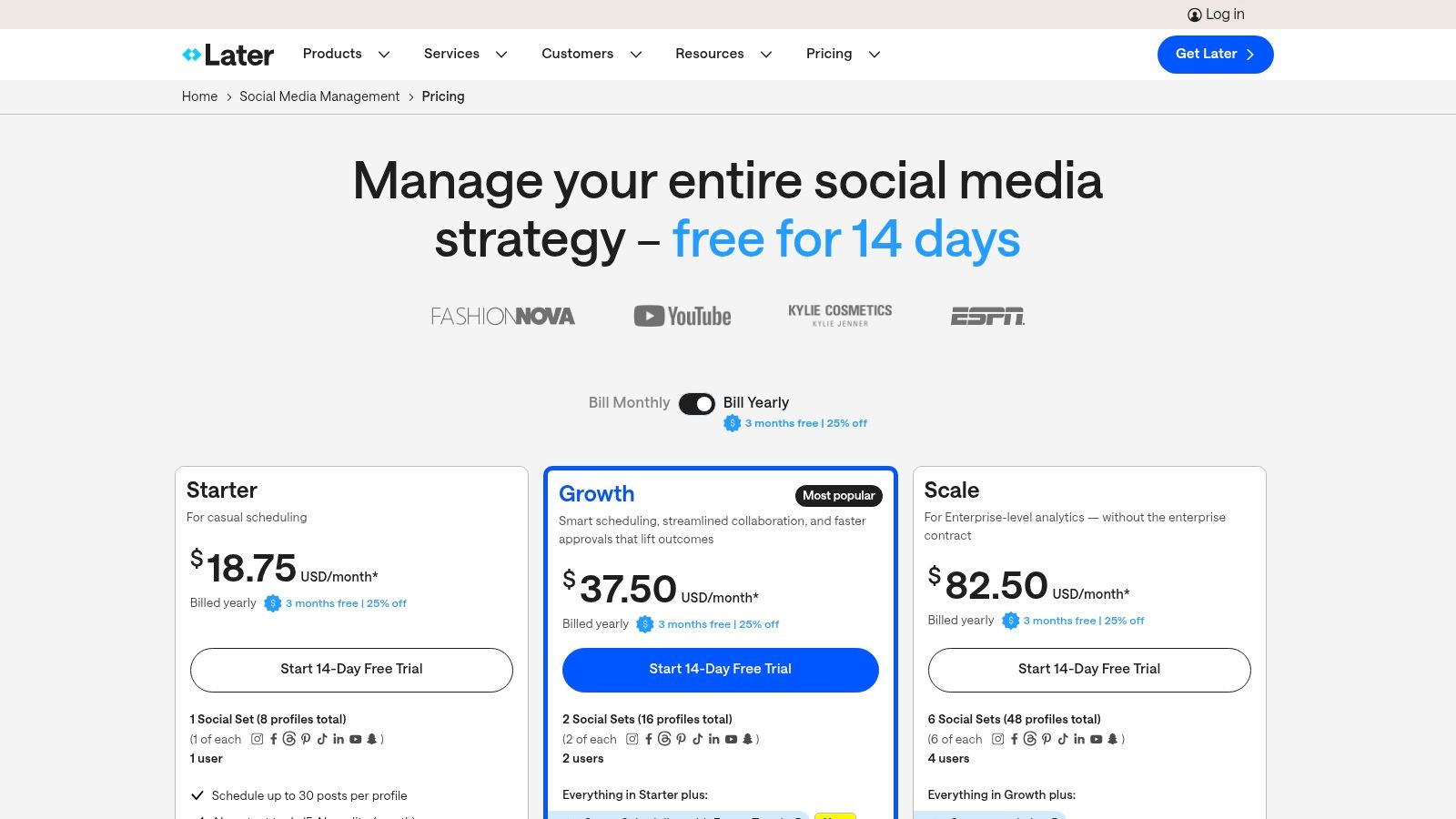
Later has built its reputation as a leading visual-first scheduling tool, making it one of the best social media scheduling tools for brands that prioritize aesthetics. Its platform is heavily geared toward Instagram, TikTok, and Pinterest, offering a drag-and-drop visual planner that lets you preview and arrange your feed before you post. This focus on visual content strategy is its core differentiator.
The platform's calendar-centric interface provides a clear overview of your upcoming content, and features like its Link in Bio tool help drive traffic from your social profiles. While it offers a free plan, its paid tiers unlock more powerful features, such as team collaboration, approval workflows, and analytics. However, unlike platforms such as OneUp which provide unlimited accounts and team members, Later’s more advanced features and higher post limits are reserved for its premium plans.
Standout Features
- Visual Planner: A drag-and-drop calendar that allows you to preview and perfect the look of your Instagram grid before publishing. If you're looking for a dedicated tool for this, explore how an Instagram grid planner can enhance your strategy.
- Link in Bio Tool: Create a customizable, clickable landing page for your bio link to drive traffic and track conversions.
- Best Time to Post Suggestions: Later analyzes your audience engagement and suggests optimal posting times to maximize reach.
- User-Generated Content (UGC) Tools: Find, collect, and schedule content from your community by searching hashtags and mentions.
| Best For | Limitations |
|---|---|
| Visually-driven brands (fashion, travel, food) | Post limits on lower-tier plans can be restrictive for high-volume accounts. |
| Content creators focused on Instagram & TikTok | Advanced analytics and team features are locked behind more expensive plans. |
| Teams needing a simple, visual content calendar | Lacks advanced evergreen content recycling and bulk CSV upload features found in OneUp. |
Website: https://later.com/pricing/
6. Agorapulse
Agorapulse is a comprehensive social media management suite that excels in team collaboration, robust reporting, and powerful inbox management. It stands out as one of the best social media scheduling tools for agencies and mid-sized businesses that need more than just scheduling; they need a full command center for social media engagement, monitoring, and analytics.
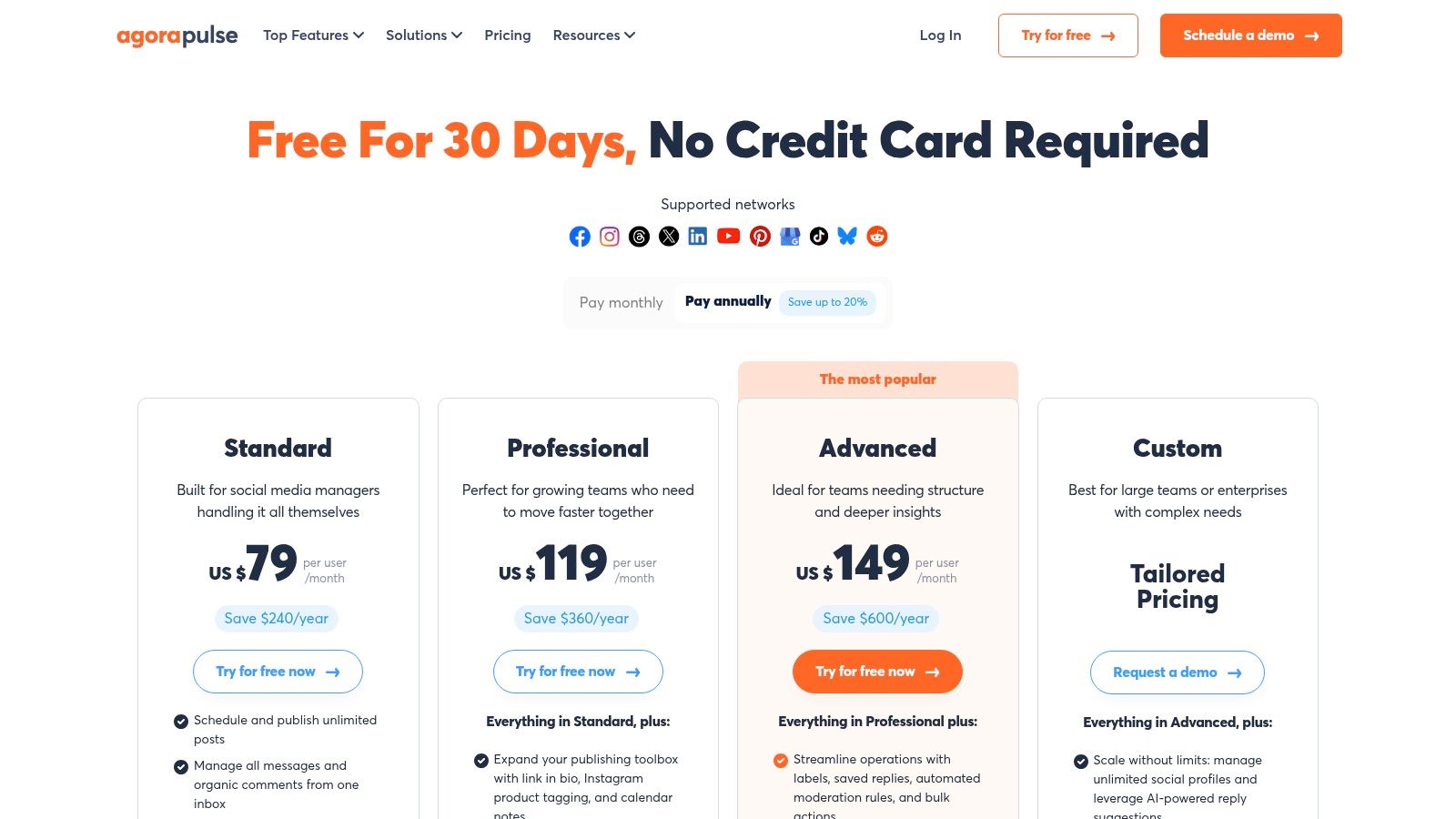
The platform is built around a per-user pricing model, where each plan includes a generous number of social profiles, making it cost-effective for teams managing multiple brands. Agorapulse shines with its unified social inbox, which uses automation rules to help teams efficiently manage high volumes of comments, messages, and mentions. This focus on engagement and team workflows makes it a top choice for organizations prioritizing audience interaction and detailed performance tracking.
Standout Features
- Advanced Inbox Automation: Create automated rules to hide, review, or assign inbox items, helping teams manage engagement at scale without missing important conversations.
- Bulk Publishing: Easily upload and schedule multiple posts at once from a CSV file, a feature that saves significant time for content-heavy strategies.
- Detailed Reporting: Generate in-depth, customizable reports that provide clear insights into ROI, team performance, and content effectiveness.
- Flexible Add-ons: Scale your plan by adding more users or social profiles as your business grows, with special discounts available for nonprofit organizations.
| Best For | Limitations |
|---|---|
| Agencies & Mid-Sized Businesses | Per-user pricing can become costly for larger teams or agencies with many managers. |
| Teams needing powerful engagement tools | Full X/Twitter functionality may require a paid add-on, increasing the overall cost. |
| Users requiring deep analytics and reporting | Unlike OneUp, it lacks a feature for automatically recycling evergreen content indefinitely. |
Website: https://www.agorapulse.com/pricing/
7. SocialPilot
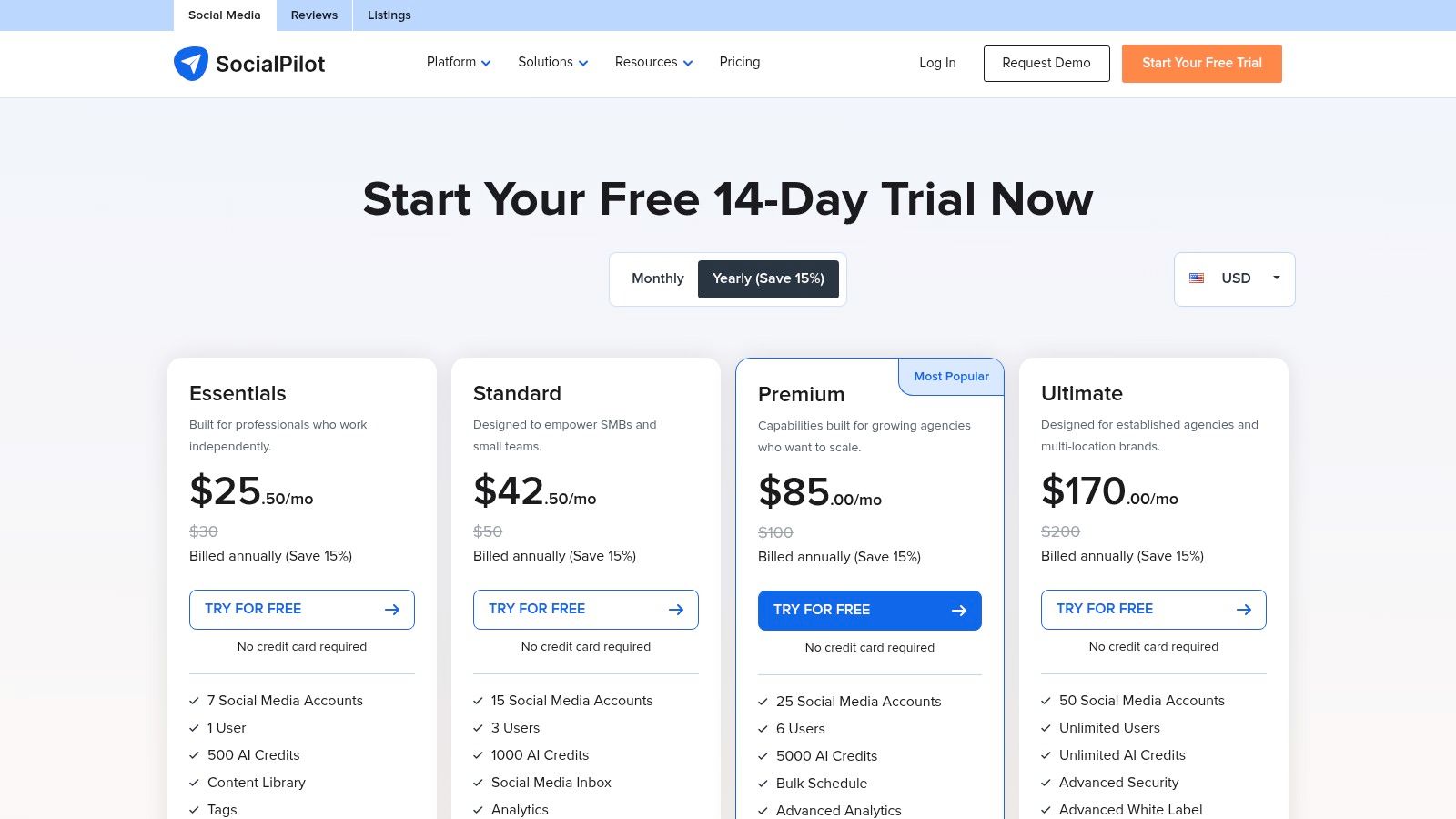
SocialPilot is a powerful and budget-friendly contender, positioning itself as one of the best social media scheduling tools specifically for growing teams and marketing agencies. It delivers a comprehensive suite of features, including bulk scheduling, client management, and detailed analytics, at a price point that offers significant value compared to more expensive enterprise platforms.
The platform is designed for collaboration, making it easy to manage multiple brands and user permissions without a hefty price tag. Its standout feature for agencies is the ability to create white-label PDF reports, allowing them to present professional, branded analytics to their clients. SocialPilot provides a balanced mix of functionality and affordability, making it an excellent choice for users who have outgrown simpler tools but aren't ready for a premium suite.
Standout Features
- White-Label Reporting: Agencies can generate and share custom-branded PDF reports with clients, adding a professional touch to their services.
- Bulk Scheduling: Easily upload and schedule up to 500 posts at once using a CSV file, a major time-saver for large-scale content campaigns.
- Client & Team Management: Provides robust workflows for managing client accounts and team member roles with specific permissions and approval processes.
- Content Curation & RSS Feeds: Discover and schedule relevant content from across the web directly within the platform.
| Best For | Limitations |
|---|---|
| Marketing Agencies on a Budget | The user interface is functional but can feel less polished than other premium competitors. |
| Teams Needing Collaboration & Approval Tools | Some advanced analytics and inbox features are reserved for higher-priced plans. |
| Businesses Managing Multiple Social Profiles | Lacks the unlimited accounts and team members offered by platforms like OneUp on all plans. |
Website: https://www.socialpilot.co/plans
8. Sendible
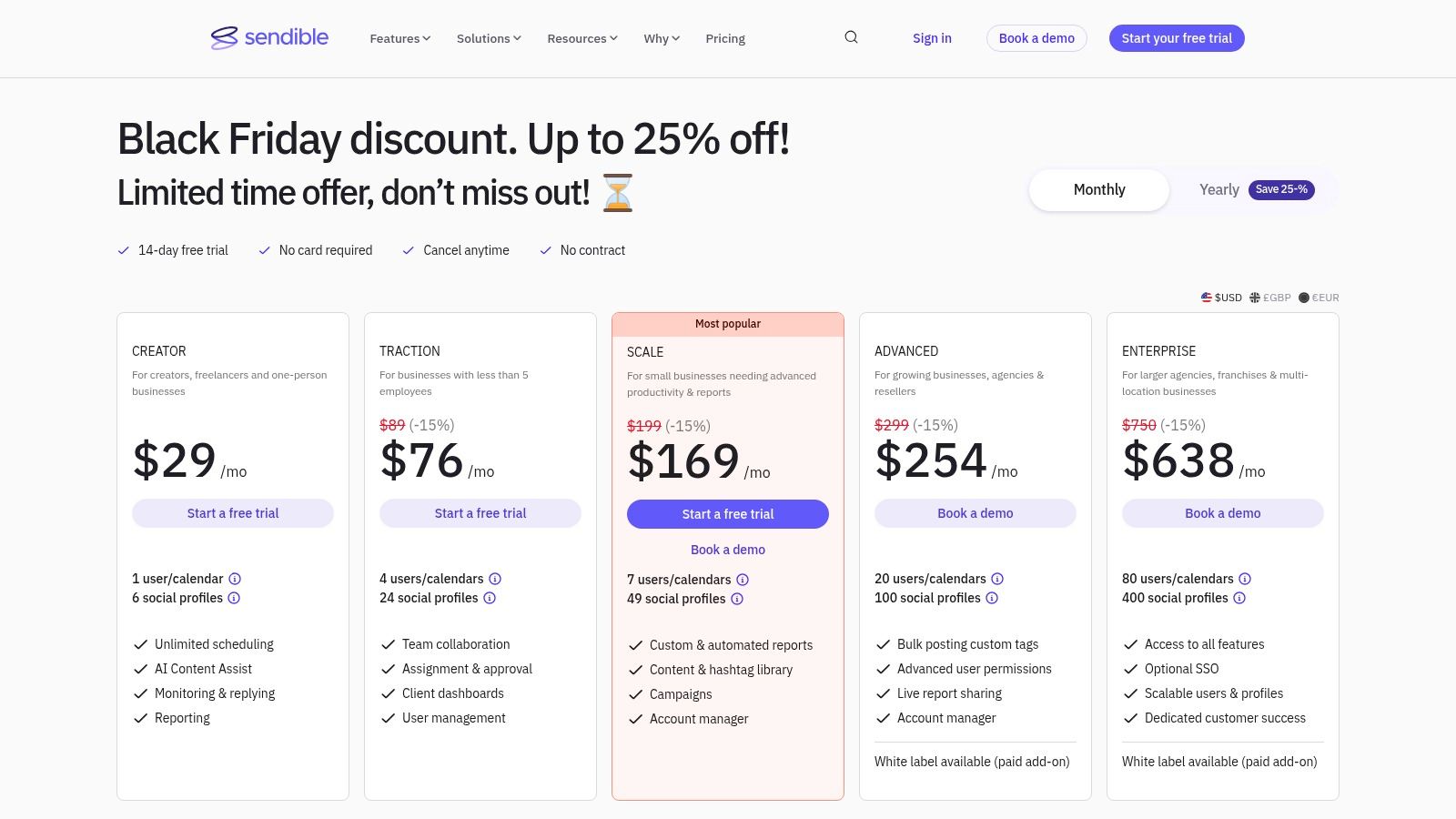
Sendible is an agency-first social media management platform designed for teams that juggle multiple clients and brands. It stands out as one of the best social media scheduling tools for its robust client collaboration features, white-labeling capabilities, and scalable architecture. The platform centralizes client management, making it easy to create dedicated dashboards, set up approval workflows, and generate custom-branded reports.
For agencies, Sendible's structure is a major advantage. It bundles users and profiles into tiered plans, offering a predictable cost model that grows with your client roster. This approach simplifies onboarding new clients and team members, ensuring everyone has access to the tools they need without the complexity of per-seat or per-profile pricing add-ons that can quickly escalate costs.
Standout Features
- Client Dashboards & Approval Workflows: Create secure, separate workspaces for each client, allowing them to review and approve content before it goes live.
- White-Label Solutions: Agencies can brand the entire platform with their own logo and colors, presenting a professional, unified experience to clients.
- Bulk Scheduling & Smart Queues: Upload content in bulk via a CSV file and use smart queues to organize posts into categories for automated publishing.
- Canva Integration: Design visuals directly within Sendible’s composer using its built-in Canva integration, streamlining the content creation process.
| Best For | Limitations |
|---|---|
| Marketing Agencies managing multiple clients | The entry-level plan is limited to 1 user and 6 profiles, which is restrictive for teams. |
| Teams needing client approval workflows | Advanced white-label features are only available on higher-tier plans or as paid add-ons. |
| Businesses requiring detailed, branded reports | Lacks unlimited accounts and team members on all plans, a key benefit offered by OneUp. |
Website: https://www.sendible.com/pricing
9. Loomly
Loomly is a brand success platform that puts collaboration and planning at its core, making it one of the best social media scheduling tools for marketing teams and agencies. It operates with a calendar-first approach, providing a clear, visual overview of all scheduled content and allowing for seamless team-based workflows from idea to approval and publication.
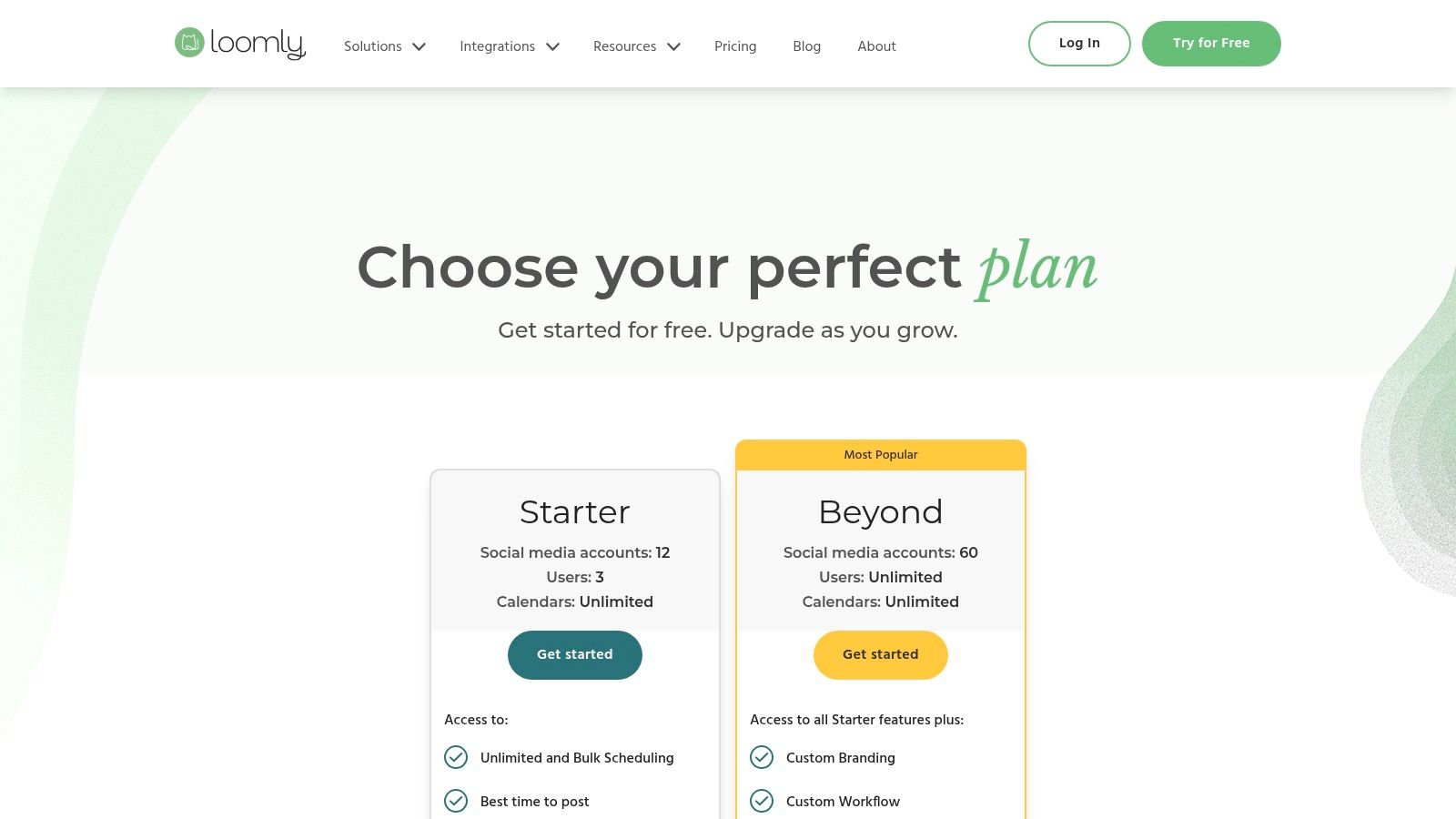
The platform is designed to streamline the content creation process, offering features like post ideas, a central asset library, and structured approval flows. This makes it an excellent choice for organizations that need strict brand oversight and collaboration between multiple stakeholders. While Loomly offers powerful team features, its public pricing details can sometimes be less transparent, often requiring users to sign up to view the most current tiers and features clearly.
Standout Features
- Collaborative Workflows: Multi-user roles and custom approval flows ensure content is reviewed and approved by the right people before going live.
- Central Asset Library: Store, organize, and manage all your media, brand guidelines, and content assets in one accessible location for the entire team.
- Post Ideas and Inspiration: Loomly provides suggestions based on trending topics, holidays, and social media best practices to help fuel your content calendar.
- Enterprise and Nonprofit Options: The platform scales to meet the needs of large organizations and offers discounts for nonprofit entities.
| Best For | Limitations |
|---|---|
| Marketing Teams & Agencies | Public pricing can be opaque, sometimes requiring a sign-up to see full details. |
| Brands with Strict Approval Processes | Lacks advanced features like recurring post recycling, a key time-saver found in OneUp. |
| Organizations Needing a Central Asset Library | Doesn't offer unlimited accounts or team members on its standard plans. |
Website: https://www.loomly.com/pricing
10. CoSchedule (Social Calendar)
CoSchedule carves out its niche by integrating social media scheduling directly into a comprehensive marketing calendar. Instead of being just a scheduler, it serves as a unified hub for planning all marketing activities, from blog posts and email newsletters to social campaigns. This makes it one of the best social media scheduling tools for marketing teams who want to see the bigger picture and ensure social efforts are perfectly aligned with broader content strategy.
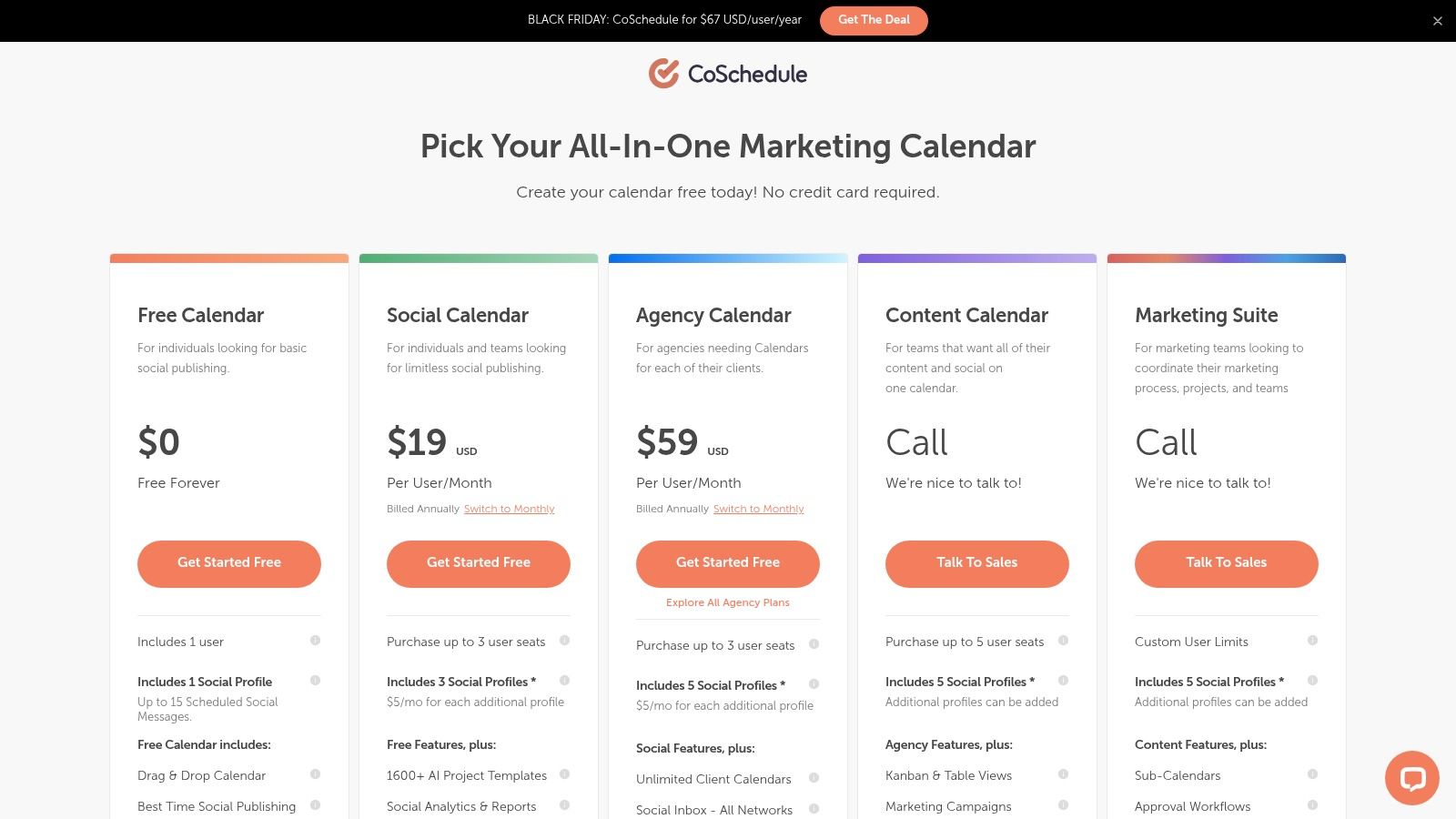
The platform’s strength lies in its visual, drag-and-drop calendar interface, which allows marketers to easily map out and reschedule an entire campaign's worth of content. The entry-level Social Calendar plan is affordable and provides core scheduling features, including "Best Time" publishing recommendations to maximize engagement. As you move to higher-tier plans, CoSchedule unlocks more advanced project management and collaboration features, positioning itself as a central command center for content-driven teams.
Standout Features
- Unified Marketing Calendar: See all your marketing projects, including emails, blog posts, and social media, in one color-coded, drag-and-drop view.
- Best Time Scheduling: The platform analyzes your audience's engagement patterns and suggests the optimal times to publish your posts for maximum reach.
- AI-Powered Templates: CoSchedule's AI assistant can help generate ideas and draft copy for social posts, speeding up the content creation process.
- Campaign-Level Planning: Group related social posts, content, and tasks into cohesive campaigns to better organize and track marketing initiatives.
| Best For | Limitations |
|---|---|
| Content Marketers & Bloggers | Core scheduling features like post recycling are not available, unlike in platforms like OneUp. |
| Teams needing a unified social and content marketing calendar | Some key collaboration tools are gated behind more expensive, sales-led plans. |
| Marketers focused on campaign-based planning | X/Twitter profiles are billed separately on certain plans, which can increase costs. |
Website: https://coschedule.com/pricing
11. Metricool
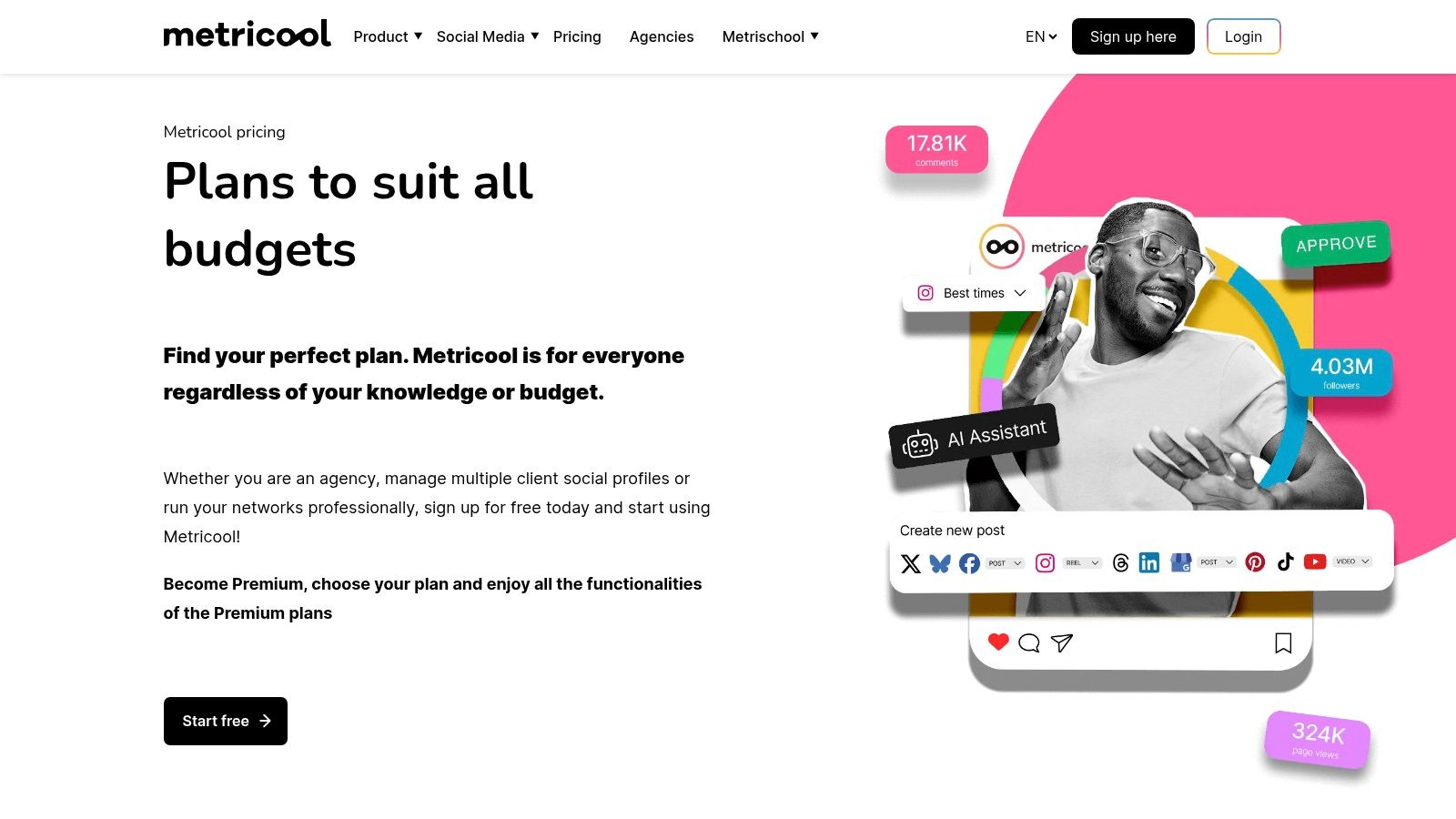
Metricool is a powerful all-in-one platform that extends beyond standard scheduling to offer robust analytics, competitor tracking, and ad management. It positions itself as one of the best social media scheduling tools for data-driven marketers and agencies who need to manage multiple "brands" under a single account, with pricing structured around this model.
The platform excels at providing a holistic view of your digital presence, integrating social media performance with website analytics and online ad campaigns. Its free plan is generous for a single brand, making it an excellent entry point for solo entrepreneurs or small businesses. For agencies, the brand-based pricing offers a scalable and predictable way to manage client accounts, providing each with its own dedicated workspace, analytics, and reporting.
Standout Features
- Comprehensive Analytics: Go beyond basic metrics with in-depth reporting, competitor analysis, and hashtag tracking to inform your strategy.
- Ads Integration: Manage and analyze Facebook, Instagram, and Google Ads campaigns directly within the Metricool dashboard.
- Brand-Based Workspaces: Each brand gets its own calendar, analytics, and settings, which is ideal for agencies managing multiple clients.
- Looker Studio & API Access: Higher-tier plans offer integrations with Looker Studio (formerly Google Data Studio), Zapier, and API access for custom reporting and automation workflows.
| Best For | Limitations |
|---|---|
| Agencies managing multiple client brands | X (formerly Twitter) data requires a paid add-on due to API costs. |
| Data-driven marketers needing deep analytics | Lacks advanced features like recurring post recycling or a built-in ideas calendar. |
| Businesses running paid social and Google Ads | The free plan has limitations on LinkedIn and X, pushing users toward paid tiers. |
Website: https://metricool.com/pricing/
12. G2
While not a scheduling tool itself, G2 is an essential resource in the selection process, making it a worthy inclusion in any list of the best social media scheduling tools. It’s a massive software marketplace featuring thousands of verified user reviews, detailed feature comparisons, and pricing snapshots. For teams performing due diligence, G2 provides the crowd-sourced data needed to shortlist vendors and validate marketing claims.
Instead of relying solely on a vendor’s website, you can use G2 to compare platforms side-by-side based on real user feedback. The platform’s grid reports and user satisfaction ratings are invaluable for understanding how a tool performs in the real world. This is particularly useful for comparing the robust, unlimited account offerings of a tool like OneUp against competitors with more restrictive, per-channel pricing models.
Standout Features
- Verified User Reviews: Access thousands of in-depth reviews from real users, filterable by company size and role, to gauge genuine product satisfaction.
- Side-by-Side Comparisons: Directly compare features, pricing, and user ratings for multiple social media management tools in a clear, structured format.
- Grid Reports: Visual reports that plot vendors based on market presence and user satisfaction, helping you quickly identify industry leaders and high-performers.
- Pricing and Deals: Many listings include pricing information and links to free trials or exclusive deals, streamlining the initial procurement steps.
| Best For | Limitations |
|---|---|
| Teams shortlisting and comparing vendors | Review quality can vary, and some entries lack sufficient detail. |
| Validating features before a purchase | Promoted listings can sometimes influence search result placement. |
| Finding alternatives to current software | Full access to some comparison data and reports may require a free user account. |
Website: https://www.g2.com/categories/social-media-management
Top 12 Social Media Scheduling Tools Comparison
| Product | Core features ✨ | UX & Ratings ★ | Pricing & Value 💰 | Target audience & USP 👥 |
|---|---|---|---|---|
| OneUp 🏆 | Unlimited accounts/posts/analytics/inbox/team; recycle scheduling; Reels/Stories/Carousels; Canva, bulk upload, AI | Unified inbox, mobile & API; post-level analytics; ★★★★☆ (≈4.8/5) | Fixed unlimited plan — predictable scaling 💰 | Agencies, SMBs, creators — enterprise features without per‑profile fees 🏆 |
| Buffer | Queue-based scheduling, AI assistant, hashtag manager, strong mobile apps ✨ | Straightforward UX; excellent mobile support; ★★★★ | Per-channel pricing; generous free plan (3 channels) 💰 | Freelancers & SMBs — transparent pricing, creator-friendly 👥 |
| Hootsuite | Scheduling, unified inbox, listening, deep analytics ✨ | Mature platform with strong analytics; ★★★★ | Higher entry price; enterprise tiers 💰 | Teams → Enterprise — scalable workflows & benchmarking 👥 |
| Sprout Social | Robust publishing, advanced reporting, team workflows ✨ | Premium UX; standout analytics & reporting; ★★★★☆ | Per-seat pricing; costly at scale 💰 | Teams & enterprises — best-in-class reporting & collaboration 👥 |
| Later | Visual planner, IG/TikTok auto-publish, link-in-bio, approvals ✨ | Visual-first UI; easy content layout; ★★★★ | Tiered plans with post caps on lower tiers 💰 | Visually-driven brands & creators — visual planning UX 👥 |
| Agorapulse | Unlimited scheduling, inbox automation, bulk publishing, reporting ✨ | Powerful inbox & reporting; team workflows; ★★★★ | Per-user pricing with add-ons; clear model 💰 | Agencies & teams — strong inbox + reporting 👥 |
| SocialPilot | White-label reporting, bulk scheduling, large account allowances ✨ | Budget-friendly UX; solid for agencies; ★★★★ | Agency-focused pricing; good value for teams 💰 | Agencies & small teams — white-label & cost-effective 👥 |
| Sendible | Client dashboards, approvals, white-label, AI content assist ✨ | Agency-centric UI; good onboarding; ★★★★ | Bundled user+profile pricing; limited entry plan 💰 | Agencies/multi-client teams — client collaboration & white-label 👥 |
| Loomly | Calendar-first scheduling, asset library, approval flows ✨ | Intuitive planning & approvals; ★★★★ | Monthly/annual billing; trial available 💰 | Brands & agencies — easy approvals & calendar UX 👥 |
| CoSchedule (Social Calendar) | Drag-and-drop marketing calendar, best-time publishing, AI templates ✨ | Tight calendar UX for planning; ★★★★ | Affordable entry plan; some features gated 💰 | Teams wanting social + content planning in one view 👥 |
| Metricool | Scheduling, reporting, competitor tracking, ads & Looker Studio integration ✨ | Strong analytics and integrations; ★★★★ | Priced per brand; free plan for 1 brand 💰 | Multi-brand managers & advertisers — ads + competitor tracking 👥 |
| G2 | Filterable reviews, vendor comparisons, pricing snapshots ✨ | Helpful for shortlisting; crowd‑sourced feedback; ★★★★ | Free to use (some details require sign-in) 💰 | Buyers & researchers — discover and compare vendors 👥 |
Final Thoughts
Navigating the crowded landscape of social media scheduling tools can feel overwhelming, but the right platform is a transformative asset for any marketer. As we’ve explored, the "best" tool isn't a one-size-fits-all solution; it's the one that aligns perfectly with your specific workflow, team size, budget, and strategic goals. The key is to move beyond surface-level features and assess which platform truly solves your most pressing social media management challenges.
From enterprise-grade solutions like Sprout Social and Hootsuite with their extensive analytics and team collaboration features, to visually-focused platforms like Later and Loomly that excel in content planning, each tool we've covered carves out its own niche. Your decision hinges on identifying your primary need. Are you a data-driven agency requiring robust reporting, or a solo creator who needs an intuitive visual planner? Answering this question is your first and most critical step.
Key Takeaways and How to Choose Your Tool
Selecting the right social media scheduling tool requires a clear understanding of your operational needs. Here are the core factors to guide your decision-making process:
- Scalability and Pricing: How many social accounts and users do you need to support now versus in six months? Platforms with restrictive user or account limits can quickly become costly hurdles. This is where tools offering unlimited accounts, like OneUp, present a significant long-term value proposition, especially for agencies or businesses managing multiple brands.
- Workflow Efficiency: Consider features that actively save you time. Does the tool support content recycling for evergreen posts? Can you schedule a single post to multiple networks simultaneously, complete with custom-tailored text and images for each platform? Features like automated post recycling and cross-network scheduling are not just conveniences; they are strategic time-savers.
- Collaboration and Approval: For teams, a streamlined approval process is non-negotiable. Look for tools that offer clear approval workflows, allowing you to assign roles, review drafts, and provide feedback internally or with clients before anything goes live. This prevents errors and ensures brand consistency.
- Engagement and Analytics: Scheduling is only half the battle. A truly effective tool must also help you manage engagement and measure performance. A unified social inbox to handle comments and messages, combined with clear analytics, closes the loop, turning your scheduling efforts into a measurable growth engine. For more in-depth articles and discussions on social media trends and marketing strategies, we recommend checking out branditok's blog.
Your Actionable Next Steps
Before you commit, take these final steps to ensure you've found the perfect match:
- Shortlist Your Top 3: Based on our review, select three tools that seem to fit your budget and primary use case.
- Sign Up for Free Trials: Nearly every platform offers a trial period. Use this time to actively test the features that matter most to you. Connect your accounts, schedule a week's worth of content, and test the approval workflow if you have a team.
- Evaluate the User Experience: Is the interface intuitive? Can you easily find the features you need? A complicated dashboard can negate any time-saving benefits the tool promises.
- Consider Long-Term Value: Don't just look at the entry-level price. Evaluate what you get for your money. A tool like OneUp, with its commitment to unlimited social accounts, unlimited team members, and a transparent pricing model, is built for growth, ensuring you won't be penalized for your success.
Ultimately, the best social media scheduling tools empower you to be more strategic, consistent, and efficient. By automating the manual tasks, they free you up to focus on what truly matters: creating authentic connections and building a thriving community around your brand.
Ready to experience a scheduling tool designed for unlimited growth? OneUp provides all the powerful features discussed-including unlimited accounts, post recycling, a unified social inbox, and robust approval workflows-at a price that makes sense for agencies, SMBs, and creators. Start your free trial of OneUp today and see how effortless social media management can be.