

When you're staring at the Instagram app, deciding between a Reel or a feed post, the choice boils down to a pretty simple question: are you trying to meet new people or have a deeper conversation with the friends you already have?
That's the core of it. Reels are your ticket to discovery and broad reach, while feed posts are all about nurturing your existing community. Your strategy hinges entirely on whether you’re aiming to attract a wave of new followers or strengthen the bond with your current ones.
The Definitive Answer to Instagram Reels vs Posts
Getting a handle on the strategic job of each format is the first step to really getting Instagram to work for you. Reels are short, snappy vertical videos built for quick, entertaining hits. The Instagram algorithm is designed to aggressively push them out to people who don't follow you, making them your single most powerful tool for top-of-funnel brand awareness.
On the flip side, your traditional feed posts—whether it’s a stunning single image or a detailed multi-slide carousel—are primarily served to your followers. Their main job is to provide real value, build trust, and spark deeper engagement like comments, shares, and especially those valuable saves.
Think of it this way: Reels are your brand's flashy billboard on a busy highway, while feed posts are the in-depth, valuable newsletter you send to your loyal subscribers.
Quick Comparison Reels vs Feed Posts
To really spell it out, let's break down the fundamental differences. This quick-glance table should help you decide which format fits your immediate goal.
| Feature | Instagram Reels | Instagram Feed Posts (Image/Carousel) |
|---|---|---|
| Primary Goal | Attracting new audiences, maximizing reach. | Engaging and nurturing your existing followers. |
| Algorithmic Priority | Discovery; heavily promoted to non-followers. | Community; shown mostly to current followers. |
| Content Format | Short-form vertical video (up to 90 seconds). | Static images or multi-slide carousels. |
| Ideal For | Trends, behind-the-scenes, quick tips, UGC. | In-depth tutorials, announcements, high-quality photos. |
| Key Metrics | Reach, Views, Rewatches. | Engagement Rate, Saves, Comments. |
| Lifespan | Can go viral weeks or even months after posting. | Longevity depends on strong initial engagement. |
Ultimately, a winning Instagram strategy doesn't force a choice between one or the other; it blends both. You use Reels to draw people in, and you use Posts to convince them to stay.
Juggling this kind of balanced approach can get chaotic without the right tools. With a platform like OneUp, you can map out your entire content calendar visually, scheduling your reach-focused Reels and your community-building Posts right from one place.
OneUp lets you schedule Reels directly to Instagram, complete with a custom cover image and even an automated first comment for your hashtags. For your more detailed feed content, you can easily schedule multi-image carousels and videos. This makes sure your content mix is strategically balanced, saving you a ton of time and helping you stay consistent without ever sacrificing quality. The most effective brands don't just post content—they orchestrate a complete audience journey.
How the Instagram Algorithm Treats Each Format
To really get the difference in performance between Reels and standard feed posts, you have to look under the hood at how Instagram’s algorithm treats them. It’s not one single system running the show; Instagram uses different algorithms tailored to how we actually use different parts of the app. That means your Reel and your feed post are being judged on completely different criteria from the moment you hit "Publish."
Think of the Reels algorithm as a pure discovery engine. Its main job is to find videos that hook viewers and keep them watching, then blast that content out to a huge audience of people who don't follow you. It's all about entertainment value and re-watchability.
The algorithm for feed posts, on the other hand, is more of a community-nurturing tool. It’s designed to show your content to the people who already know and like you—your followers. Success here is measured by the immediate interaction your post gets from this core group.
The Algorithmic Signals for Reels
When you post a Reel, Instagram’s system is watching for very specific user behaviors to decide if it's a winner. These signals are all about consumption and retention.
Here’s what it’s looking for:
- Watch Time: This is the big one. Did someone watch your entire Reel? A full watch is a massive green light for the algorithm.
- Re-watches: Even better. Did they loop it and watch it again? A re-watch tells Instagram your content is seriously engaging.
- Audio Usage: Using trending audio is like a cheat code. The algorithm often gives a little extra juice to content that jumps on popular sounds and music.
- Interactions: While likes and comments are good, the algorithm loves shares and saves. These actions show that your content is so good, people want to send it to friends or come back to it later.
The algorithm's only goal is to keep people scrolling through the Reels feed for as long as humanly possible. If your content helps Instagram do that, you get rewarded with massive reach that can go way beyond your follower count.
How Feed Posts Are Evaluated
The system for feed posts—your single images and carousels—works in a much more intimate setting. It’s almost entirely focused on how your existing followers react within the first few hours of posting.
Key Takeaway: For feed posts, the speed of early engagement is everything. A post that racks up likes, comments, shares, and saves quickly from your followers has a much better shot at being shown to more of your audience and maybe even landing on the Explore page.
The signals that matter most here are different from Reels. The algorithm is weighing:
- Comment Velocity: How many comments did you get right after you posted? Quick conversation is a huge positive signal.
- Saves: How many people saved your post to a collection? This tells the algorithm you've created valuable, evergreen content.
- Shares: Are people sending your post in DMs or sharing it to their Stories? That means your content is sparking conversations.
- Time Spent Viewing: For carousels, how long did users stick around to swipe through all the slides?
This is exactly why a smart hashtag strategy is still so important for feed posts. Using an Instagram hashtag generator can help your existing community discover and engage with your content. The algorithm for posts isn't trying to make you go viral; it's trying to validate that your content is valuable to the community you've already built.
This split explains what we’re all seeing on the platform today. Instagram Reels have taken over, completely changing user behavior. In fact, Reels now make up approximately 38.5% of all Instagram feed posts, and users are spending about 50% of their time on the app watching them. Instagram is clearly pushing this format for discovery, making it an incredibly powerful tool for growth. You can explore more on these Reel trends at Awisee.com. Understanding these two different algorithmic paths is the first step to building a content strategy that makes both formats work for you.
Analyzing Performance Data: Reels vs. Posts
If the algorithm explains the "why," then the raw performance data shows you the "what." When you put the numbers side-by-side, a pretty clear story emerges about where each format shines in the ongoing reels vs post instagram debate. Put simply, if you want to get your brand in front of as many new people as possible, Reels are in a completely different ballpark.
This chart drives the point home, visualizing the massive advantage Reels have in reaching new audiences compared to carousels and static images.
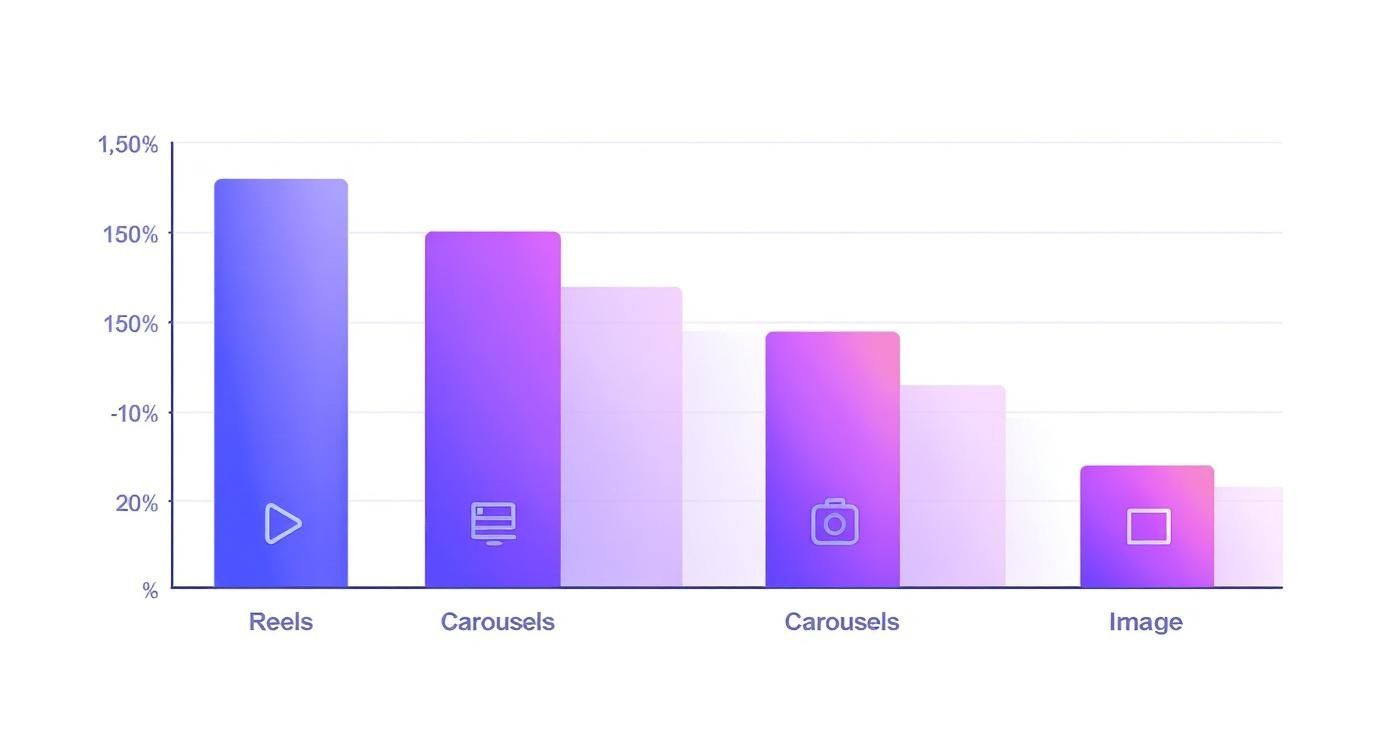
The numbers here don't lie. Reels are the undisputed champion for discovery, blowing other post types out of the water when it comes to pure audience reach.
The performance gap isn't just a slight edge; it's a chasm that reflects how people are actually using the app now. Instagram Reels pull in an average engagement rate of 1.23%, which is comfortably ahead of carousels at 0.99% and static photos at a distant 0.70%.
But the real showstopper is the reach rate. Reels boast an average reach rate of 30.81%—that's more than double the reach of both carousels (14.45%) and static images (13.14%). This data makes it crystal clear: Reels are your go-to tool for top-of-funnel marketing.
To really nail down your strategy, it helps to see the key metrics broken down in one place.
Performance Metrics Reels vs Posts
This table provides a quick statistical look at how Instagram Reels stack up against static images and carousels across the most important performance indicators.
| Metric | Instagram Reels | Carousel Posts | Static Image Posts |
|---|---|---|---|
| Average Reach Rate | ~30.81% | ~14.45% | ~13.14% |
| Average Engagement Rate | ~1.23% | ~0.99% | ~0.70% |
| Primary Strength | Discovery & Awareness | Education & Authority | Quick Visual Impact |
| Best For | Reaching non-followers | Nurturing followers | Announcements, aesthetics |
The data shows a clear pattern: Reels excel at broad reach, while carousels and static images play a more focused role in engaging your existing audience.
Breaking Down What The KPIs Actually Mean
Making smart decisions means looking past the vanity numbers and understanding what each metric really says about your business goals. Different KPIs tell different stories.
- Reach: This is the total number of unique accounts that saw your post. Reels dominate here because they get pushed hard in the Reels tab and Explore page, making them perfect for brand awareness.
- Engagement Rate: This is your (likes + comments + shares + saves) / followers. It shows how much your content resonates with the people who see it. While Reels have a higher overall rate, carousels often get more meaningful engagement.
- Saves: A save is a powerful signal of value. When someone saves your post, they're bookmarking it for later, telling the algorithm you’ve created high-quality, useful content.
- Shares: Think of shares as digital word-of-mouth. This is your ticket to virality, as it directly pushes your content to new, untapped audiences.
How to Use This Data in Your Strategy
The numbers are pretty clear: Reels are your growth engine, while static posts—especially carousels—are your community builders. Think about it. The high 'save' rate you often see on detailed, multi-slide carousels makes them invaluable for positioning your brand as an authority and giving real value to your followers.
Data-Driven Insight: Don't ditch feed posts just because Reels have better reach. They're two sides of the same coin. Use the massive reach from Reels to pull in new followers, then use information-packed carousels to nurture them into a loyal community.
A smart content calendar uses both. A tool like OneUp lets you schedule your entire content mix, from Reels with viral potential to deep-dive carousels. Being able to bulk upload hundreds of posts at once and see them on a visual calendar makes it easy to maintain that strategic balance. You can even create and save different sets of hashtags—one for reach (Reels) and one for community (Posts)—to streamline your workflow.
Choosing the Right Format for Your Goals
Picking between a Reel and a Post isn't just about what looks good; it’s a strategic move that needs to line up with your actual business goals. The secret to a killer content calendar is knowing exactly what job you're giving each piece of content. Are you trying to get in front of a ton of new people, or do you want to build a deeper connection with your existing community?
Your answer points directly to the right format. When it comes to the reels vs post instagram debate, think of it like this: Reels are your top-of-funnel megaphone, and Posts are your mid-funnel conversation starter. One grabs the crowd, the other builds the relationship.
A smart strategy uses both—but with clear intention. Every single thing you publish should have a purpose and push you closer to a bigger business objective. Let's break down which format to use for specific situations.
When to Use Instagram Reels for Maximum Impact
Reels are your ticket to grabbing attention, reaching new audiences, and showing off the dynamic, human side of your brand. The algorithm is literally built for discovery, which makes them the perfect tool for growth.
Go with Reels when your main goal is:
- Brand Discovery and Reach: If you just need to get in front of as many new eyeballs as possible, Reels are a must. Jump on a trending audio challenge or create a funny, shareable clip that hits home in your industry.
- Showcasing Products in Action: A static photo doesn't always do a product justice. Use a Reel to actually show how it works, highlight its best features in real-time, or reveal a satisfying before-and-after.
- Humanizing Your Brand: Nothing builds trust like a peek behind the curtain. Quick clips of your team, a day-in-the-life video, or even some funny bloopers make your brand feel real and relatable.
- Quick, Educational Tips: Short, snappy "how-to" videos or a list of three quick tips are perfect for the fast pace of Reels. They deliver instant value and get shared like crazy.
Keep in mind, especially if you're committing to video, the technical side of things matters. For example, understanding the ins and outs of optimizing your videos for Instagram Reels can make a huge difference in how your content looks and performs.
When to Use Instagram Posts for Deeper Engagement
Feed posts, especially carousels, are where you go deep. They're built for delivering detailed information, sparking conversation, and strengthening your community. This is your best bet for establishing authority and giving lasting value to the followers you already have.
Choose a Post when you want to:
- Deliver In-Depth Education: A 10-slide carousel is the ideal format for a step-by-step tutorial, breaking down a complex idea, or walking through a detailed case study. This is the kind of content that gets saved, which is a huge signal to the algorithm that you're providing high-value stuff.
- Share Testimonials and Social Proof: Use a carousel to string together multiple customer reviews, user-generated photos, or an in-depth client success story with quotes and results. It’s a powerful way to build credibility.
- Run Promotions and Announce News: When you have important details to share about a sale, an event, or a company update, a static post or carousel makes sure the information is clear, easy to read, and simple to find later.
- Build a Strong Brand Aesthetic: High-quality single images are still the backbone of a polished, professional-looking Instagram grid. They instantly communicate your brand's identity and vibe.
Strategic Insight: The real magic happens when you pair the two formats. Drop a Reel to hook people with a quick, engaging idea, then point them to a detailed carousel post to learn more.
Writing strong captions for these detailed posts is critical. The right words can stop a scroll and turn a casual viewer into an engaged follower. If you need a hand, a dedicated Instagram caption generator can help you craft compelling copy that gets people talking.
At the end of the day, when you match your content format to a clear goal, you stop posting randomly and start building a real, powerful presence on Instagram.
Executing Your Instagram Strategy with OneUp
Knowing when to use a Reel versus a standard feed post is half the battle. The other half? Actually executing that strategy consistently. This is where the real work begins, and where a solid scheduling tool becomes a non-negotiable part of your workflow. OneUp is designed to turn your content plan from a bunch of ideas into a streamlined, automated machine.
Instead of being glued to your phone, manually posting every single day, you can build out a content calendar that strikes the perfect balance between reach-hungry Reels and community-focused feed posts. This keeps your brand consistently visible without the constant stress of real-time publishing. The right system frees you up to do what matters most: create awesome content.
Here’s a look at the simple, clean interface you’ll use inside OneUp to schedule everything out.
Everything you need—from writing the caption and choosing your networks to setting the schedule—is all in one spot.
Streamlining Your Reels and Posts Workflow
OneUp is built with specific features to make managing both formats a breeze. For Reels, you can schedule them to post directly to Instagram. This is a huge time-saver, ensuring you hit those peak engagement windows without fail. Better yet, you can upload a custom cover image and even schedule an automated first comment—a killer tactic for moving your block of hashtags out of the main caption to keep it clean.
The features for feed posts are just as robust. You can schedule single-image posts, intricate carousels, and videos without a hitch. This is especially handy for those deep-dive, educational carousels that do so much to build trust with your audience. Planning these more complex posts in advance is an absolute game-changer for maintaining content quality.
OneUp Pro Tip: Put your best evergreen content on autopilot with the repeating post feature. Got a high-performing educational carousel? Schedule it to republish every few months to catch new followers and drive home your key messages. It's the easiest way to maximize the value of content you've already created.
Advanced Features for a Cohesive Strategy
A smart Instagram strategy doesn’t live on an island. OneUp gets this, which is why it lets you post to multiple social networks at once. That killer Reel you just edited can be scheduled to Instagram, TikTok, and Facebook all at the same time, tripling its potential reach with zero extra work. You can even use an AI TikTok video generator to create engaging short-form videos that can be repurposed as Reels, feeding your content engine across platforms.
Collaboration is another area where a good tool makes all the difference. If you’re part of a team or need to get client approval, you can manage post approvals directly within the platform. No more messy email chains or missed feedback. For agencies or brands pumping out a ton of content, the ability to bulk upload hundreds of posts at a time via CSV is an absolute lifesaver.
- Content Calendar Visualization: Get a bird's-eye view of your entire content mix—Reels, Posts, and Stories—on one visual calendar. This makes it super easy to spot gaps and ensure you’re maintaining a healthy balance.
- Unlimited Accounts: Many tools nickel-and-dime you for every account you add. OneUp lets you connect and manage an unlimited number of social accounts on a single plan, perfect for agencies or businesses with multiple brand profiles.
- Unified Social Inbox: Stop jumping between apps to answer comments. You can manage DMs and comments from all your connected accounts in one central inbox, ensuring you never miss a chance to engage.
Planning Your Grid for Visual Impact
Your Instagram grid is your brand’s digital storefront. A messy, disorganized grid can instantly turn off potential followers. OneUp helps you keep it looking sharp.
You can map out your feed with OneUp's Instagram grid planner to see exactly how your scheduled posts will look next to each other. This kind of visual planning is crucial for making sure your static posts and Reel covers come together to create a cohesive, attractive profile that convinces visitors to hit that "Follow" button.
Burning Questions: Your Instagram Reels vs. Posts FAQ
When you get down into the nitty-gritty of planning your Instagram content, the same questions always seem to pop up. It's not always black and white, and getting the small details right can be the difference between a post that flops and one that flies. Here are some straight answers to the most common questions we see from people in the trenches.
We'll cover everything from repurposing content and hashtag quirks to video length and whether static posts even matter anymore in a Reel-first world.
Can I Post the Same Content as a Reel and a Post?
Technically, yes, but you really, really shouldn't. It's a strategy that almost always backfires. Instagram's algorithm is built to reward content that's native to each format. If you post the exact same video clip as a Reel and then again as a standard feed post, you risk boring your audience and getting flagged for duplicative content, which can throttle your reach.
A much smarter play is to repurpose the concept, not the content. For example, film a punchy Reel showing off three quick ways to use your product. Then, build out a detailed carousel post that explains the why behind each tip, using high-quality images, text overlays, and graphics. This gives unique value in both places, satisfying the quick scrollers and the deep divers in your audience.
How Do Hashtags Work Differently for Reels and Posts?
Your hashtag game needs to change completely depending on the format. For Reels, think of hashtags as your primary discovery engine. They are absolutely vital for helping Instagram figure out what your video is about and who to show it to on the Reels tab and Explore page. Your goal is maximum exposure, so a mix of broad, niche, and trending hashtags is the way to go.
With feed posts, hashtags still help with discovery, but they also act as an organizing tool for your existing followers. Since posts have a much longer shelf life on the main feed, the right hashtags can keep driving engagement for days or weeks from people searching for specific topics within your community.
A huge time-saver here is using a scheduler like OneUp to create and save categorized hashtag sets. You can build out an optimized group for Reel discovery and another for community-focused Posts, then pop them in with a single click.
What Is the Ideal Length for an Instagram Reel?
Even though Instagram lets you create Reels up to 90 seconds long, the data is crystal clear: shorter is almost always better. The sweet spot for getting the best engagement is usually somewhere between 7 and 15 seconds. The algorithm wants to see content that people watch all the way through—or even better, watch on a loop. Short, snappy videos are just far more likely to make that happen.
If you're creating educational or story-driven content that needs a bit more time, your first three seconds are everything. You have to land an immediate, scroll-stopping hook that makes people need to see what happens next. Always favor tight, high-impact storytelling over just filling the maximum time.
Should I Stop Creating Static Posts if Reels Get More Reach?
Absolutely not. This is probably the biggest mistake people make when thinking about the "reels vs post instagram" debate. Yes, Reels are the undisputed king for top-of-funnel reach and bringing in new eyeballs. But static posts and carousels are what you need to nurture the community you already have.
Think of it like this:
- Reels are the handshake: They introduce your brand to a massive new audience.
- Posts are the conversation: They provide the value and substance that turns followers into loyal fans.
High-quality carousels are perfect for in-depth tutorials, sharing glowing client testimonials, making big company announcements, or doing a deep dive into product features. These formats often rack up an incredible number of "saves," which is one of the most powerful signals you can send the algorithm. The most successful brands on Instagram don't pick one format over the other—they have a masterful blend of reach-grabbing Reels and community-building Posts firing on all cylinders.
Ready to stop guessing and build a powerful, balanced Instagram strategy? OneUp gives you all the tools you need to schedule your Reels, carousels, and posts in one place. Plan your content calendar, automate your first comments, manage approvals, and see exactly how your grid will look before you publish. Start your free trial of OneUp today and take control of your Instagram workflow.