
If you're treating LinkedIn like a last-minute chore, you're leaving growth on the table. Scheduling your posts is the single biggest shift you can make to turn your profile from a sporadic afterthought into a powerful, consistent presence.
This isn't just about saving time. It's about moving from a reactive, "what do I post today?" scramble to a proactive, strategic operation. You can use LinkedIn's own tool or a third-party platform to plan and automate your content, making sure you hit your audience at the best possible times.
Why Scheduling Posts Is a LinkedIn Game Changer
Getting the hang of scheduling is a must for anyone serious about building real influence on LinkedIn. It’s the difference between occasionally showing up and owning your space.
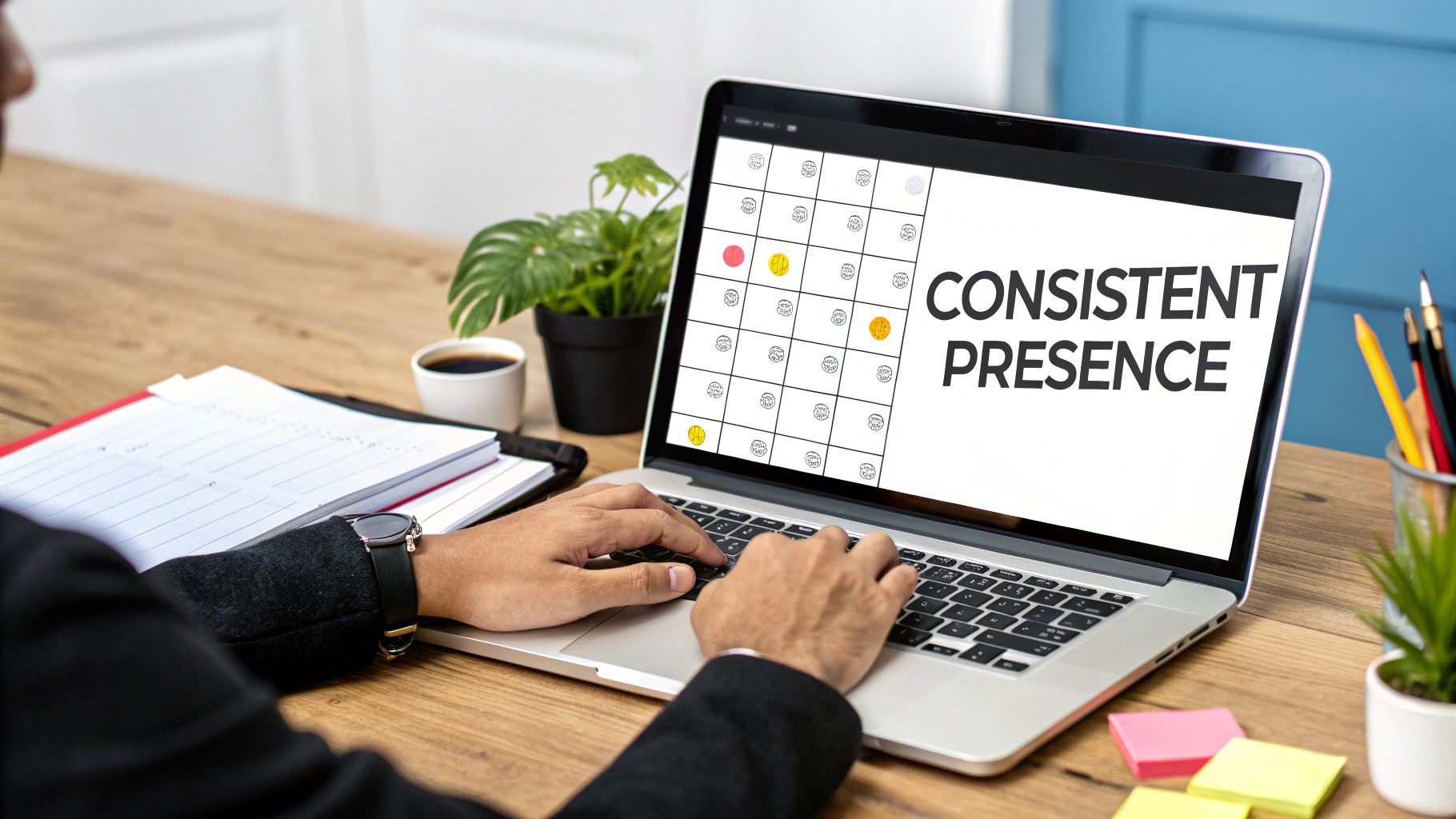
This simple change lets you batch-create your content. Instead of daily pressure, you can dedicate a focused block of time to write, design, and plan a whole week or month of posts. The result? Higher quality, more thoughtful content that actually serves your larger goals.
Elevate Your Content Quality and Consistency
Think about it. A B2B company is about to launch a new product. A consultant wants to establish themselves as a thought leader. With a content calendar locked and loaded, every post is perfectly timed and on-brand. You can align your content with big campaigns, industry events, or company news without the daily stress.
Consistency is key, and the algorithm notices. One analysis found that bumping up your posting from once a week to 2–5 posts per week can boost your reach by an average of +1,182 impressions per post. The platform rewards regular, sustained activity.
Scheduling is your secret weapon for maintaining that critical consistency. Even when you're swamped, your LinkedIn presence stays active—engaging your network and nurturing leads without you having to live on the platform 24/7.
Unlocking Strategic Advantages
Beyond just being consistent, scheduling gives you a real strategic edge that you just can't get with manual, on-the-fly posting.
- Hit Peak Engagement Windows: Schedule your content to drop exactly when your audience is most active, getting more eyes and interaction from the get-go.
- Align with Campaigns: Seamlessly weave your LinkedIn posts into larger marketing pushes. Now your social presence is directly supporting every webinar and product launch.
- Improve Team Collaboration: Tools like OneUp offer robust team features. You can invite unlimited team members, create shared content calendars, and use approval workflows. This means team members can draft posts and managers can review them before they go live, keeping everything on-brand and error-free.
To really make this work, your scheduling efforts need to be part of a bigger plan. For a deep dive into building that foundation, check out The Ultimate Guide to a Winning LinkedIn Strategy for Business Growth. With a solid strategy in place, scheduling becomes an incredibly powerful tool for hitting your goals.
Using LinkedIn's Built-In Scheduling Feature
For a lot of folks, LinkedIn's own scheduling tool is the perfect way to dip your toes into content planning. It’s right there on the platform, totally free, and a no-brainer if you just want to get some basic consistency going without signing up for another service.
So, how do you actually use it? It's pretty simple.
Whether you're on your personal profile or a Company Page, just hit "Start a post" like you normally would. Write your post, tag some people or pages, and add your image or video. Once it looks good, you'll see a little clock icon right next to the "Post" button. That's your ticket.
Click that clock, and a simple calendar pops up. From here, you can pick a future date and time for your post to go live. LinkedIn gives you a decent runway, letting you schedule up to three months in advance. Pick your time, give your post one last look, and hit "Schedule." Done.
What's Good and What's Bad
The best part? It's free and baked right in. There’s zero setup. If you're a solopreneur just trying to make sure you're posting at peak times instead of whenever you remember, it works just fine. It’s a great way to start building the habit of batching your content.
But that simplicity is also its biggest problem. The native tool is fine for simple, one-off posts, but you'll hit a wall pretty fast if you're trying to do anything more advanced. It's important to know what those limitations are before you commit.
Key Takeaway: LinkedIn's scheduler is a solid starting point for basic consistency. But if you’re serious about engagement or working with a team, you'll feel the pinch of its missing features.
Where the Native Tool Falls Short
Once you schedule a post with LinkedIn's tool, it's set in stone. You can't go back and edit the text or swap out the image. Your only options are to change the time or delete the whole thing and start from scratch. Found a typo a minute after you scheduled? Too bad. It's a surprisingly frustrating limitation.
On top of that, it's missing a bunch of features that are pretty standard for anyone with a real content strategy.
- No First Comment Scheduling: This is a big one. You can't schedule that first comment, which is where many of us drop links to avoid squashing the post's reach in the algorithm.
- Lack of Repeating Posts: Got some killer evergreen content you want to share again next quarter? You'll have to manually reschedule it every single time. There's no "set it and forget it" option.
- Limited Content Types: It doesn't support scheduling for more engaging formats like multi-image carousels or PDF documents. Those post types can be goldmines for engagement, but you're out of luck here.
- No Team Collaboration: This tool is a one-person show. There's no way for a teammate to draft a post for you to approve, which is a dealbreaker for most brands and agencies.
These are the exact reasons so many people turn to dedicated scheduling platforms. A tool like OneUp is built to solve these problems, offering things like automatic first comments, post recycling, a Canva integration for on-the-fly graphic creation, and real team approval workflows. You can even generate AI post suggestions and get analytics on post performance, all from one dashboard.
While LinkedIn's built-in scheduler is a decent first step, understanding its limits is the key to knowing when it's time to upgrade.
Unlocking Advanced Scheduling with OneUp
LinkedIn's native scheduler is a decent place to start, but you'll hit its limits pretty fast. For anyone serious about building a presence—professionals, agencies, businesses—a dedicated, advanced tool isn't just a nice-to-have; it's the key to executing a real strategy efficiently.
This is where a platform like OneUp comes in. It's built to fill the exact gaps LinkedIn leaves open, giving serious content creators the features they actually need.
Instead of getting frustrated by the inability to edit a scheduled post or the complete lack of team features, a proper scheduler gives you a central command center. You can move beyond simple, one-off posts and build a sustainable content engine that works for you. This little decision tree shows you exactly when it's time to make that jump.
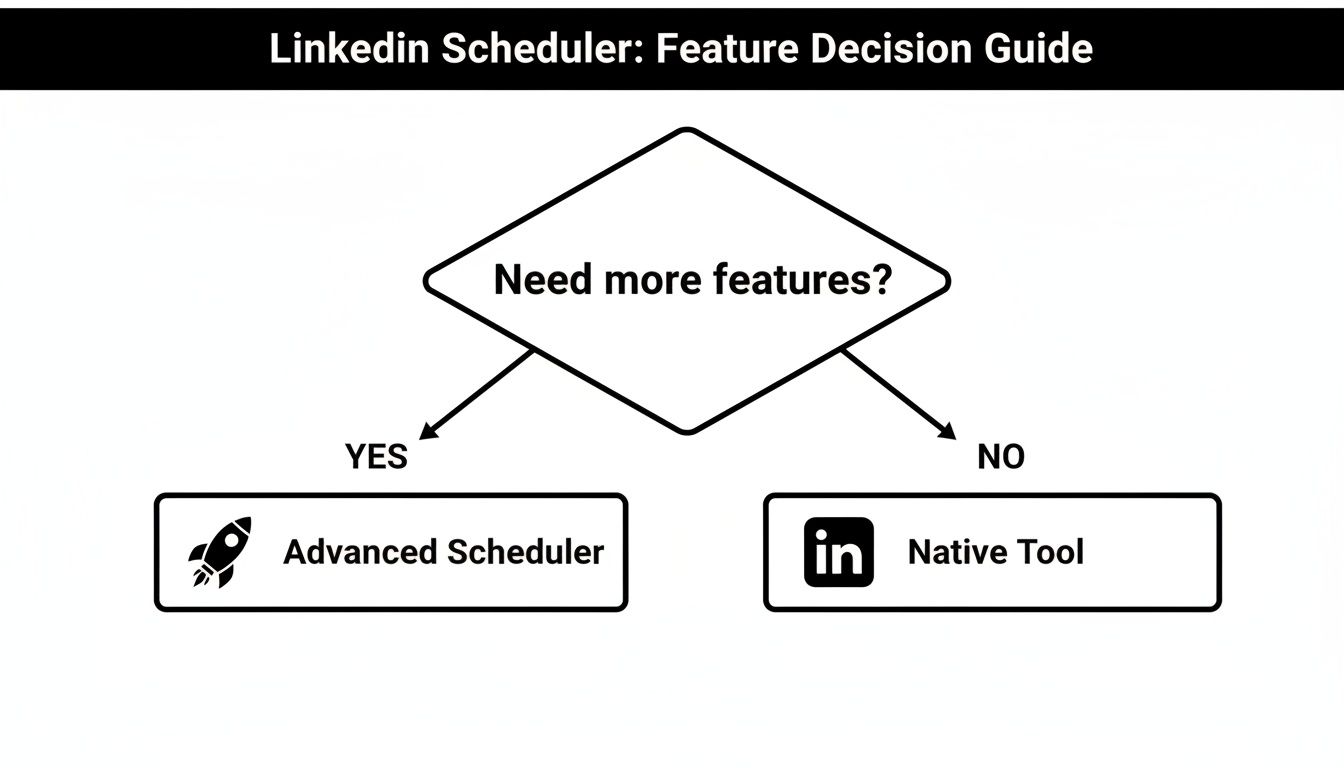
The moment your needs go beyond basic scheduling, the benefits of a more powerful tool become impossible to ignore.
Let's break down what a specialized scheduler like OneUp brings to the table compared to what you get natively on LinkedIn.
LinkedIn Native Scheduler vs OneUp Feature Comparison
| Feature | LinkedIn Native Scheduler | OneUp |
|---|---|---|
| Edit Scheduled Posts | ❌ No | ✅ Yes |
| Schedule First Comment | ❌ No | ✅ Yes |
| Repeating/Recycling Posts | ❌ No | ✅ Yes |
| Schedule Carousels/Documents | ❌ No | ✅ Yes |
| Canva Integration | ❌ No | ✅ Yes |
| Team Approval Workflows | ❌ No | ✅ Yes |
| Bulk Scheduling | ❌ No | ✅ Yes (via CSV upload) |
| AI Post Suggestions | ❌ No | ✅ Yes |
| URL Shortening & UTMs | ❌ No | ✅ Yes (Bitly & Rebrandly) |
| Unlimited Accounts & Users | ❌ No | ✅ Yes (on all plans) |
As you can see, the difference is night and day. LinkedIn gives you the bare minimum, while a tool like OneUp is designed for strategy, efficiency, and more engaging content formats.
Getting Started and Connecting Your Account
Switching to a more robust platform is painless. The first thing you'll do is connect your LinkedIn profile or Company Page. A huge plus for OneUp is that you can add an unlimited number of social accounts on any plan, which is a lifesaver for agencies or folks managing multiple brands.
Just create an account, authorize OneUp to access your LinkedIn profile, and you're good to go. The whole process takes a couple of minutes but unlocks a whole suite of features designed to eliminate the headaches of the native tool.
Mastering the First Comment and Post Recycling
Here's a tactic every serious LinkedIn user should know: avoid putting external links directly in your post. The algorithm tends to suppress posts with outbound links, tanking their visibility. The classic workaround? Put the link in the first comment.
OneUp completely automates this.
When you're drafting a post, there's a specific field to schedule an automatic first comment. You can drop your blog link or registration page in there, and it will publish the second your main post goes live. This feature alone is a game-changer for driving traffic without killing your reach.
Another powerhouse feature is the ability to set posts to repeat or recycle automatically. Got some evergreen content? Think foundational advice, killer testimonials, or popular blog posts. You don't have to remember to reschedule it every few months. Just set it to repeat at intervals you choose (say, every 90 days), and you'll have a consistent stream of high-value content filling your calendar with zero extra effort.
Pro Tip: Use the repeating post feature to build a "content library" of your best-performing evergreen posts. This ensures your content calendar is never empty and that new followers are exposed to your most valuable insights over time.
Scheduling Engaging Carousels and Documents
LinkedIn's own scheduler sticks to basic image and video posts. But some of the platform's highest-performing formats are carousels (those swipeable multi-image posts) and PDF documents. These formats are amazing for storytelling, breaking down complex ideas, and providing massive value—all things the algorithm loves to reward with more reach.
With an advanced scheduler, creating these is dead simple:
- LinkedIn Carousels: Upload multiple images to create a slick, swipeable carousel and schedule it for the perfect time. This is perfect for step-by-step guides, product feature showcases, or sharing conference takeaways.
- PDF Documents: You can also upload and schedule a PDF. This is brilliant for sharing whitepapers, case studies, or presentation slides right in the feed, positioning you as an authority.
This one capability massively expands your creative options, letting you plan a much more diverse and interesting content calendar.
Integrating Design and Streamlining Workflows
Real efficiency comes from cutting out the friction in your creative process. Bouncing between Canva, a spreadsheet, and your scheduler is a huge time-waster. That's where direct integrations become so valuable.
OneUp has a built-in Canva integration, so you can design your post graphics without ever leaving the dashboard. Create a new design or pull in one of your existing templates, make your tweaks, and attach it directly to your scheduled post. For even more efficiency, you can bulk schedule posts by uploading a CSV file with captions and image URLs.
This creates a seamless flow from idea to publish. You can write your copy, design the visual, schedule the first comment, and set the post to repeat—all in one place. For teams, you can add another layer of control with post-approval workflows, letting junior members draft content for managers to approve.
It’s this combination of features that transforms scheduling from a simple task into a strategic, streamlined operation.
Building a Collaborative Content Workflow
A great scheduling tool is only half the battle. A solid strategy is what really separates the pros from the amateurs.
If you want to move from chaotic, last-minute posting to a structured and scalable content machine, you need a workflow. This is how you build a system that runs like clockwork, whether you're a one-person show or part of a bustling marketing team.
A huge part of this system is creating a steady stream of content without burning yourself out. This is especially true for your evergreen content—the foundational advice, success stories, and timeless tips that stay relevant for months. Manually digging up and reposting these gems is a chore that's easy to forget.
With a tool like OneUp, you can put this on autopilot. The repeating post feature lets you set your best content to republish automatically every 30, 90, or 180 days. This creates a baseline of high-value content, making sure your calendar is never empty and your best insights consistently reach new people.
Setting Up Your Team for Success
For agencies and in-house teams, collaboration is everything. A strong LinkedIn presence often involves writers, designers, managers, and even clients all needing to work together. This is where basic schedulers just don't cut it.
OneUp was built for this exact scenario. You can invite colleagues and clients into a shared workspace but keep tight control over who can see and do what—which is critical for brand consistency and security.
- Invite Team Members: Add your whole crew to your OneUp account. The best part? All plans include unlimited team members and social accounts, so you don't pay more as your team grows or your client list expands.
- Assign Specific Accounts: You can lock down access so a team member can only see and post to the specific LinkedIn Pages they manage. This is a lifesaver for agencies juggling multiple clients.
- Manage Permissions: Set up different user roles to define who can draft posts versus who has the final say to approve and publish them.
This kind of structure prevents those dreaded "oops, I posted to the wrong account" moments and makes it crystal clear who is responsible for what.
Implementing a Post Approval Workflow
The biggest headache for teams? Quality control. How do you make sure every single post is on-brand, error-free, and strategically sound before it hits the internet? An internal post-approval workflow is the answer.
The process is simple: one team member drafts a post and submits it for review. A manager then gets a notification to approve it, reject it, or send it back with notes.
This simple step acts as a crucial safety net. It eliminates embarrassing typos, ensures brand voice consistency, and gives senior team members final say, turning content creation into a polished, professional operation.
This is a built-in feature in OneUp. A junior marketer can create a post, and it'll sit in a "pending" queue until an admin gives it the green light. It’s an indispensable system for maintaining high standards, especially when you're managing high-stakes client accounts.
And if your team is ever struggling for ideas to even get a draft started, you can find some inspiration with a specialized LinkedIn post generator to kickstart the creative process.
By combining automated evergreen content with a structured team workflow and a solid approval process, you transform scheduling from a simple time-saving hack into a powerful, collaborative engine for growth on LinkedIn.
Finding the Best Time to Post on LinkedIn
Timing is everything. Seriously. You could craft the most brilliant, insightful post imaginable, but if you publish it when your audience is asleep or offline, it’s going to land with a thud. Figuring out when to schedule your LinkedIn posts is just as important as figuring out what to post.
Think of it this way: the first couple of hours after your post goes live are its audition for the LinkedIn algorithm. The algorithm is watching to see if people are liking, commenting, and sharing right away. If it gets that early buzz, LinkedIn will show it to more people. If it gets crickets, its reach will be cut short.
This is exactly why scheduling is such a game-changer. Instead of just posting whenever you have a free minute, you can strategically drop your content right when your network is most active, giving every single post its best shot.
General Guidelines for Peak Engagement
While every audience is a little different, broad data gives us a fantastic place to start. Most professionals browse LinkedIn during predictable windows in their workday—early in the morning, around lunch, and as they're wrapping up for the day.
This creates some clear engagement hotspots. Scheduling your posts for midweek mornings, for example, is a solid bet because platform-wide activity is highest from Tuesdays to Thursdays. Studies on Company Page engagement show major traffic spikes during these days, particularly on Tuesday from 8:00 AM to 2:00 PM and Wednesday between 8:00 AM and 12:00 PM. You can find more insights about LinkedIn engagement trends that line up with these typical professional schedules.
Treat these times as your starting lineup. They're not guaranteed wins, but they put you in a great position to succeed.
Key Takeaway: The ultimate "best time" isn't some universal secret. It's a pattern unique to your followers. The general data gives you a hypothesis, but your own analytics will give you the proof.
Discovering Your Personal Best Times
Generic advice only gets you so far. To really dial things in, you need to become a detective and figure out when your audience is hanging out on LinkedIn. Thankfully, the platform’s built-in analytics are your best friend here.
Head over to your profile or Company Page and dive into the analytics. You’re looking for patterns in post impressions and engagement over time. Do your posts always seem to get more traction on Wednesday mornings? Is there a spike in comments around lunchtime on Fridays?
Jot down these trends. This data-first approach lets you stop guessing and start making informed decisions. A tool like OneUp can make this even easier by showing your scheduled posts in a calendar view, which helps you visualize your posting frequency and test different time slots without losing track. OneUp also provides analytics that show you the best times to post based on your own account's past performance.
A Practical Approach to Testing and Refining
Okay, you have a hypothesis based on general best practices and a peek at your analytics. Now it's time to put it to the test with a simple experiment.
- Set a Baseline: For two weeks, schedule your posts to go out only during your suspected peak times (e.g., 9:00 AM on Tuesdays and Thursdays).
- Analyze the Results: After two weeks, check the performance. What were the impressions, clicks, and engagement rates?
- Introduce a Variable: For the next two weeks, try a different time slot. Maybe add a post at 12:30 PM on a Wednesday.
- Compare and Contrast: How did the new lunchtime post do compared to your morning posts? Better? Worse? About the same?
This creates a simple but powerful feedback loop. You're constantly using data to inform your schedule, test your assumptions, and refine your approach. Over time, you’ll build a highly optimized posting schedule that gives your content the launchpad it deserves.
How to Analyze and Optimize Your Schedule
Getting your content scheduled is a great start, but it's only half the battle. The real magic happens when you start digging into the data to see what's actually working. You have to create a feedback loop where your analytics—not your gut feelings—guide your next move.
Think of it this way: you wouldn't keep running an ad campaign that isn't converting, right? The same logic applies here. Don't just post and walk away. You need to regularly check in on your post performance to understand what truly clicks with your audience.
Turning Data into Actionable Insights
Your mission is to connect the dots between what you posted, when you posted it, and the results you got. Start by getting familiar with LinkedIn Analytics. Keep an eye on the core metrics: impressions, engagement rate, and click-throughs.
Recent data on the LinkedIn algorithm is pretty eye-opening. It shows a post’s prime visibility window has shrunk to about 2–4 hours. That makes the first 60 minutes after you hit "publish" absolutely vital. If your post gets some love early on, LinkedIn is way more likely to show it to a wider audience. You can find more on LinkedIn's algorithm from Omnicreator.club.
This tells us one thing loud and clear: you need to see how a post is doing within that first hour to really know if your timing is right.
As you review your best-performing posts, look for patterns. Are carousels crushing single images? Does a specific topic always get people talking? Use what you learn to double down on your winners.
Refining Your Content and Schedule
Once you've spotted your high-flyers, you can use a tool like OneUp to put that content back to work. Its repeating post feature is perfect for automatically recycling your top evergreen content, making sure it gets in front of new people over time.
Analytics can also show you where there’s room for improvement. Maybe you shared a fantastic insight, but it fell flat on engagement. A simple fix, like swapping out the hashtags, could give it a second life. A good LinkedIn hashtag generator can give you some fresh ideas. You can also automatically shorten links and add UTM parameters in OneUp to better track clicks and conversions.
Make this analytical process a regular habit to constantly sharpen your schedule:
- Test different post formats: For one week, schedule a mix of videos, carousels, and text-only posts around the same time each day. See which one consistently gets the most engagement.
- Experiment with timing: If your 9 AM posts always do well, try scheduling some for 11:30 AM. You might just capture that pre-lunch audience that you were missing before.
- Review content pillars: Look at which of your core topics—like industry news, tutorials, or behind-the-scenes content—are generating the most comments and shares.
This cycle of scheduling, analyzing, and tweaking is what separates a decent content strategy from a truly great one.
Got Questions? We've Got Answers
When you start digging into LinkedIn scheduling, a few questions always seem to pop up. Let's clear the air so you can build a smarter content plan.
Can You Schedule a Post with a PDF or Carousel?
This is a big one. If you're using LinkedIn’s own scheduling tool, you're stuck with the basics: text, a single image, or one video.
But what about those high-impact carousels or detailed PDF documents? For that, you'll need a third-party tool. Something like OneUp lets you schedule those more complex, engaging post types right from its dashboard, no workarounds needed.
Does Scheduling Posts Hurt My Reach?
Nope. This is a common myth, but it's just not true. Scheduling your posts won't get you penalized.
The LinkedIn algorithm cares about one thing above all else: high-quality content that sparks engagement right after it's published. By using a scheduler to post consistently when your audience is most active, you can actually boost your reach compared to just posting whenever you have a free moment.
A well-timed, scheduled post will always outperform a manually published post that misses your audience's peak activity. The algorithm rewards consistency and timing, not how you hit the "publish" button.
How Far in Advance Can I Schedule Posts?
LinkedIn's native tool gives you a decent runway, letting you schedule posts up to three months out.
But for serious long-term planners, tools like OneUp blow that out of the water, offering way more flexibility for scheduling far into the future. Even better, they let you set up evergreen content to post again and again automatically with a recurring post feature. That's a game-changer for maintaining a consistent presence without the constant manual effort.
Ready to stop juggling basic scheduling and unlock some serious power? With OneUp, you can line up carousels, automatically add first comments, set posts to repeat, and manage your team workflow—all with unlimited accounts and users. Give the free trial a spin at https://oneupapp.io and see for yourself.