
Figuring out how to schedule social media posts really just comes down to a simple formula: know your goals, know your audience, and get a solid tool to handle the publishing. This simple shift can take social media from a reactive, time-sucking chore to a proactive strategy that actually builds consistency and drives engagement.
Building Your Social Media Scheduling Foundation
Before you even think about scheduling your first post, you need a strategy. This is the foundational work that separates social media content that hits the mark from posts that just get lost in the noise. Without clear goals, your schedule is just a random list of things to post. With them, it’s a roadmap.
First things first, what does "success" actually look like for your brand? Are you trying to get more people to your website? Grow brand awareness? Or are you chasing direct leads? Each of those goals will completely change the kind of content you make and which platforms you spend your time on.
Define Your Goals and Audience
A financial services firm, for example, might double down on LinkedIn with in-depth articles to build authority. On the other hand, a local boutique will probably get more mileage from Instagram Reels and Google Business Profile updates to get people in the door. It all starts with knowing who you're talking to and what you want them to do next. Before you get into the weeds of scheduling, it's worth the time to lay this groundwork by creating a robust content calendar.
A great schedule isn't just about filling slots on a calendar. It's about delivering the right message to the right person at the right time to achieve a specific business outcome.
Once you’ve got your goals locked in, start digging into your audience’s habits online. When are they most active? What kind of content do they actually interact with? This is the kind of insight that turns generic advice into a data-driven plan that works for you. It also helps a ton with the creative side of things—if you ever get stuck, you can even use a tool like an Instagram caption generator to get some ideas flowing.
Centralize Your Accounts for Efficiency
Trying to manage multiple social media platforms by logging in and out of each one is a surefire way to burn out. A huge part of building a solid foundation is getting every single one of your accounts into one central dashboard. With a tool like OneUp, you can connect all your social profiles—Facebook Pages, Instagram, X (formerly Twitter), LinkedIn, TikTok, Pinterest, YouTube, and even your Google Business Profile.
Having everything in one place gives you some serious advantages:
- Unified Calendar View: You can see everything you have scheduled across all your networks in a single calendar. This makes it incredibly easy to spot gaps or see where you might be posting too much of the same thing.
- Account Grouping: OneUp lets you create Categories for different clients, brands, or campaigns. This is a lifesaver for agencies juggling multiple accounts or for businesses with different product lines.
- Team Collaboration: You can bring on unlimited team members and give them specific permissions, like restricting who can post to which accounts or requiring post approvals. It’s a simple way to keep your brand safe and your workflows clean.
By getting your accounts connected and your strategy sorted out upfront, you build an organized system that makes the actual scheduling part of the job fast, efficient, and way more effective.
Mastering Your Posting Cadence And Timing
Nailing your posting cadence is more of an art than a science, but it’s a critical piece of the social media scheduling puzzle. It's not about blasting content 24/7; it's about finding that sweet spot where you stay top-of-mind without burning out your audience. A platform like X (formerly Twitter) moves at lightning speed and might call for multiple posts a day, whereas on a professional network like LinkedIn, a single, high-impact post is often all you need.
The best advice? Ditch the generic "best times to post" articles and dig into your own data. Your native platform analytics are an absolute goldmine. Spend some time in your Instagram Insights or Facebook Analytics to see exactly when your followers are online and engaging. This isn't guesswork—it's hard data showing you the days and hours your content will make the biggest splash.
Finding Your Rhythm Across Platforms
Frequency is just as important as timing. You have to tailor your approach to each network. For example, recent data shows that influencers typically post around 3.86 times per week on Facebook and 3.76 on Instagram to keep their engagement steady. On the other hand, tech companies often dial it up to 5.02 posts per week on X to keep up with the fast-paced news cycle. If you're looking for a deeper dive, you can explore more data-driven posting frequency insights to fine-tune your strategy.
To get you started, here’s a quick look at how posting cadences can differ.
Platform Posting Frequency Recommendations
| Platform | Influencer Weekly Cadence | Tech Company Weekly Cadence |
|---|---|---|
| 3.76 posts | 4.55 posts | |
| 3.86 posts | 5.39 posts | |
| X (Twitter) | 3.12 posts | 5.02 posts |
| 1-3 posts | 1-5 posts |
This table gives you a solid baseline, but always remember to test and see what resonates with your specific audience. What works for a B2B tech firm won’t necessarily work for a D2C fashion brand.
Building an effective schedule really comes down to connecting your goals with your audience's behavior across all your connected accounts.
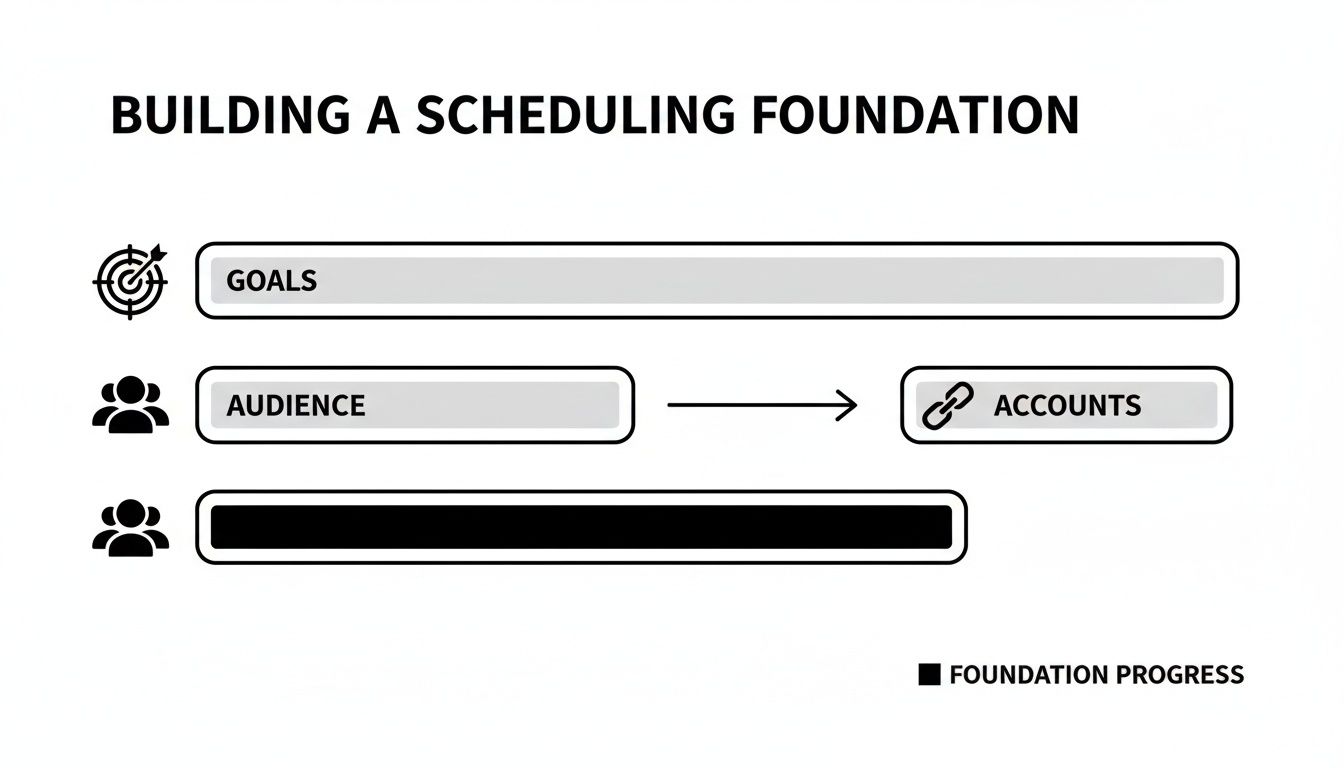
Once you've identified those peak engagement windows from your analytics, it's time to put that knowledge to work with a scheduling tool. This is how you stop posting reactively and start working proactively.
Setting Up Your Automated Schedule
This is where a tool like OneUp really shines. Instead of manually picking a time for every single post, you can build a framework of pre-defined time slots for each social account. It’s a game-changer.
- Create a Custom Schedule: Jump into your OneUp account settings and map out your ideal posting times for each day of the week. For instance, you could tell it to post to LinkedIn at 9:00 AM and 1:00 PM on weekdays only.
- Build a Content Queue: With your schedule locked in, every new post you create for that account automatically drops into the next open slot. No more guesswork.
- Drag-and-Drop Calendar: Need to shuffle things around for a last-minute announcement? OneUp’s visual calendar lets you simply drag and drop posts to different days or times. You always have full control.
By setting up a posting schedule in advance, you separate the act of content creation from the act of publishing. This allows you to focus on quality without the constant pressure of hitting "publish" at the perfect moment.
This system guarantees your content goes live during peak hours, giving it the best possible chance for engagement without chaining you to your desk. It turns scheduling from a repetitive chore into a smart, automated workflow. You can even create different schedules for various account Categories, which is a lifesaver for agencies juggling multiple clients with completely different audiences and peak times.
Creating And Preparing Your Content For Scheduling
Okay, you've figured out when you’re going to post. Now for the fun part: actually making the content that will fill up your calendar. This is where you graduate from basic link-and-text updates and start building out the kind of posts that actually stop the scroll.
Working ahead gives you the breathing room to be strategic. You're not just throwing things at the wall; you're creating polished, high-performing content.
Today's social media is all about variety. You can't just post a single image and call it a day. Think about creating multi-image carousels on Instagram to tell a story, snappy videos for Reels and TikTok, or thoughtful, long-form threads on X (what we all still call Twitter). Each format has a unique job to do.
Preparing Advanced Post Formats
Thankfully, modern scheduling tools are built to handle this complexity. With a platform like OneUp, you can schedule these more advanced formats without any headaches. For instance, you can queue up a multi-image carousel for Facebook or Instagram, schedule YouTube Shorts, and even compose an entire X thread directly in the scheduler. It's as simple as writing it out, and the tool handles breaking it into perfectly numbered tweets.
This is a game-changer. It means you can batch-create your most engaging content without that frantic, last-minute rush.
Treat your content prep like an assembly line, not a series of one-off sprints. When you prepare your visuals, copy, and formatting in batches, you lock in a level of quality that's nearly impossible to hit when you're posting on the fly.
Video is another big one, and it's even more critical to prep in advance. Tools that let you upload a video and attach a custom thumbnail are invaluable. That first impression in someone's feed can make or break your click-through rate, and a custom thumbnail gives you full control. With OneUp, you can even tag people or pages in your Facebook posts or tag a location on Instagram to boost visibility.
Managing all these different post types from one central dashboard is the key to keeping your brand looking sharp and consistent everywhere you post.
Adding The Finishing Touches
Getting your content ready is about more than just the main copy and visuals. It's the little details that often separate good content from great content—the small optimizations that boost reach and engagement.
Here are a few of those final touches you should build into your workflow:
- Schedule the First Comment: For Instagram and Facebook, nobody likes a caption cluttered with hashtags. OneUp lets you schedule the first comment to post immediately after your content goes live. Drop your hashtags there to keep your main caption clean and focused.
- Add Alt Text to Images: This is a non-negotiable. Writing descriptive alt text for your images makes your content accessible to visually impaired users and gives you a nice little SEO bump. OneUp supports this for X, Facebook, and LinkedIn.
- Visualize Your Instagram Feed: If you have a specific aesthetic for your Instagram grid, posting blind is a recipe for disaster. Use an Instagram grid planner to see exactly how your scheduled posts will look next to each other before they ever go live.
Baking these small but powerful steps into your process means every single post is 100% optimized before it even hits your schedule. This is how you transform a simple content feed into a well-curated brand experience.
Automating And Scaling Your Scheduling Workflow
Consistency is the name of the game on social media. But let's be real—manually posting day in and day out just doesn't scale, especially when you're managing multiple accounts. This is where you move from one-off scheduling to a real hands-off system that works for you.
To get there, you need to look past basic scheduling and explore the power of dedicated social media management tools. These platforms are built for the kind of advanced, time-saving strategies we're about to jump into.
Nail Down Your Bulk and Evergreen Content Strategy
One of the single biggest time-savers is bulk scheduling. Instead of plugging in posts one by one, you map out weeks—or even months—of content in a simple CSV file or even by uploading multiple images at once. With a tool like OneUp, you just upload that file or drag-and-drop your images, and it populates your entire content calendar automatically. That's hours of your life back, right there.
This works especially well when you pair it with an evergreen content strategy. Think about your absolute best, most timeless content: killer blog posts, insightful case studies, or super-helpful tips. Instead of letting them die after one share, put them on a repeating schedule.
With OneUp’s post recycling feature, you can set a post to automatically repeat at specific intervals—like every 30, 60, or 90 days. You can even set it to expire after a certain date or number of posts. This keeps your best content in front of new followers without any extra work.
Combining bulk uploads with recycled posts ensures your calendar is never empty, even during your busiest weeks. It's a foundational step in figuring out how to schedule social media posts at scale.
Let Integrations and Feeds Do the Heavy Lifting
True automation happens when you start connecting your different marketing channels. This is where integrations are a lifesaver. For example, we all know creating visuals can be a major time suck.
The Canva integration inside OneUp is a perfect example of a workflow shortcut. You can design your graphics right inside the post composer. Create the visual, write your caption, and schedule it all without ever leaving the platform. No more downloading and re-uploading files.
Another game-changer is connecting an RSS feed. If you have a blog, you can link its RSS feed to OneUp and automatically share new articles the moment they go live. Your latest content gets out to your audience immediately, with zero manual effort.
- RSS Feed Automation: Automatically pulls in your newest blog posts to share on social media. You can even filter posts by keyword to only share relevant content.
- Content Curation: Beyond your own blog, you can add RSS feeds from other websites to discover and share valuable industry news with your followers.
These workflows do more than just save time; they keep your content engine running 24/7, consistently driving traffic and engagement. The key is finding a solid tool that can handle these advanced needs, and you can explore the full capabilities OneUp offers to see if it’s the right fit for you.
Monitoring Performance And Refining Your Strategy
Getting your content scheduled is a huge win, but it's really only half the job. The real growth happens when you close the feedback loop: you monitor what's working, figure out why it's working, and use those insights to make your next round of content even better. This is how you stop throwing spaghetti at the wall and start making smart, data-driven decisions.
It all starts with tracking the right metrics. Forget vanity numbers like follower counts. You need to focus on the stuff that signals genuine interest, like engagement rate, reach, and link clicks. These are the numbers that tell you if people are actually paying attention.
Answering The “What Works” Question
Once that data starts rolling in, you can finally get answers to the big questions. Are those Tuesday morning posts actually doing better than the ones on Friday afternoon? Are carousels getting more comments than your single-image posts? The answers are sitting right there in your analytics.
This is where your strategy gets a massive upgrade. Some studies show that adjusting your schedule to match when your followers are most active can boost reach by 30-50%. You also have to consider the "half-life" of content on different platforms—a LinkedIn post has way more staying power than a TikTok video. Knowing this helps you schedule posts for maximum impact. If you want to go deeper, check out the data behind the best times to post on social media to really dial things in.
A killer scheduling strategy isn’t a "set it and forget it" machine. It’s a living, breathing cycle of publishing, listening to your audience, and tweaking your approach based on what the data tells you.
Using a tool with solid analytics makes this whole process way less painful. For example, OneUp gives you both post-level and summary analytics, so you can see exactly how each piece of content is doing. You can even set up custom cross-network reports and have them land in your inbox automatically. It keeps performance front and center without you having to go digging for it.
Closing The Loop With Community Management
But monitoring performance isn’t just about crunching numbers; it’s about the conversations, too. Hopping between platforms to reply to every comment and message is a massive time-suck, but it's absolutely essential for building a loyal community.
A unified inbox is a game-changer here. OneUp’s Social Inbox, for instance, pulls all your DMs and comments from Facebook, Instagram, and LinkedIn into one feed. A really handy feature is its support for Google Business Profiles, which lets you see and reply to comments on your GBP posts right from the same dashboard. You can even get email notifications for new comments and create saved replies to knock out common questions in seconds. This turns community management from a chaotic chore into a streamlined part of your workflow.
Got Questions About Scheduling Social Posts?
Even with the best plan, you're bound to have some questions once you dive into scheduling your social media posts. Let's walk through a few of the most common ones I hear from teams just getting started.
Is It Better To Schedule Posts Or Post Manually?
I get this one a lot. The truth is, it’s not an either/or game. The smartest strategies use both.
Scheduling is your secret weapon for consistency and efficiency. It lets you batch-create your core content and guarantee it goes live at the perfect times, even if you’re stuck in a meeting or, you know, sleeping. For example, using a tool like OneUp to schedule your foundational posts means your content calendar runs like clockwork.
But you can't schedule everything. Manual, in-the-moment posting is unbeatable for jumping on a trending topic, covering a live event, or sharing something spontaneous. Think of scheduling as your planned programming and manual posting as your live, breaking news.
Do Social Platforms Penalize Scheduled Posts?
This is a stubborn myth that just won't die. Let's set the record straight: No, social media platforms do not penalize you for using trusted, third-party scheduling tools.
The algorithms are way more interested in the quality of your content and how people engage with it, not how it was published. Reputable schedulers like OneUp use the official APIs provided by the platforms themselves. This means that from the platform's perspective, a post sent via the API is treated exactly the same as one you upload natively.
Key Takeaway: Stop worrying about how you post and focus on what you post. Great content wins, whether you hit "publish" yourself or let a scheduler do it for you.
How Far In Advance Should I Schedule My Content?
Finding the right balance is key here. For most brands and agencies, scheduling content one to two weeks out is the sweet spot. This gives you plenty of runway for any internal reviews or client approvals, but it’s still nimble enough that you can pivot if news breaks or priorities shift.
Of course, this isn't a hard-and-fast rule. For big marketing campaigns or evergreen posts you plan on recycling, you can absolutely schedule things out for months. Tools that offer a bird's-eye calendar view, post recycling features, and an internal notes field for collaboration make it easy to manage both your short-term posts and your long-term content strategy all in one place.
Ready to put all this into practice? OneUp gives you everything you need to take control of your social media workflow—from bulk scheduling and post recycling to a unified social inbox and clear analytics. Start scheduling smarter today.