
To really get a handle on managing multiple social media accounts, you have to start with a rock-solid foundation. This means having a clear strategy for each platform, one master content calendar, and knowing exactly who on your team is doing what. This initial planning is what turns a scattered, chaotic effort into a smooth, scalable operation. Honestly, it's the most important thing you'll do before a single post even goes live.
Build Your Social Media Management Foundation
Trying to juggle a bunch of social profiles without a plan feels like spinning plates—eventually, something's going to crash. You end up with mixed messages, missed opportunities, and a fast track to burnout. The real goal isn't just to be everywhere; it's to build a unified brand presence where every single platform has a specific job to do.
Think about it: the average person is bouncing between nearly seven different social platforms every month. That’s a huge signal that brands need to be smart about where they show up and what they say. You can find more insights on social media user behavior and how it shapes brand strategy over on Sprout Social.
Give Each Platform a Unique Job
First things first, stop treating your social accounts like they're all the same. A one-size-fits-all content strategy just doesn't cut it. For instance, your LinkedIn account is probably your go-to for B2B leads and positioning yourself as an industry expert. Meanwhile, your Instagram is all about visual storytelling and building a community around your brand's vibe.
To figure this out, ask yourself a few simple questions for every profile you manage:
- What’s the main goal? Are you trying to build brand awareness, handle customer service, generate leads, or grow a community?
- Who are you talking to here? The way you talk to Gen Z on TikTok is going to be completely different from how you engage with professionals on LinkedIn.
- What are your content pillars? These are the core themes you'll hit again and again. Think "Product Demos," "Behind-the-Scenes," or "Customer Spotlights."
To help you map this out, I've put together a simple framework. Use this table to get crystal clear on the role each platform plays in your overall strategy.
Your Strategic Account Architecture Framework
Use this framework to define the purpose, audience, and content strategy for each social media platform you manage.
| Platform | Primary Goal | Target Audience | Core Content Pillars | Key Performance Indicator |
|---|---|---|---|---|
| Lead Generation | B2B Professionals | Industry Insights, Case Studies | Link Clicks, MQLs | |
| Community Building | Millennials & Gen Z | UGC, Lifestyle Photos, Reels | Engagement Rate, DMs | |
| Brand Awareness | Broad Demographics | Company News, Event Promos | Reach, Post Shares | |
| TikTok | Top-of-Funnel | Gen Z | Trends, How-To Videos | Video Views, Follower Growth |
Once you fill this out for your own accounts, you'll have a clear blueprint that keeps your content focused and effective, no matter how many platforms you're on.
This diagram shows how these pieces fit together to create a system that works.
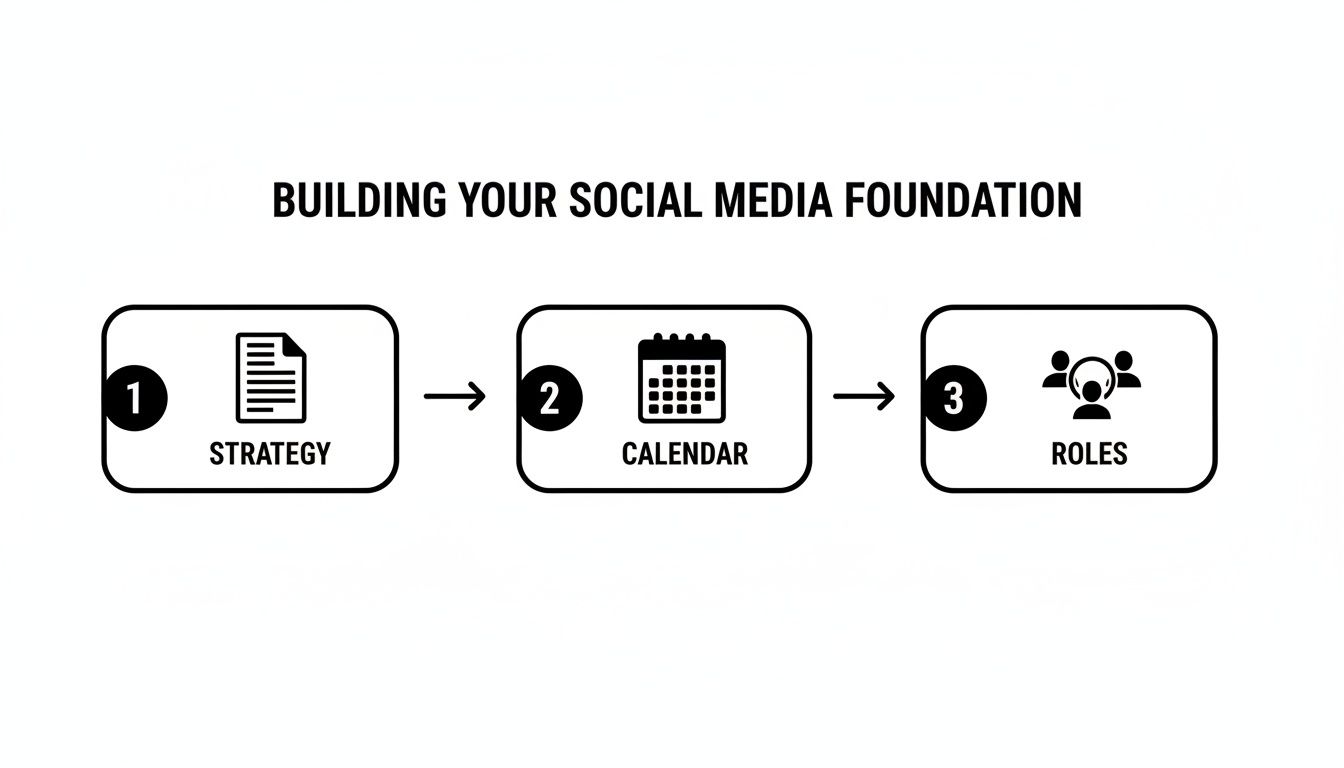
Following this flow—from strategy to roles—establishes a repeatable process that prevents things from getting messy as you grow.
Pull Your Accounts and Team Together
Okay, strategy's locked in. The next move is to get everything and everyone into one place. This is where a tool like OneUp becomes indispensable. Instead of jumping between a dozen different apps, you connect all your accounts—Facebook, Instagram, LinkedIn, Google Business Profiles, Pinterest, Threads, Bluesky, TikTok, and even personal Facebook profiles—into a single dashboard.
That single pane of glass is the first real step toward winning back hours of your time.
This same idea of centralization applies to your team. To prevent rogue posts or off-brand comments, setting up clear roles and permissions isn't just nice to have—it's a must.
A disorganized team creates a disorganized brand. Setting clear roles within your social media tool is like putting up guardrails; it protects your brand's voice and integrity everywhere you post.
Inside OneUp, you can assign specific roles and restrict user access to certain social accounts or even content categories. For example, a new team member might only be able to draft posts for a specific client, while a manager holds the keys for final approval and publishing. This kind of control is crucial for keeping your brand consistent and secure when you're managing a ton of different accounts.
Streamline Your Content Creation and Scheduling
Okay, you've got your strategy nailed down. Now for the hard part: the daily grind of actually creating and scheduling content across all those accounts. This is where most people get bogged down, but for you, this is where efficiency becomes your secret weapon.
A scattered, post-by-post approach is a recipe for wasted hours and an inconsistent brand voice. The real pros move to a system. Instead of logging into five different platforms every single day, you can knock out weeks—or even months—of content in one solid work session. This shift isn't just about saving time; it's about freeing up your brain to focus on the stuff that really matters, like big-picture strategy and engaging with your audience.
Unlock Efficiency with Bulk Scheduling
Picture this: scheduling an entire month's worth of posts for ten different accounts in less than an hour. Sounds impossible, right? It's not. That’s the magic of bulk scheduling.
Forget creating posts one by one inside a social media tool. You can prep everything in a simple spreadsheet and then upload it all in a single click. Tools like OneUp let you upload a CSV file with all your post text, links to images or videos, and the exact times you want them to go live. This is an absolute game-changer for content-heavy campaigns, weekly tip series, or when you're managing a bunch of client accounts with predictable content pillars.
Here’s a glimpse of how you can prep your posts in a CSV file for a bulk upload in OneUp. It's surprisingly simple.
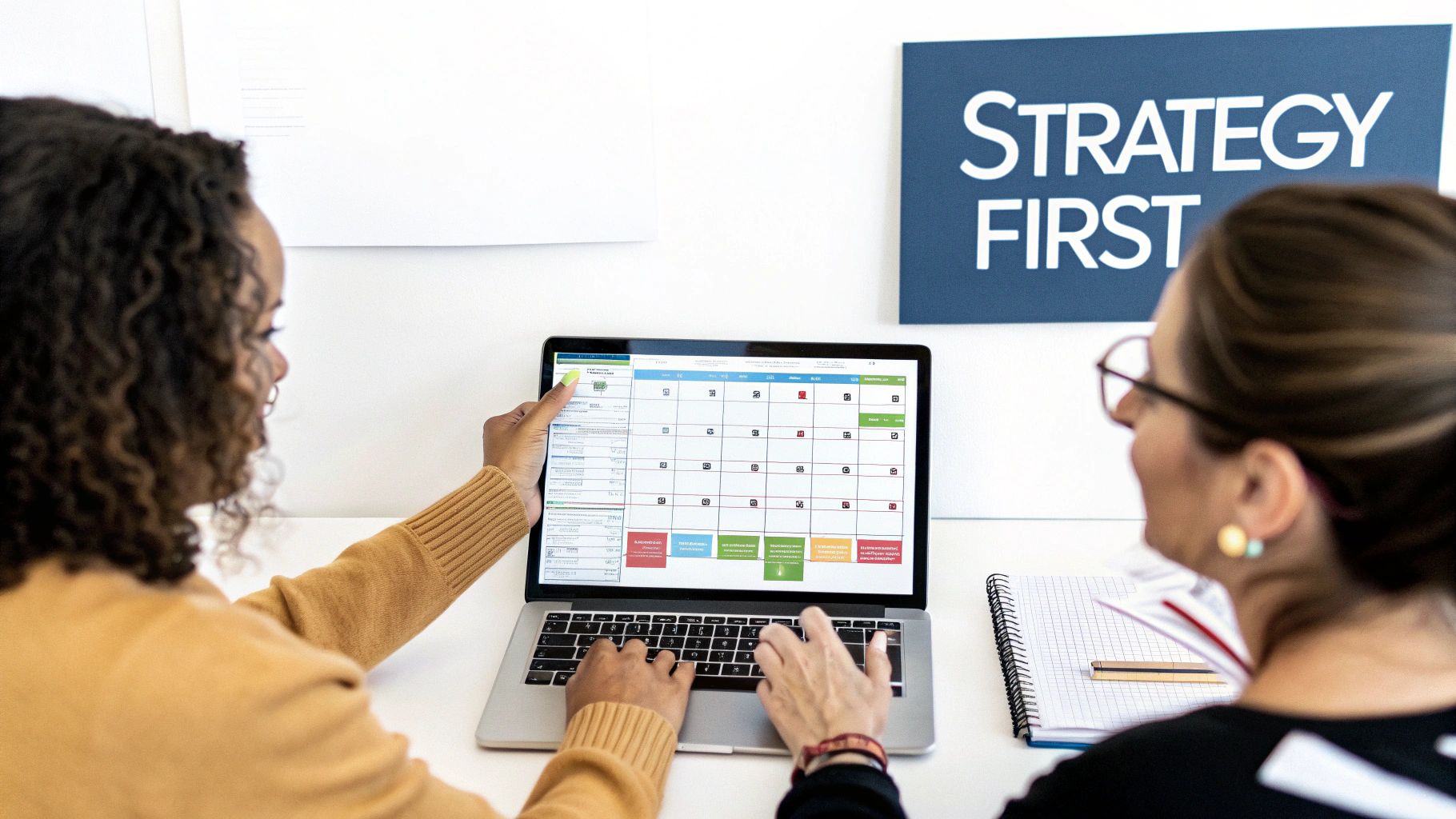
Each row is just a single social media post. With this setup, you can easily organize and upload hundreds of posts at once.
Keep Your Feeds Active with Evergreen Content
Not every post has to be a one-hit wonder. In fact, some of your best stuff—like those killer blog posts, powerful case studies, or timeless how-to guides—deserves to be seen more than once. This is where you put your content to work on autopilot.
By identifying your best evergreen content and setting it to recycle, you create a baseline of activity that keeps your feeds looking alive and your brand top-of-mind, even when you're not actively pushing out new stuff.
In OneUp, you can flag any post as "evergreen" and tell it how often to repeat—say, every few weeks or a couple of times a year. This is perfect for things like:
- Driving traffic back to your most important blog articles.
- Promoting lead magnets like ebooks, webinars, or free downloads.
- Sharing testimonials and customer wins on a regular basis.
This little bit of automation ensures your content calendar never has awkward gaps and your most valuable assets keep delivering results long after you first hit "publish."
Tailor Content for Each Platform Instantly
One of the biggest rookie mistakes is blasting the exact same message across every single platform. A post that crushes it on LinkedIn will probably fall flat on Twitter or Instagram. But customizing your content doesn't mean you have to start from scratch for every network.
The smartest workflow is to write your core message once, then tweak it for each platform inside a single window.
For instance, with OneUp, you can:
- Draft your main post, maybe for Facebook.
- Select your other accounts (like X, Instagram, and LinkedIn).
- Instantly create customized versions. You can slash the character count for X, add the right hashtags and a first comment for Instagram, and switch to a more professional tone for LinkedIn.
This approach respects the unique vibe and technical rules of each platform, making your content feel native and much more likely to resonate. It's the perfect blend of batching efficiency with the effectiveness of platform-specific content.
And if you’re ever stuck staring at a blank caption box, you can fire up OneUp's AI Instagram caption generator to get the creative juices flowing.
Put Your Content on Autopilot with Smart Automation
Beyond just queuing up posts, real efficiency comes from smart automation. This is all about building a system that keeps your content flowing and your profiles humming, even when you're busy with something else. It's the difference between constantly feeding the content beast and having the beast work for you.
When you get automation right, you free up massive chunks of time for the stuff that actually moves the needle—like strategy, community building, and analyzing what works.
Automatically Curate Content with RSS Feeds
Keeping your accounts fresh with high-quality, third-party content is a fantastic way to build authority. But let's be honest, hunting for articles to share is a huge time-suck. This is where RSS feed automation is an absolute game-changer.
Inside a tool like OneUp, you can plug in the RSS feeds from your favorite industry blogs, news sites, or even your own company's blog. After a one-time setup, OneUp will automatically pull in new articles as they go live. From there, you can either approve them manually or let them post automatically to specific accounts, creating a steady stream of relevant content without you lifting a finger.
Organize and Automate with Content Categories
Nobody wants to see five sales pitches in a row. A balanced content mix is essential, and content categories are the simplest way to get there. The idea is to organize your scheduled posts by theme or content pillar.
For instance, you could create categories like:
- Blog Posts
- Case Studies
- Product Tips
- Team Culture
Once your posts are sorted into these buckets, you can tell OneUp to publish from them on a set schedule. You could set it to share a "Case Study" every Monday and a "Product Tip" every Wednesday, guaranteeing your content pillars are always represented and your feed stays interesting.
By categorizing your content and automating its release, you create a self-sustaining content engine. This ensures a consistent, balanced presence across all your accounts, which is essential for building a predictable and reliable brand.
This simple, strategic move takes the guesswork out of what to post next and ensures your audience gets a healthy variety of content.
Streamline Workflows with Smart Integrations
True efficiency is also about cutting down on the number of clicks and tab-switching you do all day. Smart integrations are your best friend here, creating a seamless path from idea to published post, especially when you have to manage multiple social media accounts.
Creating visuals is one of the most time-consuming parts of the job. With OneUp's direct Canva integration, you can design your graphics right inside the post scheduler. No more downloading from Canva, saving the file, and then re-uploading it. You just create your visual, hit publish in Canva, and it pops directly into your post draft.
And we have to talk about tracking. Manually adding tracking parameters to every single link is tedious and a recipe for mistakes. OneUp solves this by letting you automatically add UTM parameters to any link you share. This ensures every click gets tracked properly in your analytics, giving you a crystal-clear picture of what's actually driving traffic.
These little workflow automations might seem small, but they compound over time to reclaim hours of your week. In fact, research shows that brands using AI-powered solutions for multi-account management can see up to 10% faster revenue growth. You can dig into the data in this Deloitte report on media consumption habits.
By embracing these features—from RSS feeds to integrated design and tracking—you build a resilient, efficient system that powers your entire social strategy. To see how it all works together, you can explore the full toolkit on OneUp’s social media management platform.
Unify Your Audience Engagement in One Place
Let's be real: posting content is only half the battle. The real work—and where you actually build relationships—happens in the comments, DMs, and mentions. If you're juggling conversations across a dozen different apps, you're setting yourself up for failure. It's a surefire way to miss an urgent customer question, a glowing review, or a potential PR fire.
This is where a unified social inbox saves the day. It pulls every single interaction from every connected account into one dashboard. Instead of getting buried under a chaotic stream of notifications, you can build a system for engaging with your audience. No more messages slipping through the cracks. It’s a game-changer for improving response times and protecting your brand's reputation.
Consolidate All Your Conversations
The beauty of a unified inbox is its simplicity: everything is in one spot. Tools like OneUp can pull in comments and DMs from your Facebook Pages, messages from your X accounts, and even reviews from your Google Business Profiles. This holistic view is huge for getting a quick pulse on audience sentiment.
You can finally stop logging in and out of different platforms just to see what people are saying. Think of the time and mental energy you'll save. It lets you focus on the quality of your responses instead of just trying to keep up.
A scattered engagement strategy leads to a fragmented customer experience. Bringing all your conversations into one place ensures every customer interaction is timely, consistent, and on-brand, no matter where it happens.
Having a single stream of communication also surfaces valuable insights without you having to dig for them. You can quickly spot recurring questions that would make a great FAQ or identify trending topics your audience is buzzing about.
Create an Efficient Engagement Workflow
Once all your messages are centralized, you can start building a real process for handling them. This is absolutely critical for teams. For instance, with OneUp’s collaboration features, you can assign conversations to the right person. A technical question goes straight to your support specialist, while a hot lead gets routed to the sales team.
For an extra efficiency boost, set up shortcuts or saved replies for common questions. This keeps your answers consistent and frees up your team to spend more time on complex or high-value conversations. You can see how to set up systems like this by checking out OneUp's features for collaborative teams.
A structured workflow like this turns a reactive scramble into a proactive strategy. You can set goals for response times and make sure every message gets the attention it deserves. To make sure all your engagement efforts work together seamlessly, it helps to build a winning omnichannel communication strategy.
At the end of the day, a well-managed inbox isn't just about damage control—it's a powerful tool for community building. Responding quickly and helpfully strengthens those relationships, turning followers into loyal advocates for your brand.
Measure What Matters Across All Your Accounts
If you're not tracking performance, you're flying blind. Pushing content out is only half the battle; understanding its impact is what separates a decent social strategy from a truly great one. This is where you draw a straight line from your social media activity to real business results.
Trying to manage this by jumping between the native analytics of Facebook, LinkedIn, and Instagram is a recipe for disaster. It’s inefficient and makes it almost impossible to see the bigger picture or spot trends across platforms.
Go Beyond Surface-Level Metrics
Likes and follower counts feel good, but they don't pay the bills. To really get a handle on performance, you need to consolidate the metrics that actually matter across every single account. These are the numbers that prove your content is hitting the mark and driving people to act.
Your consolidated report should be tracking these key metrics:
- Engagement Rate: Think of this as your north star for content quality. A high engagement rate is a clear signal that your audience finds your posts genuinely valuable.
- Reach and Impressions: How many unique eyeballs saw your content, and how many total views did it get?
- Click-Through Rate (CTR): Of all the people who saw your post, what percentage actually clicked the link? This is mission-critical for measuring traffic-driving success.
- Conversions: This is the end goal. How many of those clicks turned into newsletter sign-ups, demo requests, or actual sales?
Ultimately, the real test of your strategy comes down to how to measure social media ROI so you can justify your efforts and make smarter decisions next quarter.
Master Your Data with UTM Parameters
Consistent data tracking is the bedrock of good analytics. Period. Without it, you can't confidently trace website traffic or conversions back to a specific social post or campaign. This is where UTM parameters become your secret weapon.
UTM parameters are simple tags you add to the end of a URL. They tell your analytics platform exactly where a visitor came from, turning a murky traffic source into a crystal-clear data point.
Manually adding these to every single link is a tedious nightmare just waiting for a typo to mess everything up. A much smarter move is to use a tool that handles it for you. In OneUp, you can set up custom UTM parameters that get automatically tacked onto every link you schedule. This one simple setup provides massive clarity down the line, showing you which platforms, campaigns, and even individual posts are driving your most valuable traffic.
Turn Raw Data into Actionable Insights
Once the data is flowing in, the final step is to turn those numbers into a game plan. A great report doesn't just throw data at you; it tells a story about what’s crushing it and what’s falling flat.
Here are a couple of real-world examples of how this plays out:
- Scenario 1: You see your LinkedIn posts get a high CTR but low engagement, while your Instagram Reels get tons of likes but very few clicks. Insight: Your LinkedIn audience is ready to read, so feed them in-depth articles. Your Instagram crowd is there for quick entertainment, so double down on short, punchy videos.
- Scenario 2: A blog post shared via an RSS feed in OneUp brought in 20% more traffic than posts you created from scratch. Insight: Your automated content curation is clearly resonating. It’s time to find more high-quality RSS feeds to plug into your content rotation.
OneUp makes this easy by offering scheduled email reports, dropping analytics for all your connected accounts right into your inbox. This consistent pulse check ensures you're always on top of performance, helping you make data-driven decisions that constantly level up your strategy.
Got Questions? We've Got Answers
Once you start juggling a bunch of social profiles, the practical questions start popping up fast. Let's tackle some of the most common ones I hear from social media managers trying to get their system dialed in.
What’s the Most Efficient Way to Post Content to Multiple Social Media Accounts?
Stop logging in and out of every single platform. That's the first rule. The most efficient method, by a long shot, is to use a central hub—a social media management tool.
With a platform like OneUp, you can craft a post once and then select every account you want it to go to from a single screen.
But here's the real pro tip: use features that let you customize for each network on the fly. In OneUp, you can write your main post, then tweak it right there for each platform. That means shortening the text for X, adding a unique first comment for Instagram, and striking a more professional tone for LinkedIn, all without leaving the post editor. It's a game-changer.
If you really want to level up, you can bulk schedule hundreds of posts from a CSV file or hook up RSS feeds from your favorite blogs to automatically share new content. That’s how you get out of the manual weeds.
How Do I Keep My Brand Consistent Across All These Platforms?
Brand consistency isn't just about using the same logo everywhere; it's about creating a familiar, trustworthy presence. It starts with a solid brand style guide that details your voice, tone, and visual rules. Get that locked down first.
Next, you need a tool that centralizes your content creation. For instance, OneUp’s direct Canva integration is perfect for this. Your whole team can pull from pre-made brand templates for every graphic, which means no more off-brand visuals slipping through the cracks. You can also keep all your approved images and videos in a shared media library.
A consistent brand feels reliable and professional. Using shared templates and a unified content calendar isn't just about efficiency; it's about building a cohesive brand experience for your audience, no matter where they find you.
And if you have a team? An approval workflow is non-negotiable. In OneUp, you can assign roles so that junior members can only draft posts, while a manager has to give the final sign-off. This little guardrail prevents a ton of headaches and keeps quality high.
What Features Are Truly Essential in a Tool for Managing Multiple Accounts?
When you’re shopping for a tool, you need to look past the shiny objects and focus on what actually saves you the most time. The absolute must-haves are features that tackle scheduling, engagement, and reporting.
That means you need a unified content calendar, bulk scheduling, and a way to automatically recycle your best evergreen content. Don't settle for less.
A unified social inbox is also non-negotiable. It pulls all your comments, DMs, and even Google reviews into one feed. It's the only sane way to keep up with engagement. Make sure the tool also supports the platforms you actually use. OneUp is great because it handles the big ones plus personal Facebook profiles, Threads, Bluesky, Pinterest, and even YouTube Shorts.
Other features that make a massive difference:
- RSS feed automation to pull in and share industry news effortlessly.
- Automatic UTM parameter addition so your traffic tracking is always clean.
- The ability to schedule tricky formats like Instagram Stories and Reels.
- AI-powered help for those days when you're staring at a blank screen and need caption ideas.
These are the features that separate a basic scheduler from a true command center.
How Can I Handle Different Time Zones When Scheduling?
This is a classic rookie mistake: posting everything according to your time zone. If you have a global or even national audience, you're missing huge chunks of your followers who are asleep or at work.
The right way to do this is with a scheduler that lets you set specific post times for different accounts or groups of accounts. With OneUp, you can schedule a post and just tell it when to go live, no matter where you are.
For a more automated setup, create custom posting schedules. For example, you could create a "North America" schedule that posts during EST business hours and a "Europe" schedule that hits prime time in CET. Set it up once, and your content will always land in front of the right people at the right time.
Ready to stop the chaos and streamline how you manage multiple social media accounts? OneUp provides all the tools you need—from bulk scheduling and content recycling to a unified inbox and deep analytics—all for one simple price with unlimited accounts. Start your free trial today and see how much time you can save.