
Forget what you’ve read in those generic "best time to post" articles. While broad data might point to weekdays between 11 AM and 1 PM or evenings from 7 PM to 9 PM as sweet spots, that’s just noise.
The real answer—the one that actually matters for your account—is already sitting right there in your Instagram Insights. Stop guessing and start using your own data.
Your Perfect Posting Time Is Hiding in Your Own Data
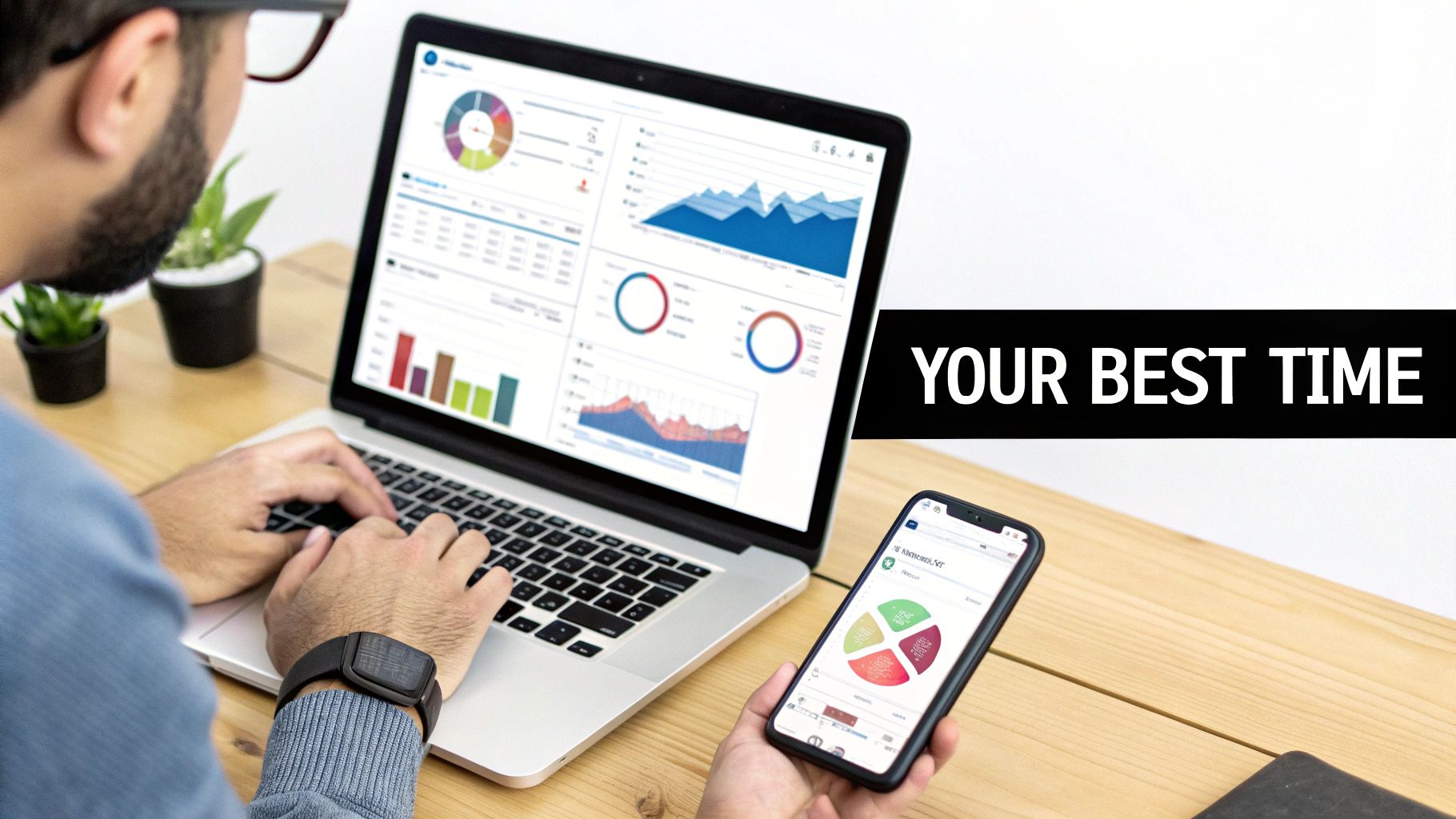
The internet is packed with studies promising the secret formula for Instagram timing. The problem is, they're all based on massive averages across thousands of completely different accounts. An e-commerce brand in California has a totally different audience than a B2B consultant in New York. A global average just can't account for those unique habits and time zones.
Your most powerful tool isn't some industry report; it’s your own analytics. Instagram Insights shows you exactly when your followers are online and scrolling. This data is the secret weapon to getting more eyeballs on your content right from the jump.
How to Dig Into Your Instagram Insights
First things first: you’ll need a Business or Creator account to access this data. If you're still on a personal profile, make the switch. It's free and unlocks a ton of useful analytics.
Once you’re set up, finding your audience's active hours is easy. This is the first real step to ditching guesswork and building a schedule based on actual user behavior.
Here’s where to find the goods:
- Go to your Instagram profile and tap the Professional Dashboard link right under your bio.
- Find the "Account Insights" section and tap See all.
- Switch over to the Total Followers tab.
- Scroll all the way down to the Most Active Times section.
You'll see two different views here: Hours and Days. The "Hours" graph breaks down when your followers are most active each day, while the "Days" view shows you the busiest days of the week. These two charts are gold.
Reading the Tea Leaves: How to Interpret Your Data
That "Most Active Times" graph is pretty straightforward—the taller the bar, the more followers were online during that hour or day. You might find that while some blog told you to post at 9 AM, your audience doesn't really wake up until 11 AM, with another big spike around 8 PM after dinner.
This is the kind of specific, actionable insight you can't get from a generic study. A B2B account might see massive engagement during weekday lunch breaks, whereas a fashion brand's followers are probably shopping and scrolling on Saturday afternoons. To really make this work, you have to get comfortable enough to master your social media analytics dashboard and pull out what truly matters.
Key Takeaway: Your Instagram Insights show you the real-world habits of the people who already decided they like your content. Trusting this data over a generalized benchmark is the fastest way to boost your posts' initial visibility and engagement.
Building Your First Data-Backed Schedule
Now, use what you've found to create a foundational posting schedule. Look at your busiest days and pinpoint the top two or three most active time slots. Those are your new go-to posting windows.
But remember, this isn’t a one-and-done task. People's habits change with the seasons, holidays, and just life in general. Make a point to check back on your Insights at least once a month to see if things have shifted. This data-first approach gives you a solid, repeatable system for hitting your audience at just the right time.
Using Industry Data to Form Your Initial Strategy
While your own Instagram Insights are the gold standard, what happens when you’re starting from scratch? If you have a brand-new account or just don't have enough follower data to spot a trend, you can't analyze audience habits that don’t exist yet.
This is where industry benchmarks come in handy.
Think of broad industry data as a compass, not a map. It won’t give you turn-by-turn directions to the perfect posting time, but it will absolutely point you in the right general direction. These large-scale studies analyze millions of posts across different industries to find reliable patterns in user activity, giving you an educated guess for your first few weeks of content.
So, What Does the Big Picture Look Like?
Large-scale studies consistently show that Instagram activity isn't a flat line throughout the week. Certain days and times just perform better, and they often line up with predictable human behavior—like work breaks and evening downtime.
For example, a massive 2025 report from Sprout Social on social media trends found that the best days to post on Instagram are Tuesday through Thursday. During these midweek days, the sweet spot for engagement is generally between 11 AM and 6 PM.
It makes sense when you think about it. People are scrolling during their lunch break, looking for a distraction in the mid-afternoon, or winding down before they head home from work. Weekends can be a bit of a wild card; some brands kill it, but general engagement often dips as people log off and spend more time in the real world.
To get a clearer view, here’s a breakdown of the general engagement windows you can use as a starting point.
General Instagram Engagement Windows by Day
This table summarizes high-level industry data on the best and worst days for Instagram engagement, providing a strategic starting point for scheduling.
| Day of the Week | General Engagement Level | Optimal Time Windows (General) |
|---|---|---|
| Monday | Moderate | 11 AM – 3 PM |
| Tuesday | High | 10 AM – 4 PM |
| Wednesday | High | 10 AM – 5 PM |
| Thursday | High | 11 AM – 3 PM |
| Friday | Moderate | 10 AM – 1 PM |
| Saturday | Low | 9 AM – 11 AM |
| Sunday | Low | 7 PM – 9 PM |
This gives you a solid, data-backed foundation. Instead of posting randomly and hoping for the best, you can start with a schedule that’s already tilted in your favor.
Building Your First Schedule from Benchmarks
Alright, let's make this practical. Here’s how you could build a starting schedule based on these industry averages:
- Go All-In on Midweek: Plan to share your most important content on Tuesdays, Wednesdays, and Thursdays.
- Catch the Lunch Crowd: Aim for time slots between 11 AM and 3 PM to reach people during their midday break.
- Test the Evening Commute: Throw in a post around 5 PM or 6 PM to see if you can grab the attention of the after-work scrollers.
This simple approach gives you a baseline. From here, your own analytics will quickly show you whether your audience fits the mold or marches to the beat of their own drum.
Expert Tip: Don't just schedule and walk away. Use a tool like OneUp to not only schedule posts but also to easily check your post-by-post analytics. You'll quickly see which of your benchmarked time slots delivered the best reach and engagement, helping you fine-tune your strategy on the fly.
When to Ditch the Benchmarks for Your Own Data
Industry data is an incredible launchpad, but that’s all it is—a start. The whole point is to use these general time slots to gather your own audience-specific insights.
After about a month of consistent posting, you should have enough data in your Instagram Insights to start making smarter, personalized decisions.
When you're ready to pivot, a scheduling tool becomes crucial. With OneUp, for instance, you can set up different post categories for your test slots. You could have a "Midday Peak" category that publishes at 1 PM and an "Evening Wind-Down" category for 6 PM. This makes it incredibly easy to see which time block consistently performs better over time.
Plus, with features like a unified social inbox and the ability to connect unlimited accounts, you can manage this entire testing phase without pulling your hair out, even if you’re juggling multiple brands or clients.
Matching Your Content to the Right Time Slot
It’s a simple truth: not all content is created equal. And the times your audience is ready to consume it aren't, either.
That stunning, info-packed carousel you designed might completely bomb during the morning commute rush. Why? Because nobody has time for that. But a quick, punchy Reel could go viral in that same slot. Knowing when to post on Instagram is really about matching your format to your audience's mindset at that exact moment.
Think about your own scrolling habits. You probably browse differently when you're killing five minutes at work versus when you're kicked back on the couch after dinner. Your followers are the exact same way. If you can align your content with these natural rhythms, you'll see a serious boost in engagement.
Timing Your Instagram Reels for Peak Entertainment
Reels are Instagram’s entertainment engine. They're short, snappy, and perfect for passive scrolling. People fire up Reels when they need a quick distraction, a good laugh, or a burst of inspiration.
This means the best times to post Reels usually line up with your audience's downtime.
- Commute Times (7 AM – 9 AM & 4 PM – 6 PM): This is prime "bored on the bus" scrolling time. Bite-sized content is king here.
- Evening Wind-Down (8 PM – 10 PM): This is the sweet spot. The day is done, people are relaxed, and they're ready to be entertained before bed.
Recent data backs this up. A huge 2025 analysis of over 2 million posts showed a major shift toward midweek evenings, with engagement spiking around 9 PM on Wednesdays and Thursdays. This late-evening window is when users are most open to the fun, low-effort content that makes Reels so powerful.
Capitalizing on Stories for In-the-Moment Connection
Instagram Stories are all about what's happening right now. They only last for 24 hours, which makes them the perfect tool for timely updates, behind-the-scenes content, and interactive stuff like polls and Q&As.
Because they're so temporary, the strategy for Stories is less about finding one "perfect" time and more about maintaining a consistent presence all day long. Spacing out your Stories—one in the morning, another at noon, and a few in the evening—keeps your brand's bubble right at the front of your followers' feeds. It's a great way to stay top-of-mind and build an ongoing conversation.
Pro Tip: Use a scheduling tool like OneUp to get your Stories lined up in advance. You can bulk upload a whole day's worth of content and let it publish automatically, so you're always present without being glued to your phone. OneUp even supports multi-photo and video Stories, making it easy to build out a compelling narrative.
Scheduling Feed Posts for Deeper Engagement
Your feed posts are the cornerstones of your Instagram strategy. Whether it's a single photo, a carousel, or an infographic, this content demands more attention than a quick Reel or a tap-through on a Story.
Because of this, you want to post them when your followers have the mental bandwidth to actually stop, read your caption, and leave a thoughtful comment.
Midday breaks (12 PM – 2 PM) are a fantastic window, as people are deliberately taking a pause from work and catching up. Early evenings (6 PM – 8 PM) also work well, catching people as they wrap up their workday but before they've fully switched over to pure entertainment mode. And don't forget the visuals—planning how these posts look together is just as crucial. Using an Instagram grid planner can help you map out your feed's aesthetic ahead of time.
Ultimately, the best strategy is a mix of all three. Use your own analytics to pinpoint your audience's peak hours, then layer this format-specific logic on top. A well-timed Reel during the evening commute, a steady stream of Stories throughout the day, and a thoughtful carousel post at lunch can work together to capture your audience at every key moment.
How to Test and Refine Your Posting Schedule
Your analytics and those industry benchmarks? They're your starting line, not the finish line. Think of them as a really solid hypothesis. Now, it's time to put on your lab coat and prove it. The only way to find your actual best times to post is through structured, deliberate testing.
This is how you move from educated guesses to hard data. We're going to set up some simple experiments to see what really resonates with your audience. This is how you'll find out for sure if that 6 PM Thursday slot is a goldmine or just a statistical ghost.
This flowchart gives you a bird's-eye view of how to think about timing for different content formats. A Reel that pops off at noon might fall flat at 9 PM, while a Story could thrive.
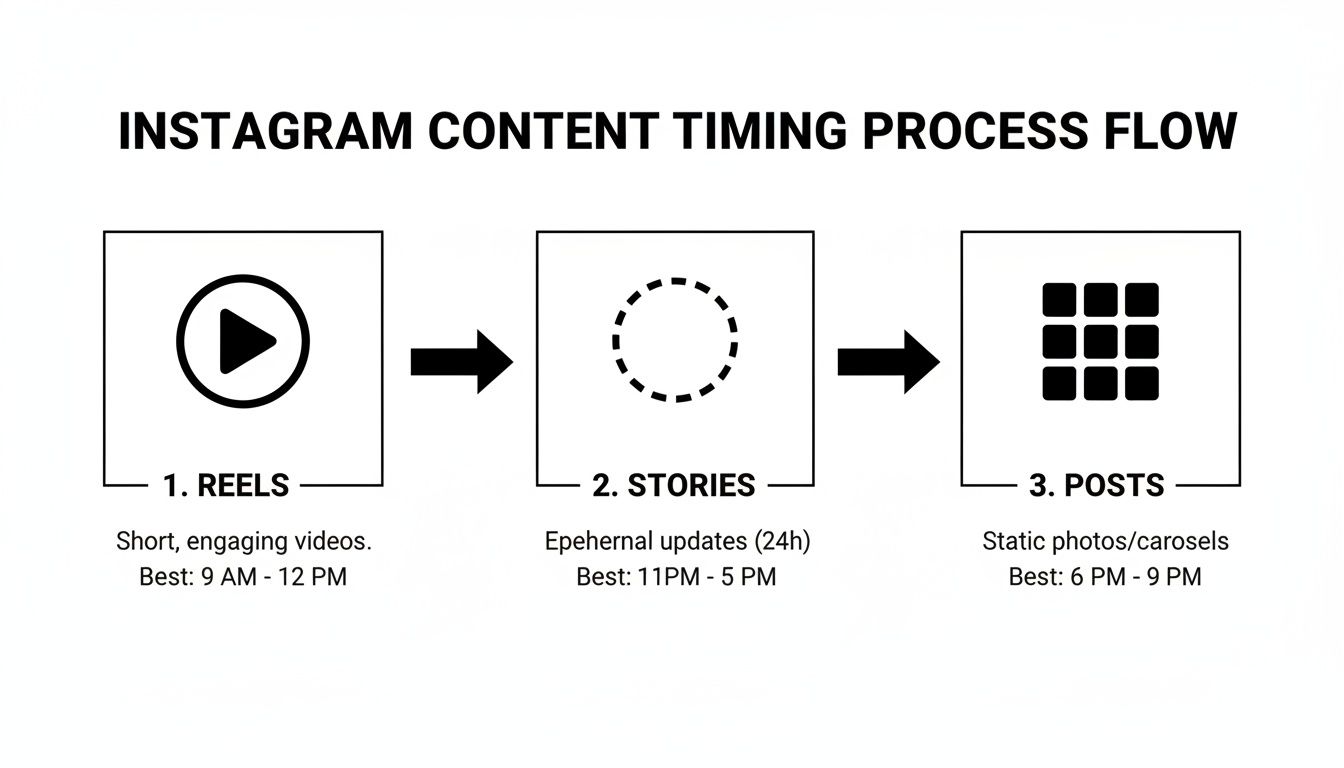
As you can see, a one-size-fits-all schedule just doesn't cut it. Each content type deserves its own spot in the limelight.
Building Your Testing Framework
Don't worry, you don't need a complicated setup. The goal here is simple: create a controlled experiment where the only major thing you change is the time of day. This takes all the guesswork out of the equation.
First, pick out two or three potential "best" times to post. Grab these directly from your Instagram Insights and the industry data we looked at earlier. A good set of test slots might look something like this:
- Time Slot A: Tuesday at 11 AM (based on an industry benchmark)
- Time Slot B: Thursday at 6 PM (based on a peak in your follower activity)
- Time Slot C: Friday at 1 PM (another high-activity window from your Insights)
Now for the most important part: creating comparable content. You can't pit a high-production Reel against a simple text graphic and expect to learn anything useful. To get reliable data, the content for each test slot needs to be similar in format, style, and topic. Using a scheduler like OneUp is a great way to map this out on a calendar and keep everything consistent.
Key Insight: A successful test is all about consistency. You need to use similar content formats and topics for each time slot over a 2-4 week period. This is long enough to smooth out any random spikes or dips and reveal the real patterns in how your audience behaves.
Tracking Your Results to Find a Winner
Once your test is up and running, you need an easy way to see what's working. A basic spreadsheet is perfect for this. Don't get lost in a sea of metrics—just focus on the ones that actually align with your goals.
For most accounts, these are the heavy hitters:
- Reach: How many unique people saw your post?
- Likes: The quickest gut-check for initial approval.
- Comments: A fantastic sign of real community interaction.
- Saves: Shows your content was genuinely valuable.
After a post has been live for about 24 hours, pop the numbers into your spreadsheet. Do this for a few weeks, and a clear winner will almost always emerge. One of your time slots will consistently pull ahead on the metrics you care about most. That's your new go-to time.
Automating and Refining Your Winning Schedule
Once you've found your new, data-backed posting times, the last step is to make it your routine. This is where automation is a total game-changer. Trying to post manually at the exact right minute every day is a recipe for frustration and missed opportunities.
A scheduling tool like OneUp makes this effortless. You can set up post categories for your winning time slots—like a "Weekday Peak" category that automatically publishes at your best midday time. For teams and agencies, features like bulk uploading via CSV and a shared media library make it incredibly simple to queue up an entire month of content in one go.
But the work isn't over. Audience habits change, so plan to rerun this testing process every few months. This turns optimization from a one-off project into a continuous cycle that keeps your Instagram strategy sharp. And while you're optimizing, don't forget about your captions and hashtags. A tool like OneUp's Instagram hashtag generator can help make sure every single part of your post is pulling its weight.
Put Your Schedule on Autopilot with a Smart Tool like OneUp
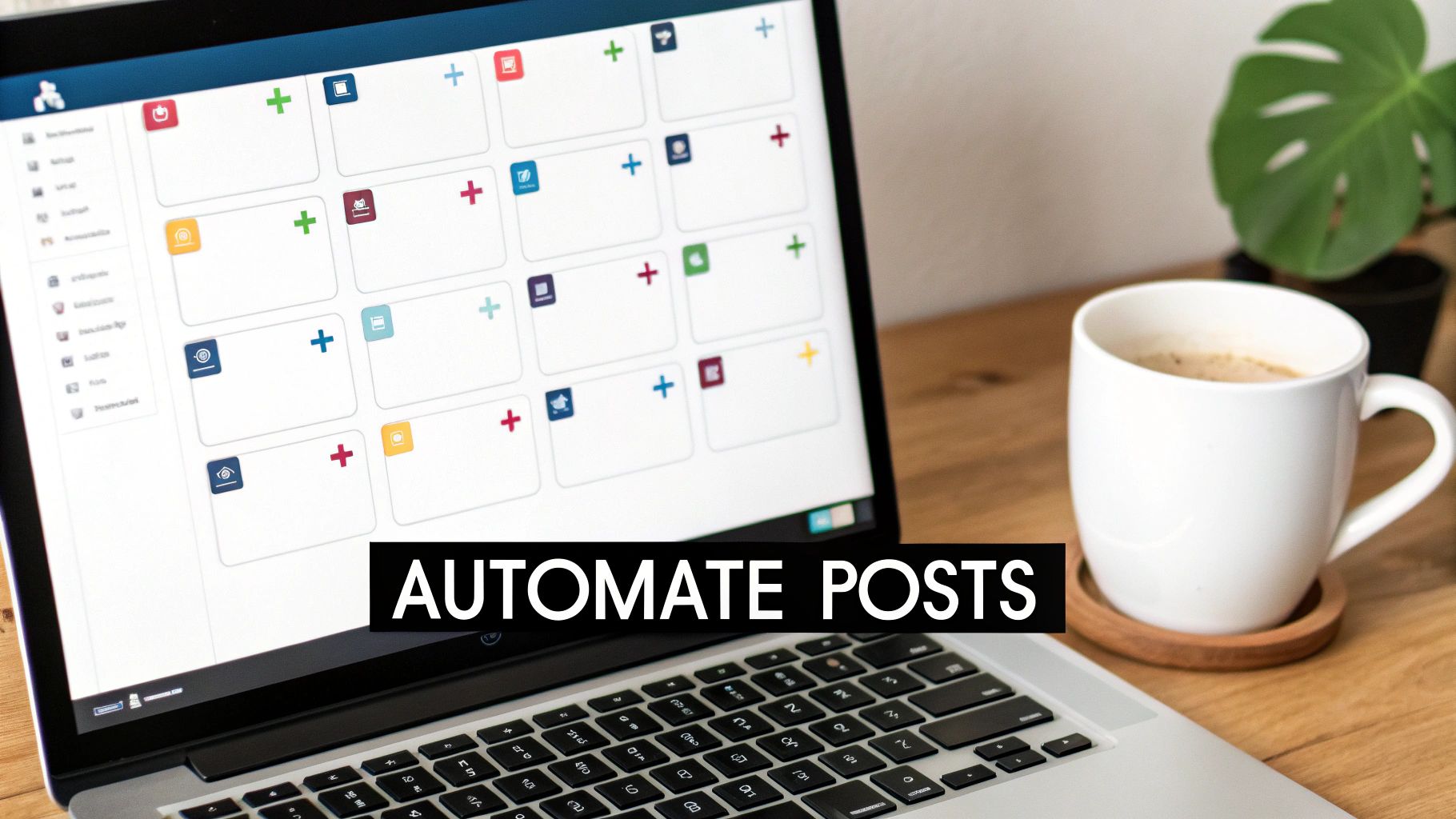
You’ve done the heavy lifting. After digging through your Insights, sizing up the industry, and running a few A/B tests, you finally know when your audience is listening. But now comes the real test: showing up consistently.
Trying to manually post at the exact right moment every single day? That’s not a strategy; it’s a recipe for burnout. You’ll inevitably miss opportunities.
This is where automation becomes your secret weapon. A smart scheduling tool like OneUp takes your hard-won strategy and turns it into an efficient, hands-off system. It guarantees your content hits those primetime slots without fail—whether you’re in a meeting, on vacation, or fast asleep.
Moving from Theory to Flawless Execution
The real magic of a scheduler is simple: reliability. You can batch-create your content for the week or month and just load it into the queue. This does two things: it trains the Instagram algorithm to expect fresh content from you, and it trains your audience to look for it.
If you're curious about the bigger picture, it helps to understand what marketing automation is all about and how it can totally transform your workflows.
Research backs this up, too. A 2025 analysis of over 6 million posts found that early mornings (7 AM to 9 AM) and midday (11 AM to 1 PM) are solid bets for engagement. But here's a curveball: posts between 3 AM and 6 AM also performed surprisingly well, likely because they beat the morning rush. A scheduler is the only realistic way to hit those unconventional time slots without setting a ridiculous alarm.
Advanced Features That Save Serious Time
Modern schedulers aren't just glorified calendars. Tools like OneUp are packed with features designed for complex content strategies and busy teams, letting you manage everything from one dashboard.
- Set Posts to Automatically Repeat: Got a killer piece of evergreen content? Instead of manually reposting it every month, set it to repeat automatically at whatever interval you choose. This is perfect for promoting a lead magnet or reminding followers of your core services.
- Bulk Uploading via CSV: If you’re an agency or just have a high-volume calendar, creating posts one-by-one is a nightmare. OneUp lets you bulk upload hundreds of posts from a CSV file, complete with captions, links, and image URLs.
- AI Post and Image Generation: When you hit a creative wall, OneUp's AI assistant has your back. It can generate post ideas and captions from a simple prompt or even create unique images to fill the gaps in your calendar.
Real-World Scenario: Let's say you're a marketing agency managing ten different Instagram accounts. With OneUp, you pay one flat price for unlimited social accounts. There are no sneaky per-user fees, so you can give your entire team access to schedule, manage approvals, and track performance without your bill creeping up.
Streamlining Team and Agency Workflows
For teams, the right tool is more than a scheduler—it's a collaboration hub. OneUp was clearly built with agencies and multi-person teams in mind.
A standout feature is its slick Canva integration. Your design team can create visuals in Canva and send them directly to the OneUp scheduler with a single click. No more downloading and re-uploading files. It keeps the entire workflow humming along.
To give you a clearer picture, here’s how some of OneUp’s features can directly level up your Instagram game.
OneUp Features for Instagram Scheduling Success
| Feature | How It Helps Your Instagram Strategy | Best For |
|---|---|---|
| Unlimited Accounts | Manage all client or business profiles under one plan with no extra cost. | Agencies, freelancers, and businesses with multiple brands. |
| Auto-Repeating Posts | Keeps your best evergreen content in front of new followers automatically. | Driving traffic to blogs, promoting lead magnets, or sharing core tips. |
| Canva Integration | Design visuals and schedule them in a single, streamlined workflow. | Teams wanting to improve creative efficiency and reduce manual steps. |
| AI Content Generator | Overcomes writer's block by creating fresh captions and post ideas. | Social media managers looking to fill their content calendar quickly. |
| Shared Media Library | Centralizes all approved brand assets for easy access by the whole team. | Multi-person teams and agencies ensuring brand consistency across posts. |
By automating the logistics, you free yourself up to focus on what actually moves the needle: strategy, community engagement, and creating content that people genuinely love.
Got Questions About Instagram Posting Times?
Even after you've crunched the numbers and picked your tools, a few questions always seem to pop up. Let's be real: figuring out the best time to post on Instagram isn't a "set it and forget it" task. It’s an ongoing process.
So, let's dive into some of the most common hurdles social media managers face when trying to absolutely nail their timing. Getting these right will help you fine-tune your strategy and skip the pitfalls that can throw you off course.
How Long Should I Really Test My Posting Times?
Give it a solid two to four weeks. Anything less, and you're just gambling. A one-week test might catch a weird holiday, a major news event, or just a random lull, completely skewing your results.
You need enough time to smooth out the bumps and see what a "normal" period of engagement looks like. Consistently post similar content types at your test times and track everything—reach, likes, comments, the works. After a month, you'll have a much clearer, more reliable picture of what actually resonates with your audience.
Key Takeaway: Don't get fooled by short-term data. A month-long test gives you a trustworthy baseline you can actually build a strategy on.
Does My Follower Count Actually Change Anything?
Absolutely. A smaller, tight-knit community might be scrolling late in the afternoon or after dinner, making those your prime slots. Their schedules are often more predictable.
On the other hand, if you're managing an account with a massive, global following, your strategy has to be completely different. You might find that posting super early in the morning or late at night is the only way to catch different continents when they're awake. No matter what, your own Instagram Insights are your ground zero.
This is where a tool like OneUp becomes a lifesaver, especially for agencies juggling a mix of accounts. The unlimited social accounts feature means you can manage a nano-influencer’s hyper-specific schedule and a mega-brand’s global calendar from one place, without the price tag jumping every time you add a new client.
Are Weekends a Waste of Time for Posting?
It completely depends on who you're talking to. A lot of generic advice says engagement drops on Saturdays and Sundays, but that's a huge generalization.
For B2C brands—think retail, food, travel, or entertainment—the weekend is often when their audience is most active and ready to engage. But if you’re in the B2B space, things usually go quiet. Don't guess. Check your Insights to see what your specific audience does, then run some tests before you decide to take the weekend off.
How Do I Deal With Posting Across Multiple Time Zones?
If you have followers all over the world, your first stop is Instagram Insights. Find out where your biggest audience clusters are. Are they mostly in North America and Europe? Then you've got a clear target.
You can schedule posts for peak hours in those specific zones. A great trick is to find the overlap—like mornings in the U.S., which catches the afternoon and evening crowd in Europe. Schedulers are built for this, letting you plan content for your key audience segments without doing mental gymnastics with time conversions.
Again, a smart scheduler makes this easy. With OneUp, you can set up different post categories for each key time zone. This ensures your content goes live at the right local time, automatically. Plus, its custom reports let you see how each region is performing, so you know exactly where your engagement is coming from.
Help! My Engagement Suddenly Dropped. What Happened?
Don't panic and blow up your schedule just yet. If your engagement takes a nosedive, timing is often the last thing to check. Something else is usually going on.
Before you change anything, look at these potential culprits:
- Algorithm Shifts: Instagram is always tweaking things. Did they just roll out an update that favors Reels over static images? Your content mix might need a refresh.
- Content Burnout: Let's be honest, are you posting the same old thing? Your audience might just be bored. It happens to the best of us.
- Real-World Distractions: A major holiday, a global news event, or even a big sports game can pull everyone's attention away from their feeds.
Always check your content strategy first. If you’re feeling stuck, you can even lean on tools like OneUp’s AI assistant. It can generate fresh post ideas and captions from a simple prompt, helping you break out of a creative rut and bring some new energy to your feed.
Finding your perfect posting time is a journey, not a destination. It's a constant cycle of testing, analyzing, and automating. But with the right data in hand and a powerful scheduling tool at your back, you can stop guessing and start building a reliable system for growth. Ready to put your schedule on autopilot and win back hours every week? Try OneUp to get unlimited accounts, smart automation, and powerful team features, all for one simple price. Start scheduling smarter today.