
Automating your social media means using software to schedule and publish content on platforms like Facebook, Instagram, and X without having to do it all in real time. For anyone trying to maintain a consistent online presence, this isn't just a nice-to-have; it's a critical part of the strategy that frees you up for the work that actually moves the needle—like strategy and talking to your community.
Why Automating Social Media Posts Is No Longer Optional
The pressure to be "always on" is real. But what if you could keep up a high-quality, active presence without the daily scramble of manual posting? The best marketing teams have already figured this out. They’ve moved past the bottleneck of real-time posting by making automation a core part of their game plan.
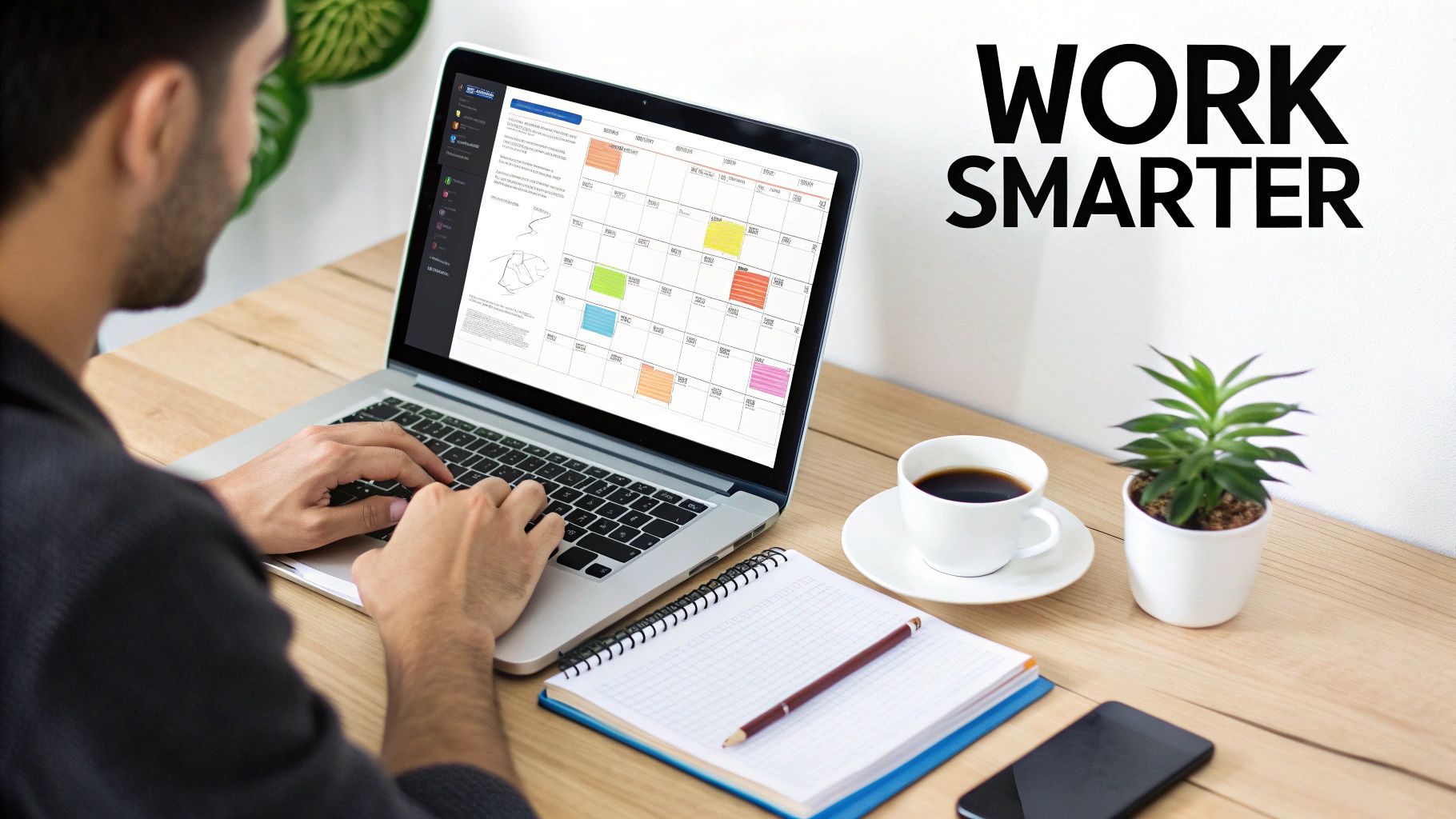
This isn't about letting robots take over your creative process. It's about using them to amplify it. When you offload the repetitive stuff, you get your time back for what really matters.
Beyond Simple Scheduling
True social media automation goes way beyond just scheduling a post for tomorrow at 10 AM. It's about building an intelligent content engine that works for you 24/7. Think of it as your secret weapon for working smarter, not harder. This approach gives you the headspace to focus on big-picture activities instead of getting bogged down in the day-to-day grind.
For example, a tool like OneUp doesn't just let you schedule posts. It lets you set your best evergreen content to automatically recycle on a recurring basis. This is a game-changer. Instead of manually re-uploading your greatest hits, the system does it for you. It even features an AI Caption Writer to spark fresh ideas and offers URL shortening with custom domains to keep your branding consistent.
The Strategic Advantage of Automation
When you stop spending hours every week just hitting "publish," your entire focus can shift to more valuable work. Suddenly, you have time for things like:
- Deeper Community Engagement: You can actually respond to comments, jump into relevant conversations, and build real relationships with your followers.
- Smarter Content Strategy: With that extra time, you can dive into your analytics, figure out what's resonating, and plan your next content drop with actual data to back it up.
- Increased Consistency: Automation guarantees your profiles stay active. That consistency is exactly what you need to grow your following and stay top-of-mind.
Automation tools aren’t just about saving time; they're about reallocating that time to the strategic tasks that manual posting always pushes to the back burner. It's the difference between being reactive and proactive.
Ultimately, automating your social media is about giving yourself the space to be a strategist, not just a publisher. By putting the right system in place, you can ensure a steady stream of great content goes out while you concentrate on the human side of marketing.
Choosing Your Social Media Automation Platform
Picking the right tool to automate your social media isn't just about scheduling posts. It's about finding a platform that actually fits your workflow, connects to all the networks you care about, and has the features to genuinely save you time. The wrong tool can easily create more manual work, not less.
First things first, you need a tool that supports all the platforms where your audience actually hangs out. A tool like OneUp, for example, covers all the major players: Facebook, Instagram, X (formerly Twitter), Pinterest, LinkedIn, YouTube, TikTok, and even Google Business Profiles.
Having that wide range of support means you aren't stuck juggling three different apps for three different accounts. Everything lives in one place, giving you a single source of truth for your entire social media calendar.
The OneUp dashboard here shows just how simple it can be to manage everything from one central hub. This unified view is a lifesaver for keeping your strategy cohesive across different platforms without constantly logging in and out of different services.
Look For Power-User Features
Basic scheduling is just the entry fee. To get a real return on your money, you need a tool that tackles the most tedious parts of managing social media.
Here are a few game-changers to look for:
- Evergreen Post Recycling: This is huge. Tools like OneUp let you set your best-performing, non-time-sensitive content to automatically republish at intervals you choose. It's a killer way to keep your profiles active with proven content and fill any gaps in your content calendar without lifting a finger.
- Bulk Scheduling: If you're an agency or a team managing a massive content calendar, you need this. The ability to upload hundreds of posts from a CSV file or Google Sheet turns what could be a multi-day task into something you can knock out in minutes.
- Visual Content Scheduling: Look for specific support for formats like Instagram Stories and Reels. The best tools don't just schedule them; they let you add things like a clickable link in your Stories and even schedule Instagram Collabs posts right from the scheduler—a handy feature you'll find in OneUp.
Evaluating Platforms And Pricing
As you start comparing your options, you'll see the market is crowded. When you're digging into the best social media management platforms, look past the flashy marketing and focus on how their features would actually work for you.
One of the most critical factors in your decision will be the pricing structure. Some tools punish you for growing by charging per user or per connected account, and those costs can skyrocket fast.
This is where you have to understand the real value. For example, you can check out OneUp's straightforward pricing plans. A flat-fee model can offer unlimited accounts and users, which means your costs stay predictable as your business or agency scales.
And let's be real, with global social media use expected to exceed 67% in 2025 and people spending nearly two and a half hours a day on these platforms, automation isn't a luxury—it's a smart investment for capturing attention at scale.
Alright, time to build a system that basically runs itself. Creating your automated content engine is all about setting up a smart, time-saving workflow that keeps your social feeds fresh, even when you’re not actively working on them.
The whole thing starts with a solid foundation, and that means understanding content creation best practices. From there, we can layer on the automation.
First things first, you've got to connect your social media profiles. This part is surprisingly simple but absolutely critical. Any reputable platform, like OneUp, is an official partner with the social networks. They use secure APIs for authentication, which is a fancy way of saying you log in directly with Facebook, Instagram, or wherever, and the tool itself never sees or stores your password. Your accounts stay safe, which is priority number one.
Once you're all connected, the real fun begins: sourcing your content. If you're manually creating every single post from scratch, you're on a fast track to burnout. The smarter move is to set up systems that bring the content to you.
Sourcing Content the Smart Way
One of the most powerful ways to do this is with RSS feeds. Think about your company blog, your favorite industry news sites, or even podcasts you follow. With a tool like OneUp, you just grab the RSS feed URL from these sources, plug it in, and it will automatically pull in new articles and create draft posts for you.
This is a complete game-changer. You can set it to post automatically for a true "set it and forget it" approach, or you can have the posts land in your drafts folder for a quick review. Your content pipeline transforms from a daily chore into a simple approval workflow.
The goal isn't just to fill your calendar; it's to fill it with a balanced mix of relevant, engaging stuff. Automation just makes the process of finding and preparing that content way, way easier.
This flowchart breaks down the key pillars you need to think about: having multi-network support, a system for recycling your best evergreen content, and advanced integrations to pull it all together.
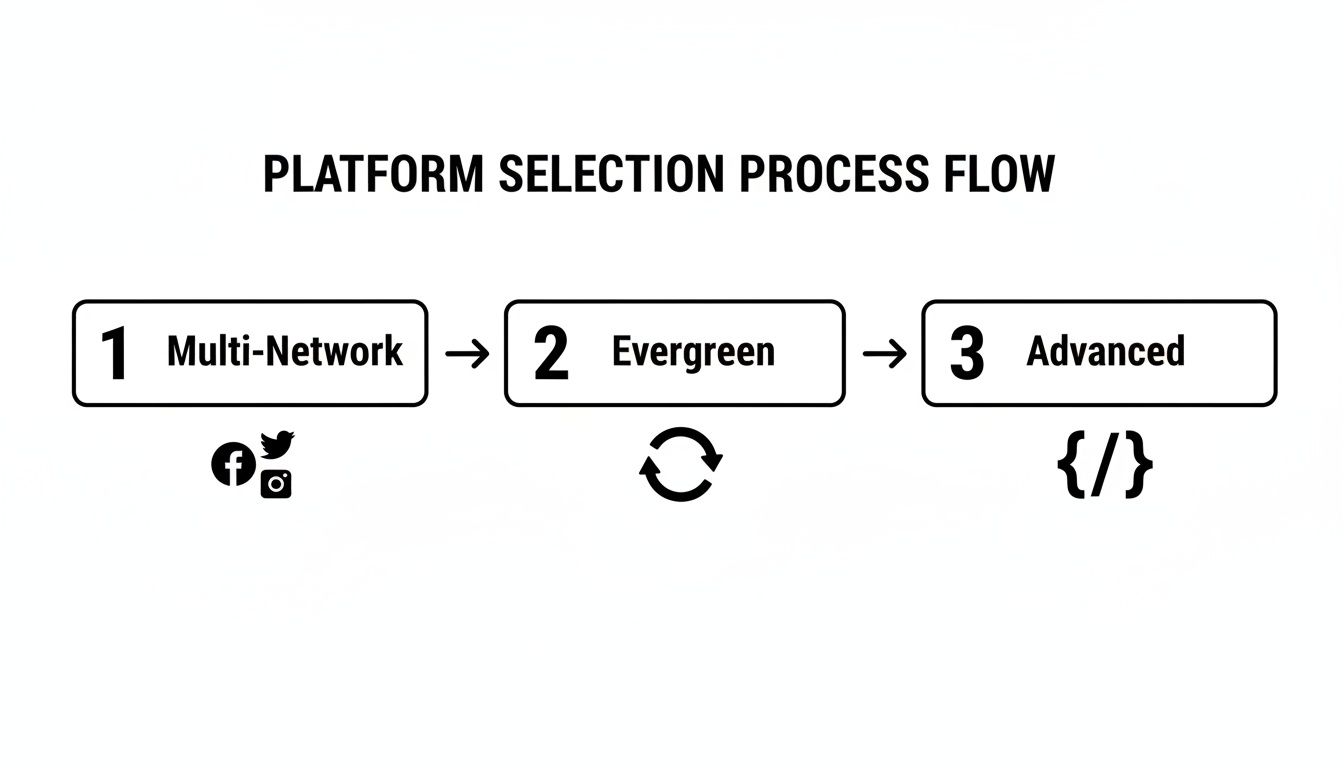
As you can see, a strong automation strategy isn't about one single trick. It's about combining broad platform reach with sophisticated features that keep the momentum going without you having to push it forward every single day.
Creating and Organizing Your Content
Sourcing content is only half the battle. You still need to create your own original posts and eye-catching visuals. This is where having integrated tools right inside your scheduler saves a ton of time. For example, OneUp has a built-in Canva integration. You can design professional graphics, carousels, or videos without ever having to leave your dashboard. No more downloading and re-uploading files.
As you create and pull in content, staying organized is what separates a smooth-running engine from a chaotic mess. The key is using categories.
In OneUp, you can set up categories like ‘Blog Posts,’ ‘Case Studies,’ ‘Team Culture,’ or ‘Promotional Content.’ By assigning each post to a category, you can see your content mix at a glance and make sure you’re not just posting the same type of thing over and over.
And for those days when the ideas just aren't flowing, you can lean on tools like OneUp's AI-powered Instagram caption generator to get you unstuck. This level of organization is what really elevates a simple scheduler into a true content engine.
OneUp packs a lot of these time-saving features under one roof. Here’s a quick look at some of the core automation tools that can make a huge difference in your daily workflow.
Core Automation Features in OneUp
| OneUp Feature | Primary Benefit | Best For |
|---|---|---|
| RSS Feed Automation | Automatically pulls new content from blogs and websites into your post drafts. | Consistently sharing industry news or your own company's blog content without manual effort. |
| Repeating Posts | Schedules a post to be recycled at set intervals (e.g., every 3 months). | Getting more mileage out of your best-performing evergreen content. |
| Bulk Uploader | Schedules hundreds of posts at once from a CSV file. | Onboarding a new client, planning a large campaign, or front-loading content for the quarter. |
| Canva Integration | Design images, videos, and carousels directly within the scheduling tool. | Creating visuals on the fly without breaking your workflow to switch between apps. |
Ultimately, combining these features allows you to build a system that works for you, freeing up your time to focus on strategy, engagement, and analyzing what's actually working.
Advanced Automation Strategies for Real Results
Got your basic scheduling down? Good. Now it's time to dig into the serious workflows that separate the pros from the amateurs. Moving beyond a simple post queue is where you’ll see massive gains in efficiency, turning your automation from a basic time-saver into a strategic powerhouse.
This isn’t some niche tactic anymore. By 2024, 49% of marketing decision-makers were already automating their social media. Another source found that around 83% of marketing departments are automating their posting. The numbers don't lie—this is how modern social media gets done. You can explore more social media automation statistics to see just how common this is.
Tame Your Team and Client Workflows
If you work in an agency or a team, you know the approval process can be a nightmare. Endless email chains and confusing spreadsheets just kill momentum. This is exactly where advanced automation tools step in with features built for how real teams operate.
For example, a tool like OneUp lets you share post drafts with clients or team members using a simple link. They can pop in, review the content, and approve or reject it without ever needing to log in. It's a massive upgrade from the old back-and-forth.
You can also set up different workspaces or "social sets" to keep multiple client accounts completely separate and organized. For agencies juggling a dozen brands, this kind of structure is a lifesaver.
Beat Writer's Block with AI
Let's be real: coming up with fresh, engaging captions day after day is tough. Instead of staring at a blinking cursor, you can use integrated AI to spark some ideas that you can then polish with your own brand voice.
OneUp’s AI Caption Writer is a perfect example. Give it a simple prompt, and it spits out multiple caption ideas for you to work with. It's designed to bust through writer's block and get content created faster, without the quality taking a hit.
Using AI for captions isn't about letting a robot take over. Think of it as an assistant that gives you a starting point. You bring the final polish and human touch, ending up with better content in a fraction of the time.
Master Platform-Specific Customizations
Nothing screams "I automated this!" more than a generic post blasted across every single network. To make your content feel native, you have to use the features specific to each platform. The best automation tools build these customizations right into the post editor.
With OneUp, you can tailor a single post for every network without creating a bunch of separate drafts:
- First Comment Automation: Keep your main caption clean by automatically adding your hashtags or a CTA as the first comment on Instagram and LinkedIn.
- User Tagging: Directly tag people or company pages on Facebook and X (formerly Twitter) right from the scheduler. It’s a simple way to boost reach.
- Custom Thumbnails & YouTube Shorts: Upload a custom thumbnail for your videos on platforms like YouTube and Facebook, and schedule YouTube Shorts directly to capture short-form video audiences.
These small, platform-aware tweaks make a huge difference. They signal to your audience that you actually get how each network works, even when your posting is automated.
How to Measure and Optimize Your Automation Strategy
Automating your social media without checking the results is like driving blindfolded. Sure, you're moving, but who knows if you're even on the right road? The time you save with automation is gold—and you should immediately reinvest it into making smarter, data-driven decisions that actually grow your business.
This means you have to stop obsessing over vanity metrics. Likes and follower counts feel nice, but they don't pay the bills. The real wins come from tracking the numbers that directly tie back to your bottom line: click-through rates, website traffic, and conversions. This is how you stop guessing and turn your content calendar into a predictable growth engine.
Using Analytics to Ask the Right Questions
Think of your automation tool's analytics dashboard as your mission control. It's where you go to find answers to the big questions about your content. Instead of just glancing at which posts got the most likes, it's time to dig in.
Start asking questions like these:
- Which content categories are actually sending the most traffic to our blog?
- Are our evergreen posts still hitting the mark, or is the engagement starting to fade?
- What time of day gets us the highest click-through rate?
A platform like OneUp is built to answer exactly these kinds of questions. By using its built-in URL shortener and tacking on UTM parameters to your links, you can see precisely how many people clicked through from a specific post and what they did once they hit your website. That level of detail is non-negotiable for understanding your real ROI.
The goal is to draw a straight line from a specific automated post to a specific business outcome. When you can confidently say, "Our automated 'Case Study' posts on LinkedIn brought in 15 demo requests last month," you've cracked the code.
From Data to Actionable Insights
Once you've got the data, the next move is to turn it into action. This is a constant loop: test, measure, tweak, repeat. For instance, if your analytics scream that your visual posts on Pinterest are crushing everything else, that's a blinking neon sign telling you to double down.
From there, you can use OneUp's Canva integration to whip up more of that high-performing content without ever leaving the dashboard. Or, maybe you notice your recycled evergreen content is starting to feel a bit stale. No problem—use the AI Caption Writer to spin up some fresh variations and keep things interesting.
This optimization loop is the real secret sauce to successful social media automation. You're not just firing posts into the void; you're building an intelligent system that learns and gets better over time. By consistently analyzing what works and what doesn't, you're making sure your automated strategy is always getting sharper, more efficient, and more effective at hitting your business goals.
Burning Questions About Social Media Automation
Jumping into social media automation can bring up some totally valid questions. It's smart to think about things like authenticity and platform rules before you dive in. Getting these things right is the difference between a strategy that works for you and one that works against you.
Let's tackle some of the most common worries I hear from people.
Will Automating Social Media Posts Make My Brand Sound Robotic?
Only if you do it wrong. The trick is to automate the task, not the personality.
Think of it this way: you're automating the mechanical parts—the actual publishing and scheduling—which frees you up to put all your creative energy into the message itself. The whole point is to win back time so you can have more real-time conversations and engage with your community. Done right, automation actually makes your brand feel more human, not less.
A good workflow is to use a tool like OneUp's AI Caption Writer to get some ideas flowing, but always, always sprinkle in your own unique brand voice before you hit schedule.
How Do I Handle Trending Topics With a Pre-Set Schedule?
Any decent automation strategy has to be flexible. This is a non-negotiable.
Most professional tools, including OneUp, give you a bird's-eye view of your content calendar. When a huge news story breaks or a trend explodes, you should be able to pause your entire queue of scheduled posts with a single click. This lets you jump on the timely conversation, and then just as easily resume your regular evergreen content once the moment passes.
Automation isn't about setting and forgetting. It manages your baseline content so you have the freedom to be more agile and responsive when it really counts.
Is It Safe to Connect My Social Accounts to an Automation Tool?
Yes, as long as you stick with reputable platforms. It's a huge red flag if a tool asks you for your actual login details.
Trusted tools like OneUp are official partners with social networks like Meta (which covers Facebook and Instagram). We use secure, official APIs to connect your accounts. This means you log in directly with the social network itself, and the automation tool never sees or stores your password. It’s the industry standard for a reason.
Can I Customize Posts for Different Social Networks?
You absolutely can, and you absolutely should. The "one-size-fits-all" approach is a fast track to mediocre results. A great automation platform is built for customization.
You should be able to write a core message and then tweak it for each network, all from the same screen.
For instance, with OneUp, you can easily:
- Schedule a post for Instagram and have it automatically put your hashtags in the first comment.
- Tag different company pages on Facebook than you would on X (formerly Twitter).
- Use a vertical image for Pinterest and a landscape one for LinkedIn.
This is how you make your content feel native to each platform, which is key for getting better engagement.
Ready to get off the content hamster wheel? OneUp gives you everything you need to build a smarter social media presence—from recycling evergreen posts and AI-powered captions to client approval workflows and deep analytics.
Start your free trial of OneUp today and see what it feels like to have your time back.