

Trying to manage multiple social media profiles without the right software is a recipe for inefficiency. Juggling different platforms, scheduling posts manually, and struggling to track performance can quickly consume your day, leaving little time for actual strategy and engagement. The core problem is clear: scaling a social media presence requires a centralized command center. This is where dedicated social media management tools become essential, transforming chaotic workflows into streamlined, automated processes.
This guide is designed to cut through the noise and help you select the ideal platform for your specific needs. Whether you're a freelance marketer, an agency managing dozens of clients, or a small business owner, the right tool can dramatically improve your productivity and results. We will dive deep into the top solutions available, moving beyond surface-level feature lists to provide a comprehensive comparison.
Inside this resource, you'll find:
- Detailed breakdowns of each tool’s core features, from post scheduling and content calendars to team collaboration and reporting.
- Honest pros and cons based on real-world use cases to highlight strengths and potential limitations.
- Clear pricing information to help you align features with your budget.
- "Best for" recommendations to quickly identify which tool fits your unique situation.
We'll explore everything from established giants like Hootsuite and Sprout Social to powerful, focused tools like OneUp, which offers unique features such as auto-splitting posts into threads for X (formerly Twitter) and scheduling Google Business Profile photo posts. Beyond core posting and scheduling, effective social media management heavily relies on robust data, making the selection of the best analytics tools for digital marketing a critical consideration. Each review includes screenshots and direct links, giving you everything needed to make an informed decision and reclaim your time.
1. OneUp
OneUp establishes itself as a powerful, no-nonsense choice among social media management tools, built specifically for users who require scale without unpredictable costs. It's a standout solution for agencies, multi-location businesses, and creators managing an expanding portfolio of social profiles. Its core promise is simple yet transformative: unlimited social accounts, posts, analytics, and team members for one fixed price, eliminating the common industry pain point of per-account pricing that penalizes growth.
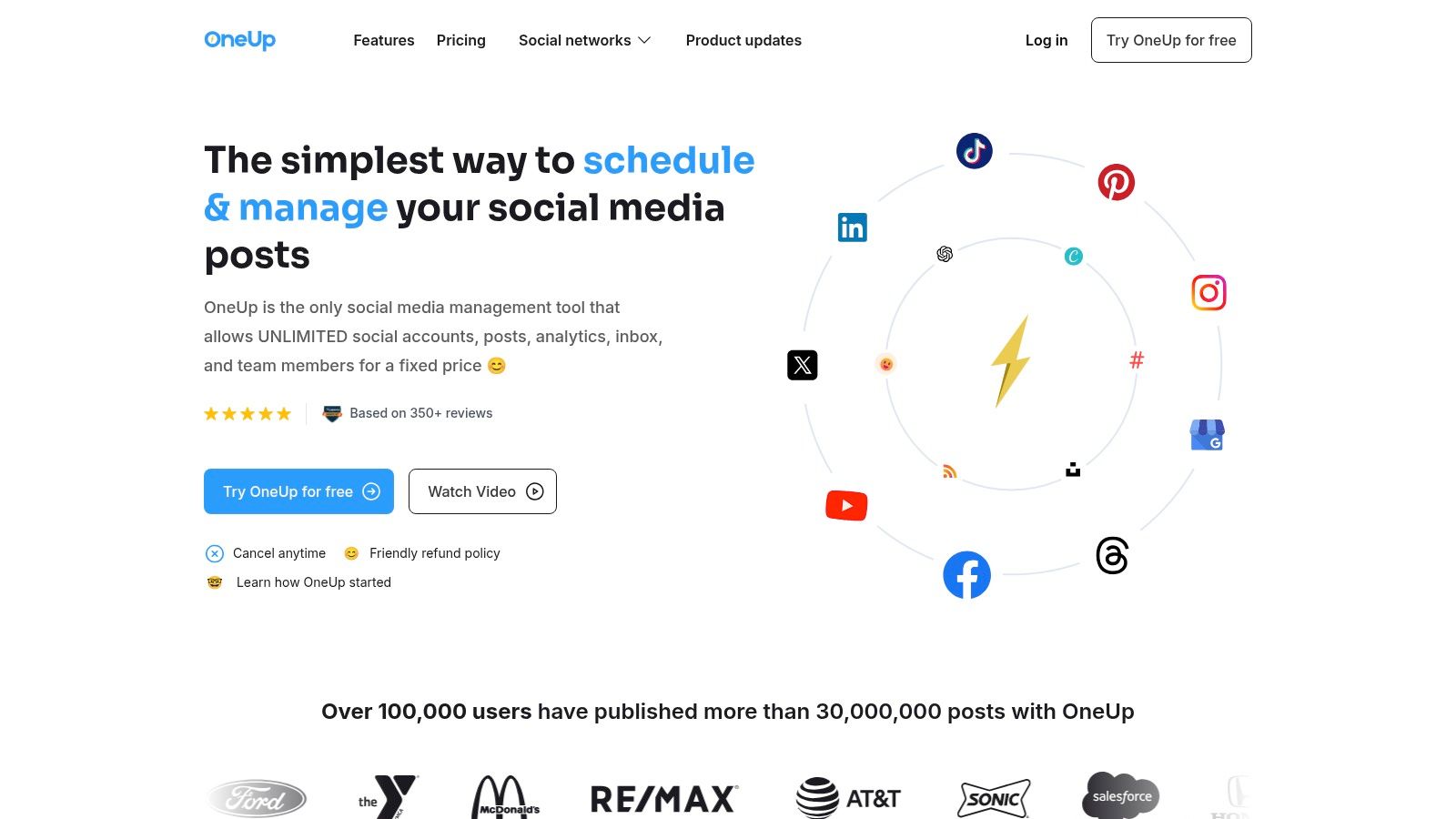
This platform excels with its exceptionally broad support for both networks and modern post formats. Users can schedule content across major platforms like Instagram, TikTok, Facebook, and LinkedIn, as well as niche and emerging ones such as Threads, Bluesky, and Reddit. OneUp handles complex post types natively, including Instagram Reels, YouTube Shorts, multi-image carousels, and even threaded posts for platforms like X and Threads. Advanced features like setting a first comment on Instagram and Facebook, adding alt text to images, using custom video thumbnails, adding location tags, and applying TikTok-specific settings like allowing Duet and Stitch are integrated directly into the publishing workflow.
Key Features & Use Cases
- Unlimited Scaling: Agencies can onboard new clients and multi-location businesses can add new franchise profiles without ever hitting a plan limit or incurring extra fees.
- Advanced Scheduling & Automation: Go beyond single posts with powerful options like setting posts to automatically repeat at custom intervals, bulk-uploading hundreds of posts via CSV or cloud drive, and auto-posting from RSS feeds. The "Spintext" feature allows you to create multiple variations of a post to avoid duplicate content penalties.
- Streamlined Collaboration: The platform is built for teamwork. You can create approval workflows for clients, group accounts by client or brand, set granular permissions for team members, and share read-only content calendars. You can also upload your own watermark and have it automatically added to all your posts.
- Unified Engagement & Reporting: Manage comments, DMs, and even Google Business Profile reviews from a single inbox. Generate custom, cross-network analytics reports and schedule them to be emailed to stakeholders automatically.
Pricing and Access
OneUp offers a 7-day free trial and a 14-day money-back guarantee. The "All-In-One" plan costs a flat $24 per month and includes unlimited social accounts, posts, RSS feeds, analytics, and team members. Custom white-label plans are also available for agencies.
Best for: Agencies, freelancers, and multi-location businesses who need a predictable, all-inclusive pricing model to manage a high volume of social accounts without feature limitations.
Website: https://oneupapp.io
| Pros | Cons |
|---|---|
| Truly Unlimited Model: Fixed price for unlimited accounts, posts, team members, and more. | No iOS/Android App: The platform is currently web-based only. |
| Broad Network & Post Support: Manages everything from Reels and Shorts to Threads and Reddit posts. | Limited Social Listening: Advanced social listening is a "coming soon" feature. |
| Robust Workflow Tools: Includes client approvals, post recycling, bulk uploads, and shareable calendars. | |
| Unified Inbox & Analytics: Centralizes engagement and offers powerful, scheduled reporting. | |
| Rich Feature Set: Canva integration, AI tools, first comments, watermarking, and alt text are all included. |
2. Hootsuite
Hootsuite is one of the most established and comprehensive social media management tools on the market, serving as a full-stack command center for larger teams and agencies. Its primary strength lies in its all-in-one dashboard approach, combining scheduling, a unified inbox, deep analytics, and social listening into a single interface. It’s particularly effective for organizations that need to manage complex workflows, multiple team members, and extensive brand monitoring across numerous social profiles.
The platform integrates AI for caption generation and features a "best time to post" suggestion tool to optimize engagement. It also includes advanced features like competitive benchmarking and sentiment analysis, which are crucial for data-driven marketing strategies. Hootsuite’s mature ecosystem offers a vast library of integrations, connecting it to other essential marketing software.
Key Details & Use Cases
- Best For: Enterprise-level companies, large marketing teams, and agencies needing robust analytics and team collaboration features.
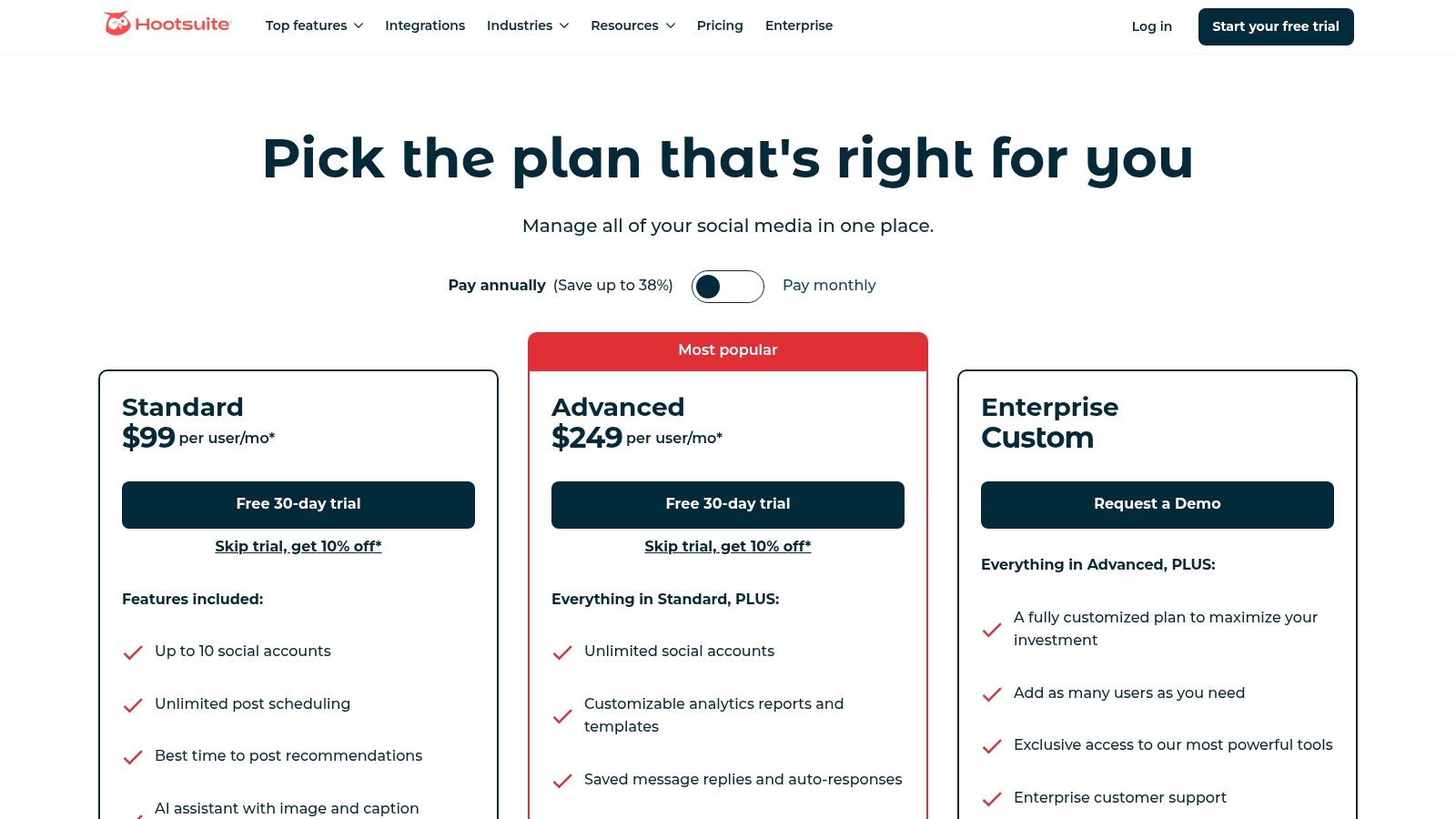
- Pricing: Plans start at $99/month for the Professional tier (1 user, 10 accounts). The Team plan is $249/month (3 users, 20 accounts). Custom Enterprise pricing is available. A 30-day free trial is offered.
- Unique Features: Integrated Canva templates, OwlyWriter AI for content creation, and automated DM workflows.
OneUp Comparison: While Hootsuite excels in team collaboration and analytics, OneUp provides a more streamlined and affordable solution for scheduling evergreen content and recurring posts. OneUp allows users to schedule posts to repeat automatically at set intervals (e.g., every few months), a feature ideal for promoting timeless content without manual effort. Additionally, OneUp offers direct scheduling for Google Business Profile posts, including adding event posts, offer posts, CTA buttons, and even scheduling the first comment on GBP posts, which is a powerful tool for local SEO.
Visit Website: https://www.hootsuite.com/plans/
3. Sprout Social
Sprout Social is a premium, all-in-one social media management tool designed for mid-to-enterprise level businesses that require sophisticated reporting, collaboration, and listening capabilities. It excels at unifying social media workflows, offering a powerful Smart Inbox that consolidates all incoming messages into a single, filterable stream. This platform is built for teams that prioritize data, providing deep analytics on everything from post performance to competitive insights and paid campaign results.
The platform integrates advanced features like message tagging for organizational clarity and AI Assist for generating on-brand content and replies quickly. Sprout Social's publishing tools include an intuitive calendar, review management, and optimal send time recommendations to maximize reach. Its strength lies in providing a robust, scalable solution for businesses where social media is a core function of their marketing and customer care strategies.
Key Details & Use Cases
- Best For: Mid-market to enterprise companies and agencies that need advanced analytics, team-based workflows, and social listening.
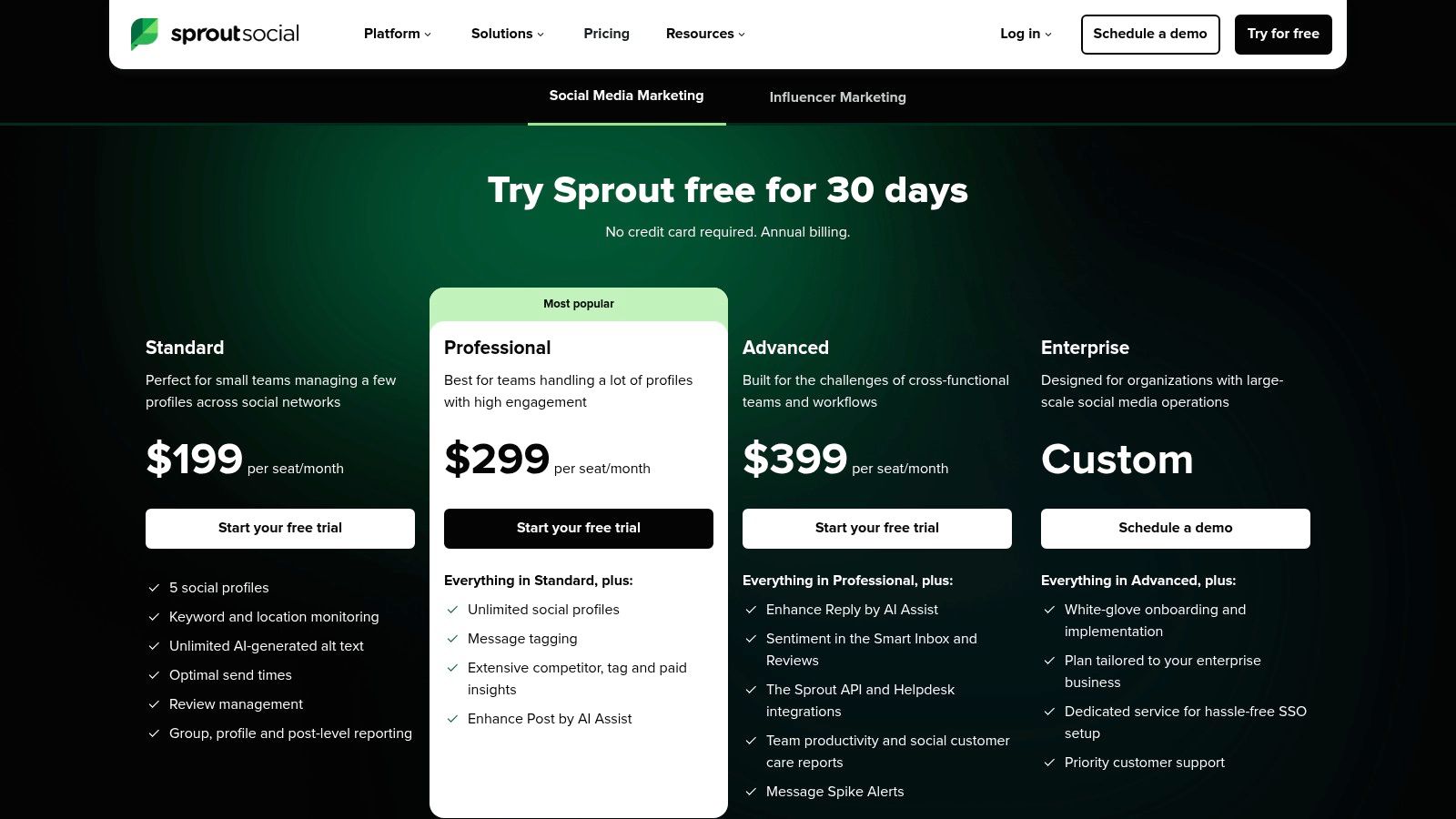
- Pricing: Plans start at $249/user/month for the Standard tier. The Professional plan is $399/user/month. Custom Enterprise pricing is available. A 30-day free trial is offered.
- Unique Features: Smart Inbox with message tagging, comprehensive competitor and paid performance reports, and integrated review management.
OneUp Comparison: Sprout Social is a powerful, albeit expensive, solution for large teams. OneUp offers a more cost-effective alternative focused on efficient scheduling and a wider range of platform support. OneUp’s standout feature is its ability to set posts to repeat automatically, which is perfect for recycling evergreen content without constant manual rescheduling. OneUp also supports posting to a wider range of platforms, including direct scheduling for Bluesky, Reddit, and Google Business Profile Q&A, unique features for boosting engagement that are not available in most premium social media management tools.
Visit Website: https://sproutsocial.com/pricing/
4. Buffer
Buffer is a highly regarded social media management tool celebrated for its intuitive design, transparent pricing, and powerful features tailored for small businesses and individual creators. It strikes an excellent balance between simplicity and functionality, offering a clean, user-friendly dashboard that makes scheduling content, engaging with audiences, and analyzing performance straightforward. Its focus on a streamlined workflow allows users to manage their social media presence efficiently without a steep learning curve.
The platform stands out with its flexible, per-channel pricing model, which is ideal for businesses that are scaling their social media efforts gradually. Buffer includes a capable AI Assistant to help with content ideation and rewriting posts, making it easier to overcome creative blocks. For those looking for more AI-powered content creation, tools like an Instagram caption generator can further enhance your creative output.
Key Details & Use Cases
- Best For: Small to medium-sized businesses, solo creators, and marketing teams looking for an affordable, easy-to-use platform with strong core scheduling and analytics features.
- Pricing: A free plan is available for up to 3 channels. Paid plans start at $6/month per channel for the Essentials tier. The Team plan is $12/month per channel with unlimited users. A 14-day free trial is offered.
- Unique Features: Flexible per-channel pricing, AI Assistant for content ideation, and a unified Start Page to create a custom link-in-bio landing page.
OneUp Comparison: While Buffer offers a great entry point with its per-channel pricing, OneUp provides a more cost-effective solution for users managing numerous accounts with its flat-rate unlimited model. OneUp’s plans include more social profiles at lower price points and offer unique scheduling capabilities, such as automatically repeating posts and scheduling posts from an RSS feed. Additionally, OneUp allows direct scheduling of multi-photo posts to Google Business Profiles, auto-splitting posts into X (Twitter) threads, and lets users create custom post schedules, providing greater flexibility for complex content strategies.
Visit Website: https://buffer.com/pricing
5. Later
Later began as a visual-first scheduler for Instagram and has since evolved into a powerful, multi-network social media management tool. Its core strength remains its visual-centric approach, making it an ideal choice for brands and creators on platforms like Instagram, TikTok, and Pinterest. The platform’s visual calendar and drag-and-drop functionality allow users to plan and preview their feed aesthetic with ease, which is a critical workflow for visually driven marketing strategies.
Beyond scheduling, Later incorporates an AI caption writer and provides content idea suggestions to streamline content creation. It also offers a built-in Link in Bio tool, allowing for a cohesive brand experience from post to landing page. The platform is well-suited for teams prioritizing short-form video and those who need an intuitive mobile app for on-the-go management. For those interested in this approach, you can explore more about using a dedicated Instagram grid planner to perfect your feed's look.
Key Details & Use Cases
- Best For: E-commerce brands, creators, and marketers who prioritize visual content planning for Instagram, TikTok, and Pinterest.
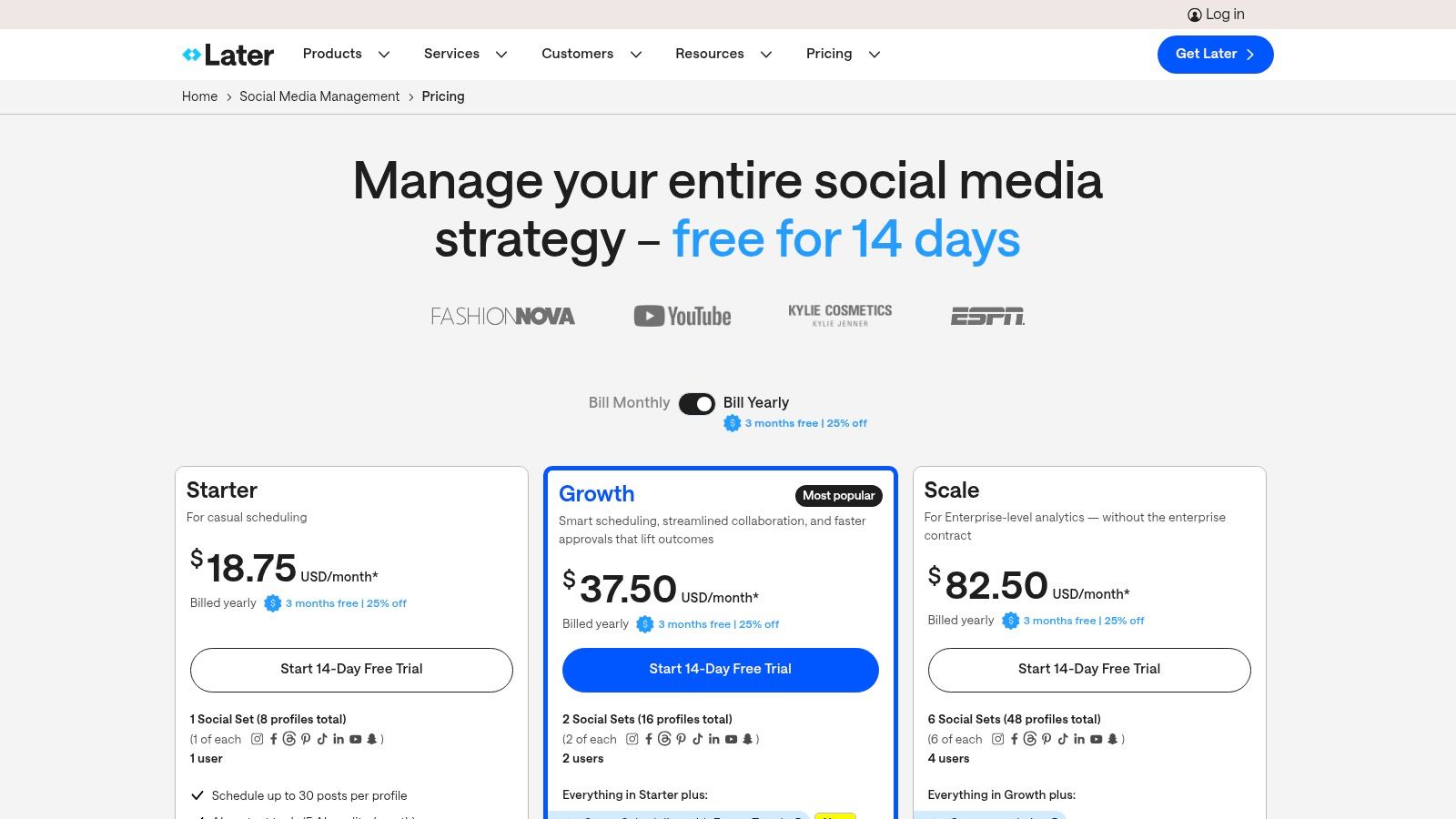
- Pricing: A free plan is available for individuals. Paid plans start at $25/month for the Starter tier (1 user, 1 social set). The Growth plan is $45/month (3 users, 3 social sets).
- Unique Features: Visual feed planner, Link in Bio tool, and AI-powered content creation assistance.
OneUp Comparison: While Later excels at visual planning, OneUp offers superior functionality for businesses focused on driving local engagement and maximizing content lifespan. OneUp’s direct integration with Google Business Profile allows scheduling posts with unique Call-To-Action buttons, event types, and offer posts, a feature set that is essential for local SEO. Furthermore, OneUp’s ability to set evergreen posts to repeat automatically at custom intervals provides a significant advantage for maintaining consistent visibility without constant manual rescheduling. OneUp also supports scheduling to more platforms, including Threads, Reddit, and personal Facebook profiles.
Visit Website: https://later.com/pricing/
6. Agorapulse
Agorapulse is a powerful and user-friendly social media management tool designed with agencies and marketing teams in mind. Its standout feature is an exceptionally well-organized unified inbox that centralizes comments, mentions, and DMs, making it simple to manage community engagement at scale. The platform excels at streamlining workflows with features like team assignments, shared calendars, and robust reporting that helps demonstrate ROI to clients or stakeholders.
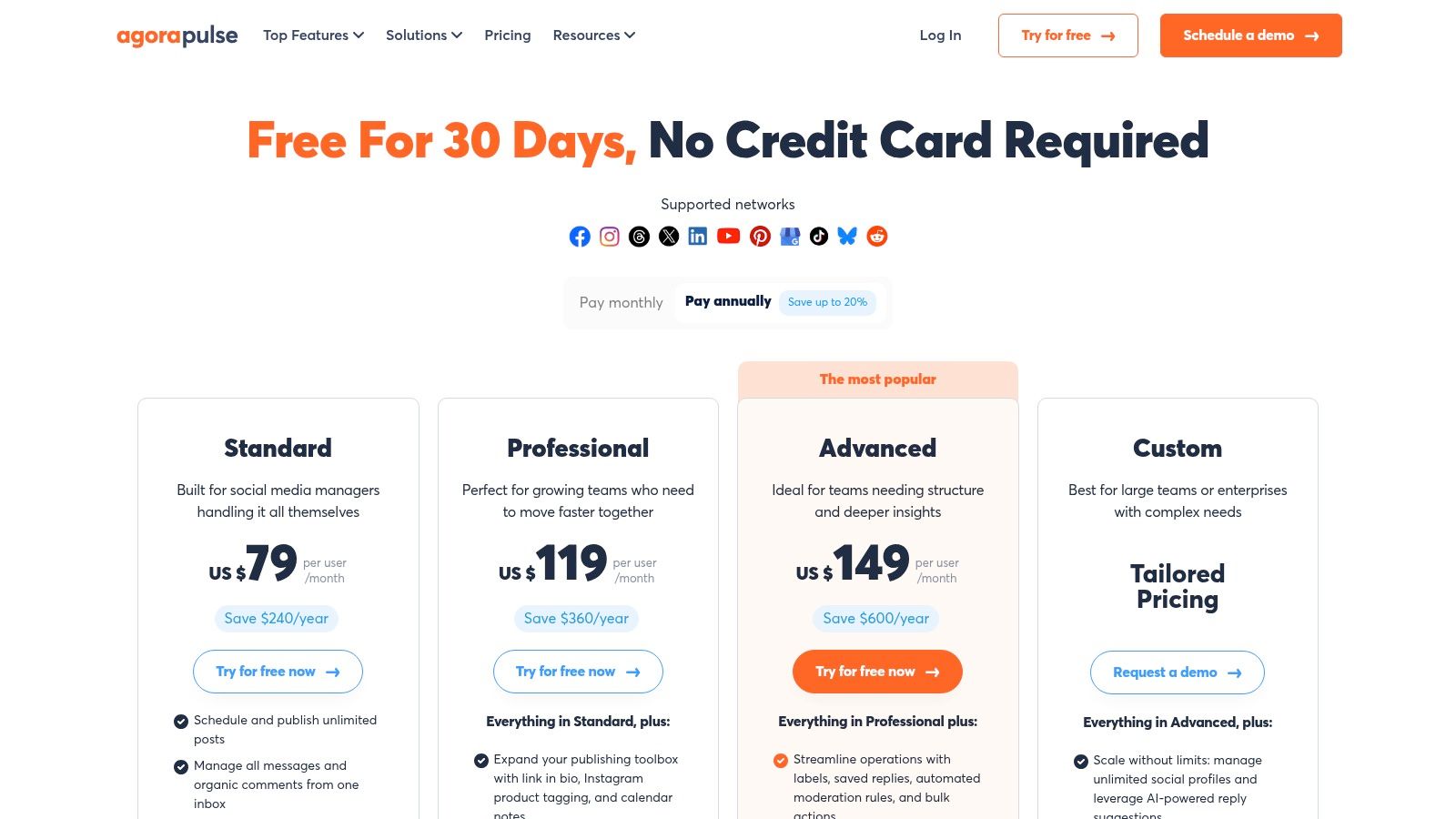
The platform offers a clean interface and transparent per-user pricing, which simplifies budget planning for growing teams. With unlimited post scheduling, Canva integration, and a content library for asset management, it covers all the essential bases for content creation and distribution. Agorapulse also includes social listening and ad comments monitoring, ensuring teams never miss a crucial interaction.
Key Details & Use Cases
- Best For: Marketing agencies, mid-sized businesses, and teams that prioritize community management and collaborative workflows.
- Pricing: A free plan is available for beginners. Paid plans start at $49/user/month for the Standard tier (10 profiles). The Professional plan is $79/user/month (25 profiles). A 30-day free trial is also offered.
- Unique Features: Exceptional unified inbox with collision detection, advanced reporting with ROI metrics, and a "Social Media Manager" toolkit.
OneUp Comparison: While Agorapulse is a top choice for team-based inbox management, OneUp offers a more specialized and cost-effective solution for automating content workflows with its flat-rate pricing. OneUp's ability to schedule a post to repeat automatically at custom intervals (e.g., every 3 weeks) is perfect for evergreen content, a feature Agorapulse lacks. Furthermore, OneUp provides direct scheduling for Google Business Profile Questions & Answers and supports unique content types like Instagram Reels with custom cover photos, offering greater content flexibility.
Visit Website: https://www.agorapulse.com/pricing
7. SocialPilot
SocialPilot stands out as a value-oriented social media management tool designed for small to medium-sized businesses, marketing agencies, and professionals who need to manage a high volume of accounts without enterprise-level pricing. Its core strength is providing generous account and user limits at a competitive price point, making it highly scalable for growing teams. The platform offers a clean interface for scheduling, content curation, and analytics, with a significant focus on agency-friendly features like white-label reporting and client management portals.
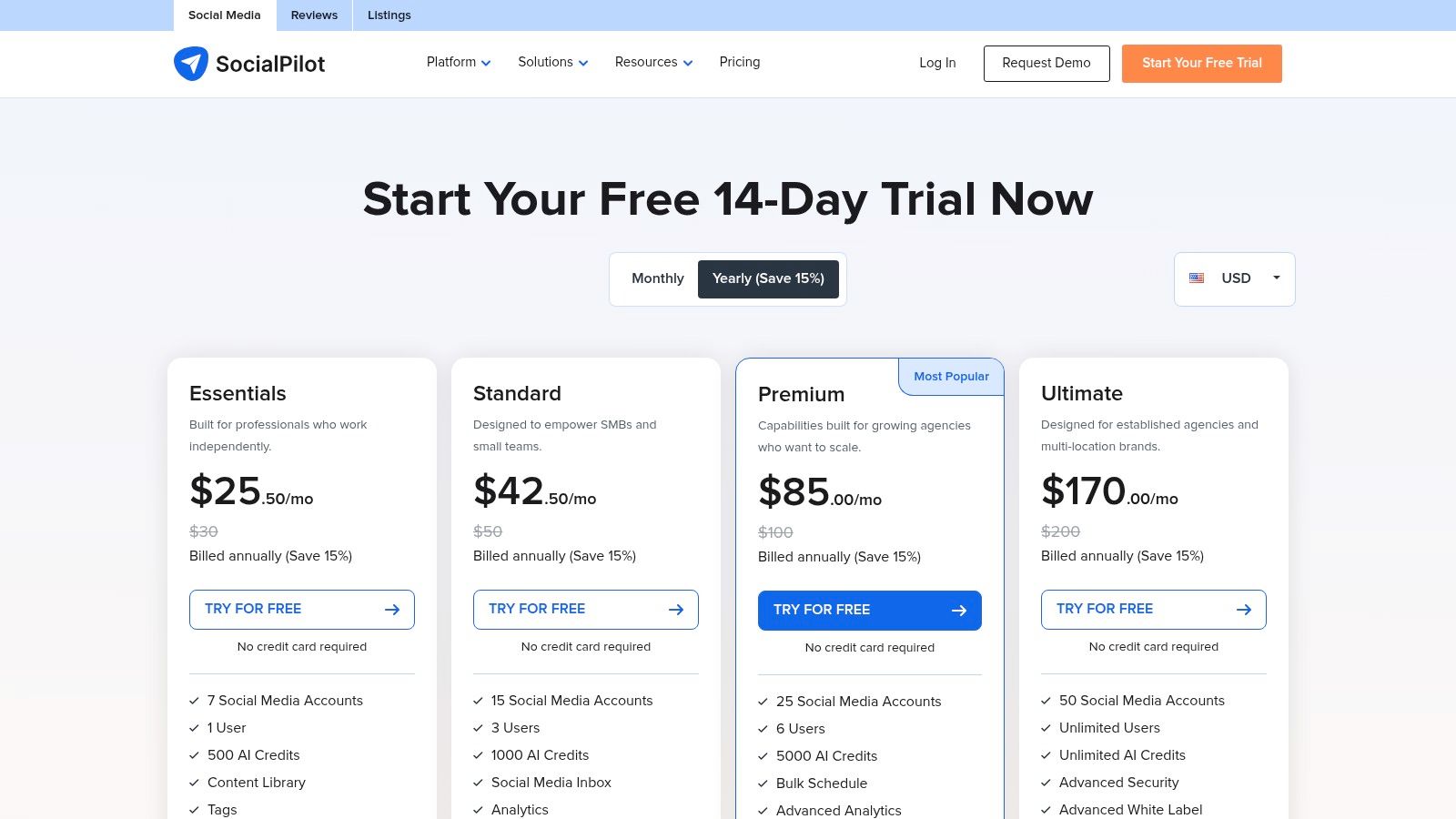
The platform is built for efficiency, featuring powerful bulk scheduling that allows users to upload and schedule up to 500 posts at once via a CSV file. It also includes a unified social inbox to manage conversations and a browser extension for curating and sharing content on the fly. For agencies, the ability to generate custom-branded PDF reports and provide clients with secure, read-only access is a major advantage for demonstrating ROI and streamlining collaboration.
Key Details & Use Cases
- Best For: Agencies, SMBs, and marketing teams looking for an affordable, high-volume solution with strong client management features.
- Pricing: Starts at $25.50/month (billed annually) for the Professional plan (1 user, 10 accounts). The Agency plan is $85/month (billed annually) for 5 users and 30 accounts. A 14-day free trial is available.
- Unique Features: Extensive bulk scheduling capabilities, white-label PDF reports, and dedicated client management portals.
OneUp Comparison: While SocialPilot offers excellent value for managing many accounts, OneUp excels in automating evergreen content and offers unique integrations under one flat price. OneUp’s repeating post feature is more advanced, allowing users to set posts to repeat at specific intervals (e.g., every 3 months) or automatically post from an RSS feed. OneUp also provides direct scheduling to personal Facebook profiles and allows users to schedule multi-image carousels on LinkedIn, a feature not found in SocialPilot.
Visit Website: https://www.socialpilot.co/plans
8. Sendible
Sendible is a powerful social media management tool designed with agencies and teams in mind, offering a compelling middle ground between affordability and advanced functionality. Its core strength is its suite of client management features, including white-label dashboards and robust, automated reporting that can be shared with clients via live links. This focus on collaboration and reporting makes it ideal for agencies managing multiple client accounts with distinct brand voices and content needs.
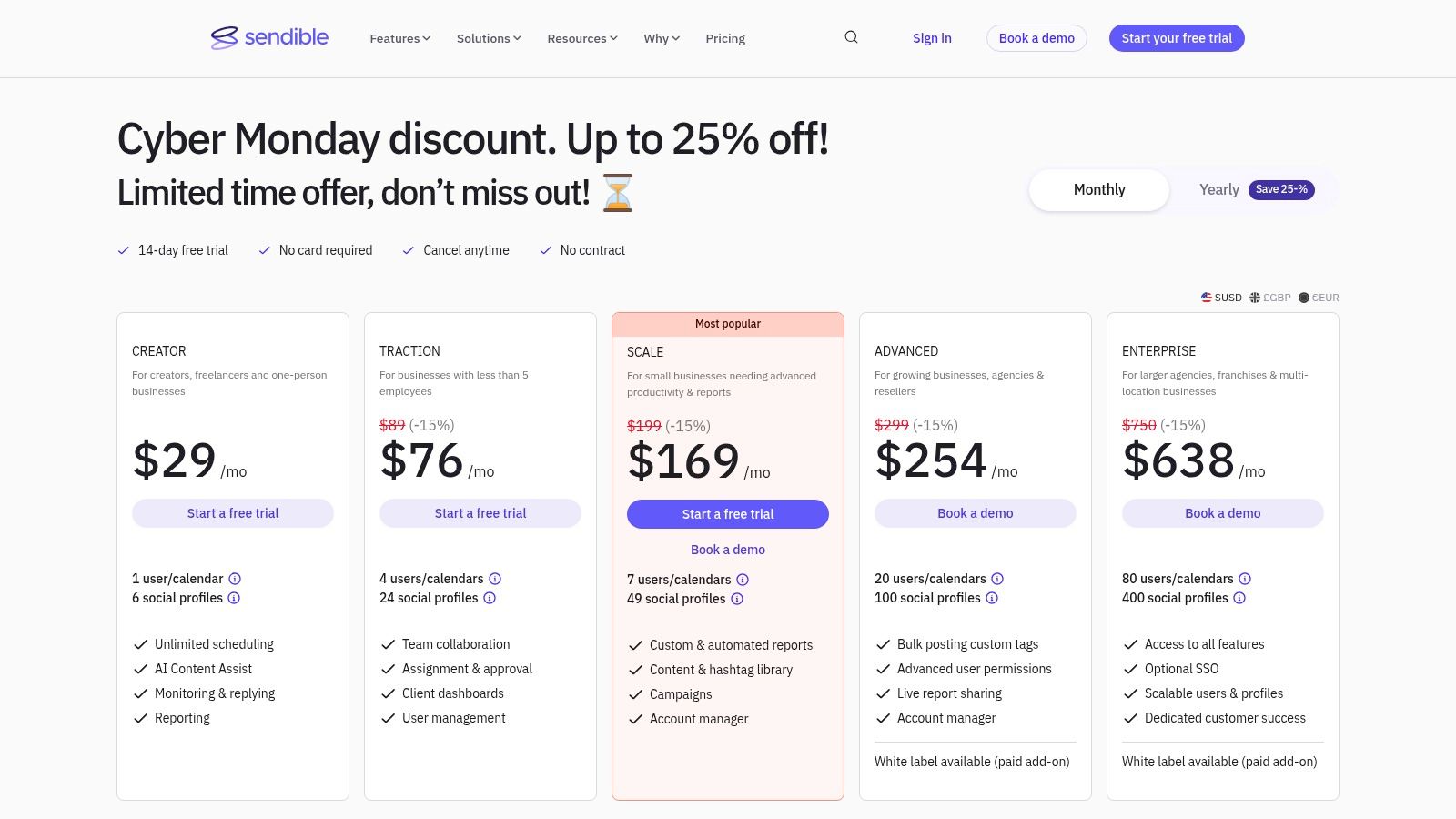
The platform streamlines workflows with a unified inbox, content libraries, and bulk scheduling capabilities. Sendible provides a comprehensive solution for teams that require both efficient content deployment and sophisticated client-facing analytics without the enterprise-level price tag of some competitors. Its built-in Canva integration and hashtag suggestion tools further simplify the content creation process.
Key Details & Use Cases
- Best For: Marketing agencies, freelance social media managers, and businesses managing multiple brands that need strong client reporting and collaboration tools.
- Pricing: Plans start at $29/month for the Creator tier (1 user, 6 profiles). The Traction plan is $89/month (4 users, 24 profiles). A 14-day free trial is available.
- Unique Features: Client-ready dashboards, custom and automated report builders with live sharing, and built-in content and hashtag libraries for efficient team use.
OneUp Comparison: While Sendible excels at agency-focused reporting, OneUp offers a more direct and affordable approach to content automation with its flat-rate unlimited plan. OneUp’s unique ability to automatically repeat posts at set intervals is a game-changer for consistently promoting timeless content. Furthermore, OneUp supports direct scheduling to more platforms, including personal Facebook profiles, Reddit, and Threads, and has a direct Instagram integration that doesn't require push notifications for any post type.
Visit Website: https://www.sendible.com/pricing
9. Zoho Social
Zoho Social is a powerful yet accessible social media management tool that stands out for its seamless integration into the broader Zoho business ecosystem. For small to medium-sized businesses already leveraging Zoho's suite of products (like Zoho CRM or Zoho Desk), this platform offers a unified experience for managing marketing, sales, and support. It provides a comprehensive set of features, including a publishing calendar, bulk scheduler, and a unified monitoring dashboard, all designed to streamline social media workflows.
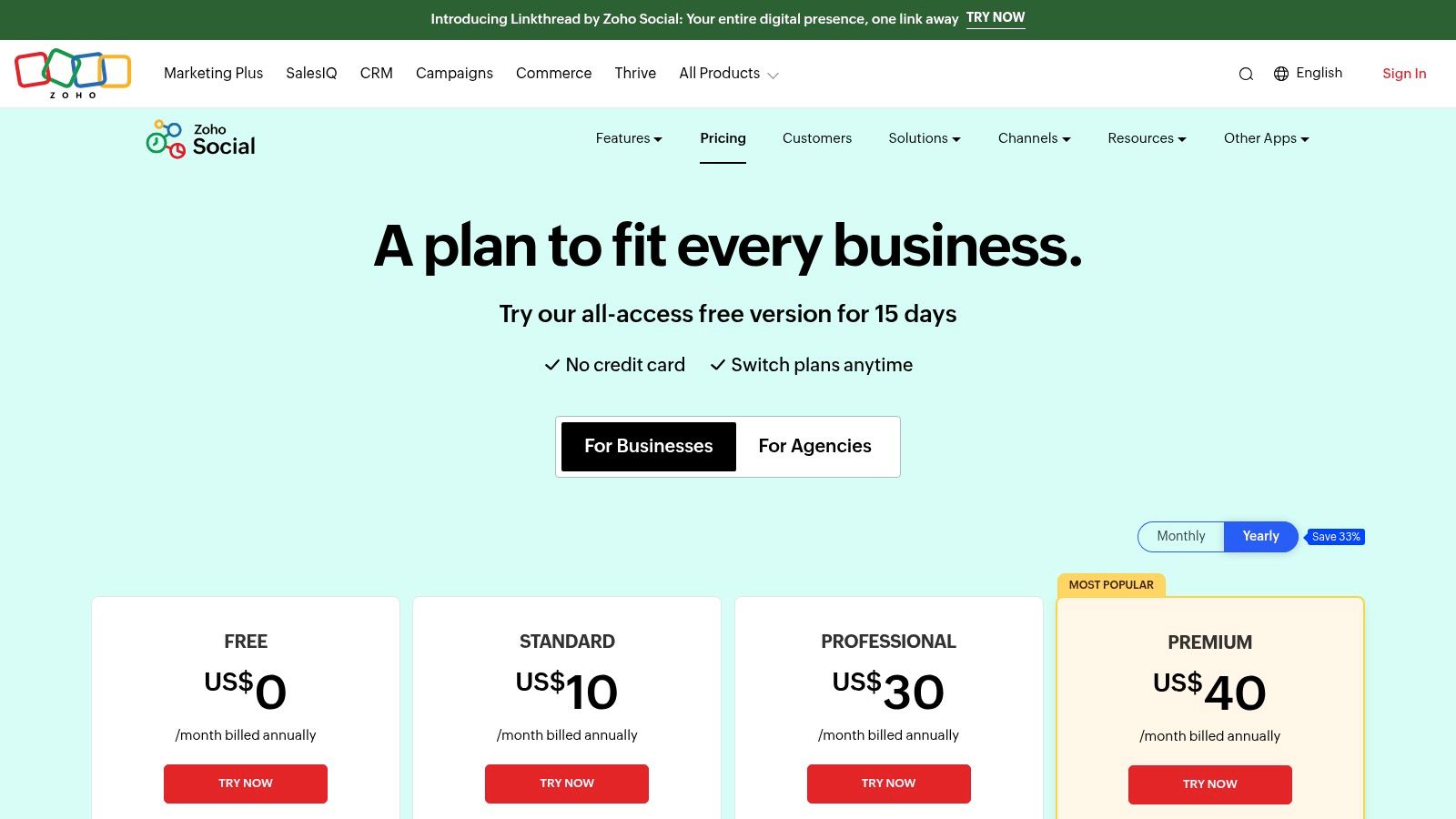
The platform is particularly attractive due to its generous free plan and affordable paid tiers, making it a strong contender for businesses with tight budgets. Zoho Social includes practical features like the ability to publish the first comment on Instagram posts directly and a handy zShare browser extension for easy content curation. Its mobile apps for iOS and Android ensure that teams can manage their social presence on the go, making it a flexible solution for dynamic marketing needs.
Key Details & Use Cases
- Best For: SMBs, especially those already using other Zoho products, and nonprofits looking for an affordable, integrated solution.
- Pricing: A free plan is available for 1 brand. Paid plans start at $10/month for the Standard tier (1 brand, 7 channels). The Professional plan is $30/month (1 brand, 8 channels). Add-ons for extra brands and users are available.
- Unique Features: Deep integration with Zoho CRM and Zoho Desk, a free plan with significant functionality, and available discounts for nonprofit organizations.
OneUp Comparison: While Zoho Social is an excellent all-in-one tool for those in the Zoho ecosystem, OneUp offers superior functionality for automating evergreen content and Google Business Profile management. OneUp’s repeating post feature allows users to set content to republish automatically, a capability not native to Zoho Social. Furthermore, OneUp provides more advanced Google Business Profile scheduling options, including scheduling photo posts, event posts, adding CTA buttons, and even scheduling the first comment, offering a distinct advantage for local SEO efforts.
Visit Website: https://www.zoho.com/social/pricing.html
10. HubSpot (Marketing Hub Social tools)
HubSpot's social media tools, part of its broader Marketing Hub, are designed for businesses that want to connect social media performance directly to customer lifecycle and revenue. Its primary strength is the deep integration with its CRM, allowing marketers to not just publish and monitor content, but to attribute leads, conversions, and sales directly to specific social media campaigns. This makes it one of the most powerful social media management tools for proving ROI.
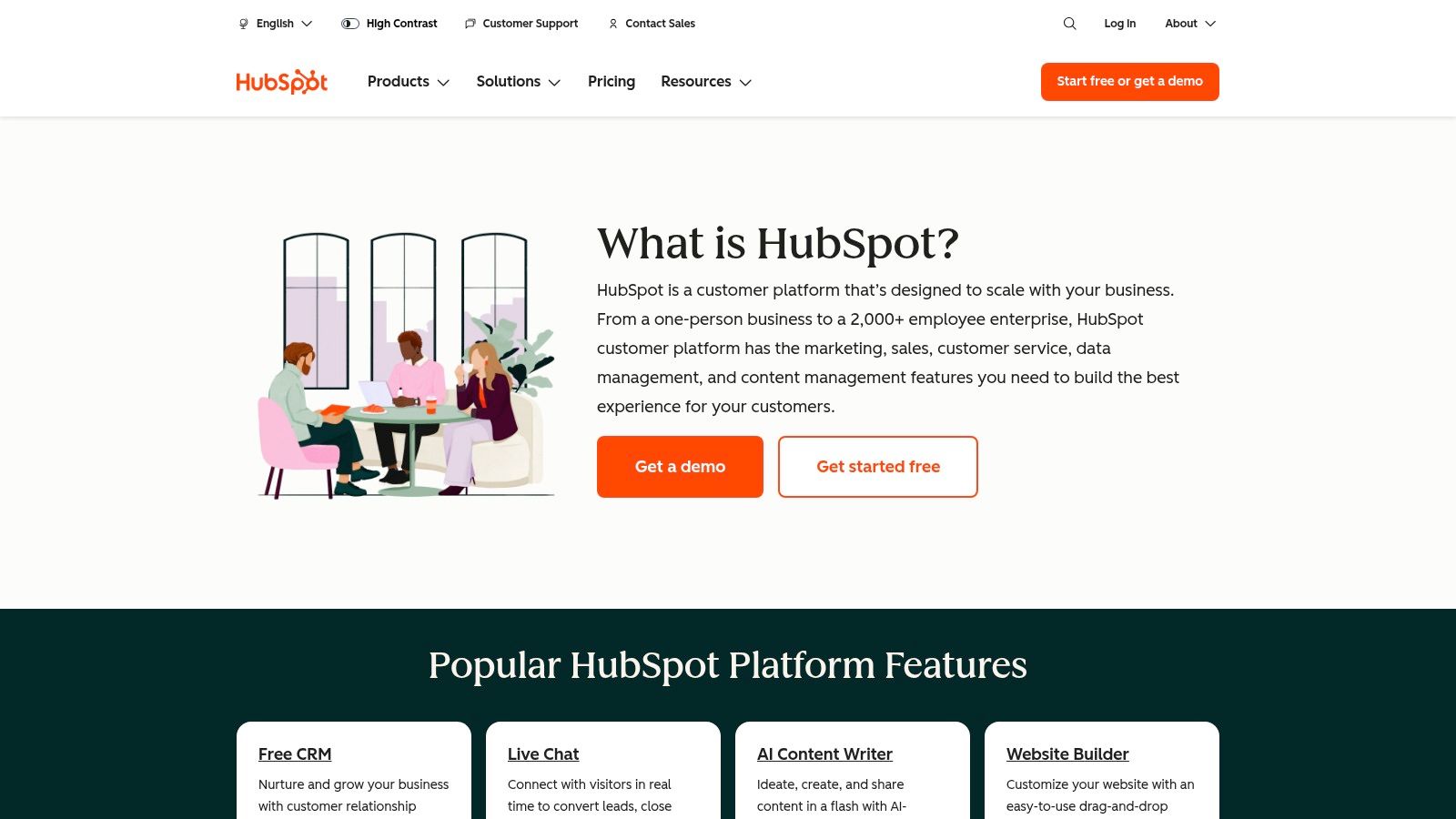
The platform includes standard features like scheduling and keyword monitoring, but also introduces AI-powered tools such as a social post generator and the "Breeze" social agent (currently in beta) to streamline content creation. For larger organizations, HubSpot provides enterprise-grade governance and permission settings, ensuring brand consistency and security across distributed teams. This focus on CRM-centric reporting sets it apart from standalone scheduling platforms.
Key Details & Use Cases
- Best For: B2B companies and sales-driven organizations already using the HubSpot ecosystem to track leads and campaign ROI.
- Pricing: Social tools are included in Marketing Hub, which starts at $18/month (Starter). More robust features require the Professional tier at $800/month or the Enterprise tier at $3,600/month.
- Unique Features: Native CRM integration for full-funnel attribution, AI-powered social agents, and advanced reporting that connects social interactions to contact records and sales pipelines.
OneUp Comparison: While HubSpot excels at connecting social media to a CRM, OneUp offers a more focused and cost-effective solution for content scheduling and automation. OneUp’s key advantage is its evergreen content recycling feature, which allows users to set posts to repeat automatically for continuous promotion. Additionally, OneUp provides direct scheduling to Google Business Profiles with call-to-action buttons and offers a unique feature to automatically post from RSS feeds, making it a highly efficient tool for content curation and distribution without the high price tag.
Visit Website: https://www.hubspot.com/products
11. Meta Business Suite (Facebook/Instagram)
Meta Business Suite is the official, first-party platform for managing Facebook Pages and Instagram accounts. As a native tool, it offers the most direct and reliable way to handle content, engagement, and analytics for Meta-owned properties. Its primary strength is its seamless integration, providing a unified dashboard to schedule posts and Reels, manage a combined inbox for Messenger and Instagram DMs, and access detailed Page Insights without relying on third-party API connections. It serves as an essential, free baseline for any business or creator active on these two crucial platforms.
The platform provides a content calendar with "active times" suggestions to optimize post timing and includes built-in automations like instant replies and away messages for the inbox. It also facilitates direct management of Page features such as events, job postings, and offers. While its user experience can sometimes feel inconsistent, its value as a free, powerful management hub for the world’s largest social networks is undeniable, making it one of the most fundamental social media management tools available. For those looking to streamline their content creation process, resources like a Facebook post generator can be a helpful supplement.
Key Details & Use Cases
- Best For: Small businesses, solo creators, and anyone exclusively focused on growing their presence on Facebook and Instagram.
- Pricing: Completely free to use.
- Unique Features: Native scheduling for Facebook Reels, integrated A/B testing for posts, and a unified inbox with message automations.
OneUp Comparison: While Meta Business Suite is indispensable for its native functions, OneUp extends management capabilities to other crucial platforms like X (Twitter), LinkedIn, Pinterest, and Google Business Profile. OneUp’s key advantage is its powerful recurring post feature, which allows users to automatically recycle evergreen content at set intervals, something Meta's tool does not offer. Additionally, OneUp provides a more advanced content management system, including the ability to bulk upload posts via CSV, auto-post from RSS feeds, and schedule the first comment on Facebook and Instagram posts.
12. AppSumo
AppSumo is not a single social media management tool but a marketplace that offers significant, often lifetime, deals on emerging software. For budget-conscious marketers, freelancers, and agencies, it's a treasure trove for discovering and acquiring powerful tools for a one-time fee. The platform features everything from schedulers and AI content generators to link-in-bio solutions and analytics platforms, making it a strategic resource for building a marketing stack without recurring subscriptions.
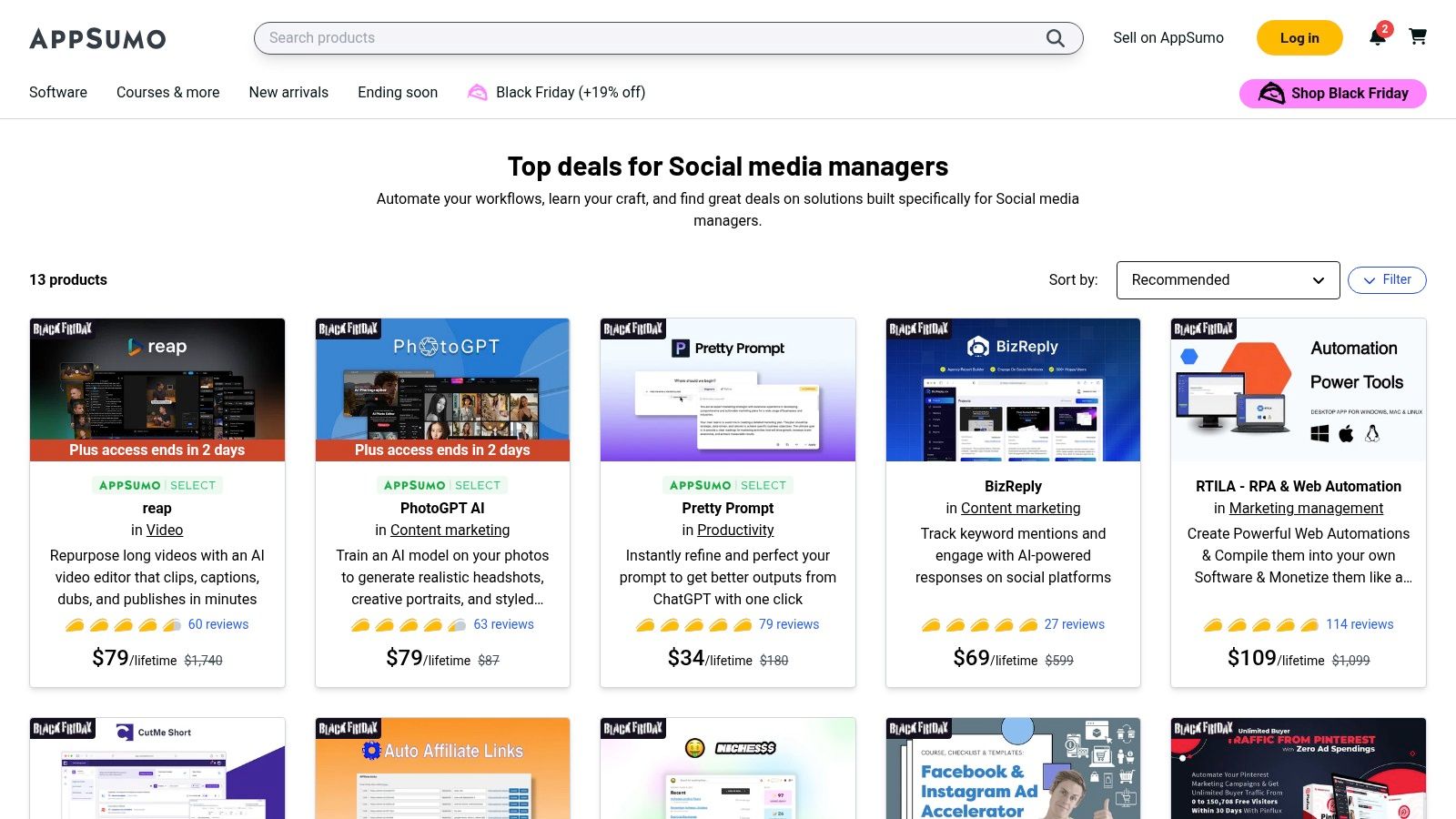
The primary appeal is the potential for immense long-term savings. However, the deals are time-sensitive, and the software offered can vary in maturity and support quality. User reviews and a refund window provide a safety net, allowing buyers to test tools before committing. Its curated collections, like "Best for Social Media Managers," help narrow down the vast selection of available offers.
Key Details & Use Cases
- Best For: Solopreneurs, startups, and agencies on a tight budget looking to acquire social media tools with a one-time payment.
- Pricing: Varies per deal. Many offers are lifetime deals (LTDs) ranging from $39 to several hundred dollars for permanent access.
- Unique Features: Rotating selection of lifetime deals, extensive user reviews and Q&A on each product page, and a 60-day money-back guarantee on most purchases.
OneUp Comparison: While AppSumo offers a chance to get various tools at a low cost, OneUp provides a stable, proven, and comprehensive solution with a predictable, flat-rate pricing model. OneUp’s specialized features, like scheduling posts to automatically repeat at custom intervals, creating post variations with Spintext, and direct scheduling to Google Business Profiles with event types and CTA buttons, are refined functionalities not always present in the newer tools found on deal sites. For those who prioritize reliable performance and a dedicated feature set over hunting for deals, OneUp is the more dependable choice.
Visit Website: https://appsumo.com/collections/best-for/social-media-managers/
Top 12 Social Media Management Tools Comparison
| Platform | Core features | Unique strengths | Price & value | Best for |
|---|---|---|---|---|
| OneUp 🏆 | Scheduling, recycling, multi‑network publishing, unified inbox, analytics ★4.8 | ✨ Unlimited accounts/posts/teams; broad network & API | 💰 Fixed price — unlimited usage (free trial & refund) | 👥 Agencies, multi‑location businesses, creators |
| Hootsuite | Schedule, inbox, reporting, listening ★ | ✨ Mature ecosystem & integrations | 💰 Tiered; advanced features cost more | 👥 Large teams wanting full‑stack |
| Sprout Social | Publishing, Smart Inbox, listening, reporting ★ | ✨ Enterprise reporting & collaboration | 💰 Per‑seat pricing — premium | 👥 Midsize & enterprise teams |
| Buffer | Scheduling, analytics, AI assistant ★ | ✨ Simple UX; transparent plans | 💰 Channel‑based pricing — affordable entry | 👥 Creators & SMBs |
| Later | Visual calendar, mobile planning, Link in Bio ★ | ✨ Visual planning for IG/TikTok | 💰 Tiered; starter caps posts/users | 👥 Visual brands & creators |
| Agorapulse | Scheduling, unified inbox, reporting ★ | ✨ Client workflows & clear per‑user model | 💰 Per‑user tiers; nonprofit discounts | 👥 Agencies & teams |
| SocialPilot | Bulk scheduling, white‑label reports, analytics ★ | ✨ Strong value per account/user | 💰 Very competitive for many accounts | 👥 Agencies/SMBs on a budget |
| Sendible | Client dashboards, approvals, custom reports ★ | ✨ Client‑ready dashboards & automations | 💰 Seat/profile bundles; add‑ons | 👥 Agencies needing client reports |
| Zoho Social | Publishing calendar, monitoring, mobile ★ | ✨ Integrates tightly with Zoho suite | 💰 Free & paid tiers; add‑ons for brands | 👥 SMBs using Zoho products |
| HubSpot (Social) | Scheduling, monitoring, CRM‑connected reports ★ | ✨ Social + CRM attribution | 💰 Part of Marketing Hub — higher tiers cost more | 👥 Teams needing CRM‑linked ROI |
| Meta Business Suite | Schedule posts/reels, unified inbox, Page Insights ★ | ✨ Native Facebook & Instagram tool | 💰 Free | 👥 Brands focused on Meta platforms |
| AppSumo | Curated deals on social tools, reviews ★ | ✨ Lifetime discounts & varied tool selection | 💰 Low cost via time‑limited deals | 👥 Budget‑conscious buyers & agencies |
Making Your Final Decision: The Path to Social Media Efficiency
Navigating the landscape of social media management tools can feel overwhelming. We've journeyed through a comprehensive list, from enterprise-grade powerhouses like Sprout Social and HubSpot to creator-focused platforms like Later and accessible all-rounders such as Buffer and SocialPilot. Each tool presents a unique philosophy and feature set, designed to solve specific problems for marketers, agencies, and business owners.
The core takeaway is that there is no single "best" platform; there is only the best platform for your specific needs. Your final choice hinges on a careful evaluation of your workflow, team size, budget, and strategic goals. A solo creator will have vastly different requirements than a multi-location franchise or a full-service marketing agency.
Key Insights and Strategic Takeaways
Reflecting on our analysis, several key themes emerge. Firstly, the importance of a user-friendly interface cannot be overstated. A tool with a steep learning curve can negate any potential time savings. Secondly, the depth of analytics and reporting often separates the basic schedulers from the true strategic partners. The ability to generate insightful, client-ready reports is non-negotiable for agencies and data-driven teams.
Finally, consider the nuances of platform integrations. Does the tool support all the networks you rely on? For example, tools like OneUp excel by offering direct scheduling for personal Facebook profiles, Google Business Profiles (including Q&A and photo scheduling), and Instagram Stories, which are often limitations in other platforms. Don't just look at the logo on the integrations page; investigate the level of functionality offered for each network.
Your Actionable Path to Choosing a Tool
To move from analysis to action, follow this structured approach to ensure you select the right social media management tools for your business.
- Audit Your Current Workflow: Identify your biggest time sinks. Is it content creation, post scheduling, responding to comments, or reporting? Pinpoint your primary pain points to guide your feature prioritization.
- Define Your Must-Have Features: Create a checklist. Do you absolutely need a unified social inbox, advanced team collaboration roles, or the ability to bulk-upload posts from a CSV? Distinguish between essential features and "nice-to-have" perks.
- Set a Realistic Budget: Your budget will immediately narrow the field. Be honest about what you can afford monthly or annually. Remember to factor in the cost per user or per social profile, as this is where pricing can quickly escalate with tools like Hootsuite or Agorapulse.
- Leverage Free Trials: This is the most critical step. Shortlist 2-3 top contenders and commit to using their free trials simultaneously. Connect your actual social media accounts and execute your real-world strategy. This hands-on experience will reveal usability issues and workflow strengths far better than any feature list.
- Evaluate Long-Term Scalability: Choose a tool that can grow with you. Consider its product roadmap and recent updates. A platform like OneUp, which actively adds features like an AI Assistant for generating post ideas and a Canva integration, demonstrates a commitment to evolving alongside user needs. This forward-thinking approach ensures you won't have to migrate to a new system in a year.
By methodically working through these steps, you transform a daunting decision into a strategic investment. The right social media management tools will do more than just save you time; they will empower you to execute a more consistent, engaging, and effective social media strategy, ultimately driving measurable results for your brand or clients.
Ready to reclaim your time and automate your social media with a powerful, straightforward platform? OneUp provides robust features like repeating posts, a visual calendar, and direct Google Business Profile scheduling to streamline your workflow without the enterprise-level price tag. Start your free 7-day trial of OneUp today and see how simple effective social media management can be.